

StefanStehlik
Inspiring
October 10, 2022
Answered

Move Layers - Groups and Masks to New Layer

  • October 10, 2022
  • 2 replies
  • 1012 views

I have problem writing a code to move all layers from active Artboard to New Layer, and retain layer masks and groups? I only manage to do that without groups or masks. Please help if you have some information about that.

Thank you.
This topic has been closed for replies.
Correct answer Sergey Osokin

Hey thank you, this works perfect 🙂


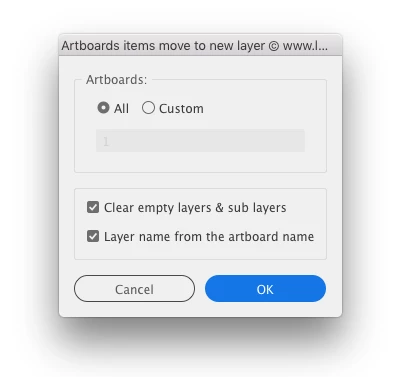
Also, Alexander Ladygin has a similar script, which has additional options in dialog mode https://raw.githubusercontent.com/alexander-ladygin/illustrator-scripts/master/artboardItemsMoveToNewLayer.jsx

2 replies

Sergey Osokin
Inspiring
October 11, 2022

Do you want the contents of the active artboard to be moved in a new layer? If I understand the task correctly. Try this code, but it only works with visible and unlocked objects on the artboard.

var doc = activeDocument;
var newLayer = doc.layers.add();
newLayer.name = "Moved";
selection = [];
doc.selectObjectsOnActiveArtboard();
for (var i = 0; i < selection.length; i++) {
  selection[i].move(newLayer, ElementPlacement.PLACEATEND);
}
selection = [];

StefanStehlik
Inspiring
October 13, 2022

Thank you for your answers, but this script in my case release all group and clipping to single objects. Try to add one more Artboard, set that new Artboard to be active, and add all the elements to it. You will see that content is released to single objects.

Sergey Osokin
Inspiring
October 13, 2022

Can you record a video or GIF? I don't see any problem with the artboards.

femkeblanco
Legend
October 10, 2022

Can you give more details?  The snippet below moves all layers to a new layer and, for me, retains groups and clipping masks. 

var doc = app.activeDocument;
doc.layers.add().name = "Layer 1";
for (var i = doc.layers.length - 1; i > 0; i--) {
    doc.layers[i].moveToBeginning(doc.layers[0]);
}