Tarik.kh
Participating Frequently
November 9, 2021
Answered

Moving objects a specific distance and angle?

  • November 9, 2021
  • 3 replies
  • 2831 views

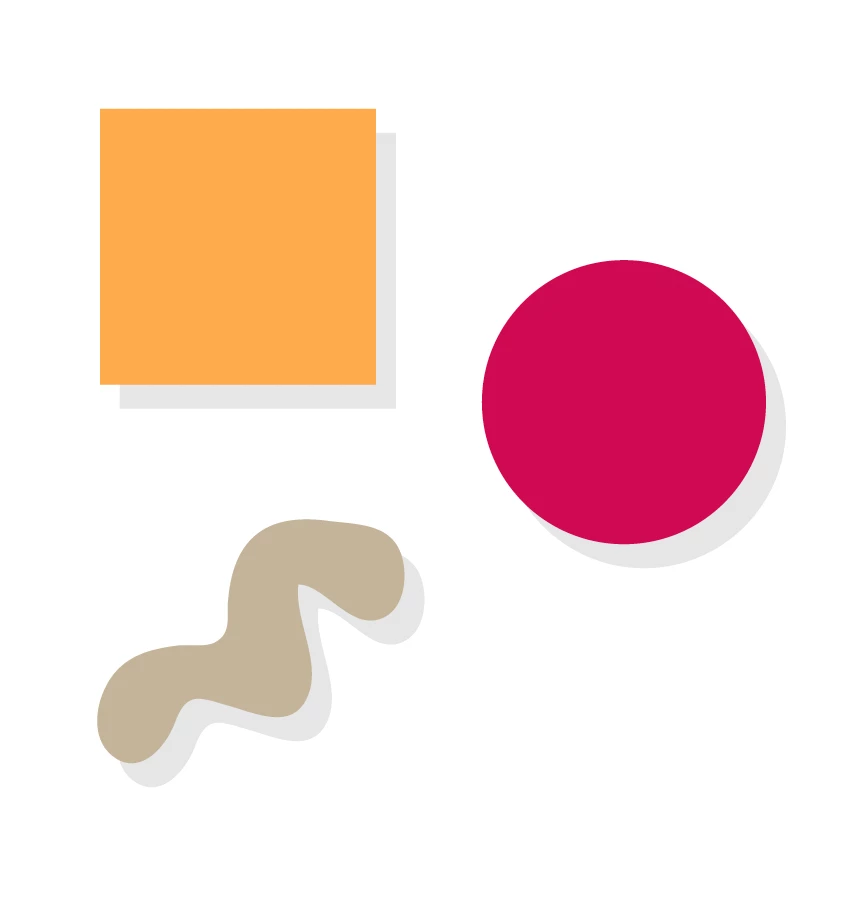
I'm creating brand guidelines for a client who will be then sharing it with a lot of different designers and departments to use as their brand bible. An integral part of the design concept is adding (very fake 80's style) 'shadows' to objects and text.. etc - see example image below.


Is there a way to move objects a certain distance /angle/percentage from their original location (i.e not by just altering the X/Y Value in relation to the artboard)? Somehow just inputting a couple of numbers/percentages to move the items?


I want to make it super easy for designers to create these shadows, but at the same time making sure they are always consistent in distance and angle regardless of whether the object is on a huge poster or a tiny web-banner. Does such a tool/option exist in AI?


Thanks in advance!
 

This topic has been closed for replies.
Correct answer Doug A Roberts

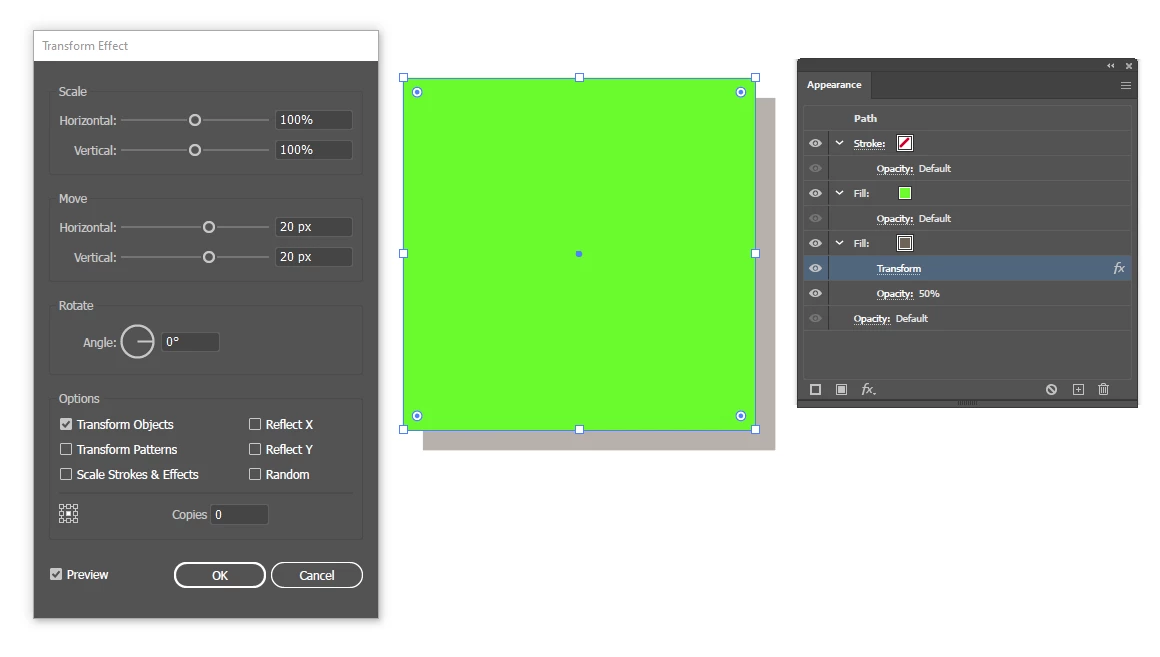
You can make a graphic style that uses the Transform effect to move a copy of the object's fill, but it will always be a pixel amount rather than a percentage, so would probably need to be adjusted for documents on different scales:

3 replies

Inspiring
December 26, 2021

Helpful as the given answers may be for the current version of Illustrator, which I have recently acquired after using CS 2 for many years, I pull my hair out at how cumbersome the program has become. It used to be easy and intuitive. Anymore the tools are buried somewhere, and the operations take more time and headache to accomplish. And they changed the meaning of negative numbers (now up instead of the intuitive down). I'm not really sorry to vent here because it is at least possible that Adobe's engineers will listen and change things back to simplicity (= ease and speed).

Monika Gause
Community Expert
Community Expert
December 27, 2021

Please post bugs & feature requests to http://illustrator.uservoice.com

Kurt Gold
Community Expert
Community Expert
November 9, 2021

You may also just use the common Drop Shadow effect in the Effect menu with a Blur setting of 0 (zero) and make sure that the "Scale Strokes and Effects" setting (see Transform palette flyout menu) is turned on in case you are going to scale the objects.


This way you can dodge Doug's absolute settings (no offense, Doug, I'm just kidding).


Doug A Roberts
Community Expert
Community Expert
November 10, 2021

You were right to step in Kurt, I shouldn't have dealt in absolutes.

Doug A Roberts
Community Expert
Doug A RobertsCommunity ExpertCorrect answer
Community Expert
November 9, 2021

You can make a graphic style that uses the Transform effect to move a copy of the object's fill, but it will always be a pixel amount rather than a percentage, so would probably need to be adjusted for documents on different scales:

Tarik.kh
Tarik.khAuthor
Participating Frequently
November 9, 2021

This is a great suggestion, thanks a lot Doug!