This topic has been closed for replies.

2 replies

Ton Frederiks
Community Expert
Community Expert
May 7, 2024

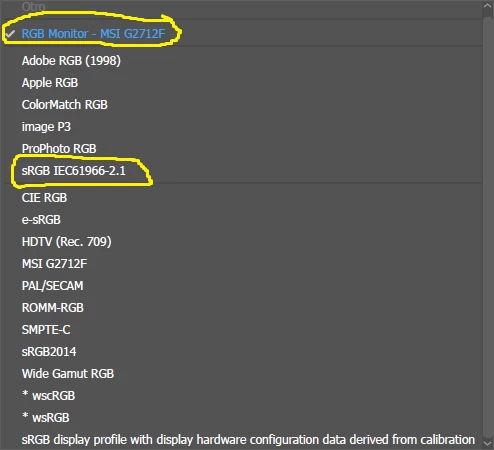
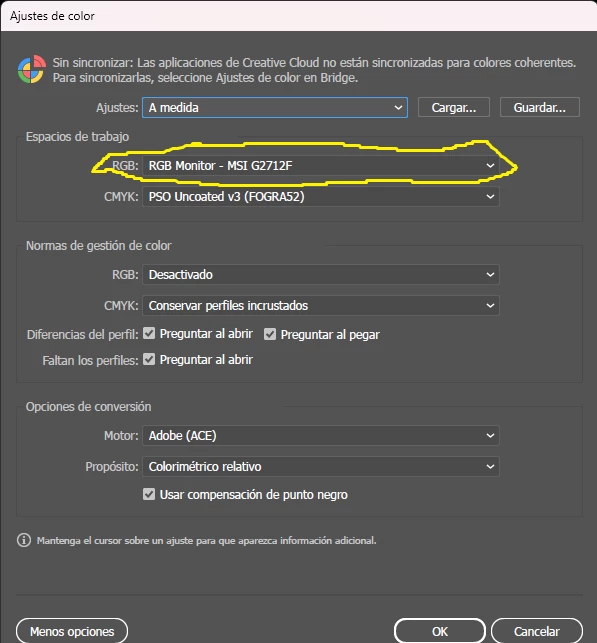
Your Monitor ICC profile is unique for your system and should only be used to display colors on your screen, this happens automatically. Don't use it as a working space, use one of the constructed working spaces like sRGB or Adobe RGB.

See here for more info about working spaces: https://www.adobe.com/digitalimag/pdfs/phscs2ip_colspace.pdf

Participant
May 8, 2024

I will be using sRGB for RGB profile

Conrad_C
Community Expert
Community Expert
May 8, 2024

There is more than one RGB profile. There’s the monitor profile set in the system, and the working space in Photoshop.


For the system, the correct monitor profile is always the one that most precisely describes the color reproduction of the display. In your case, the MSI profile might be best unless you have generated your own custom profile for that display.


For the Photoshop RGB working space, which is for editing, the correct profile is typically not the monitor profile. Select an RGB working space that best matches the kind of output you deliver most often. For example, if it’s for the web, sRGB is fine. If it’s for print, sRGB is a safe choice although it doesn’t cover all the colors of PSO Coated V3, while Adobe RGB covers nearly all.

Inspiring
May 7, 2024

The sRGB color space will ensure compatibility with other devices/users. However, I am wondering about the CMYK colour space - uncoated v3. This gamut is good if you work in a flexographic printing house with uncoated cardboard. Otherwise, it is worth considering space for coated papers, e.g. Coated Fogra...

Participant
May 8, 2024

Thank you for your help

I will be Using PSo Coated V3 for CMYK

and sRGB for RGB