

JimmyJet
Participating Frequently
January 3, 2023
Question

Multi Layer Merge (flatten)

  • January 3, 2023
  • 2 replies
  • 1998 views

I am having a major issue merging my image. Wondering if someone might be able to give me some advice on how to go forward. I want to merge (flatten) the image so that all the overlapping layers are seperated. I need to do this to edit the colors and set it up for a silk screen. 


What do I need to do so that I can get the layers merged so they are not overlapping?


Please see the attached images to get a better understanding of the issue. 
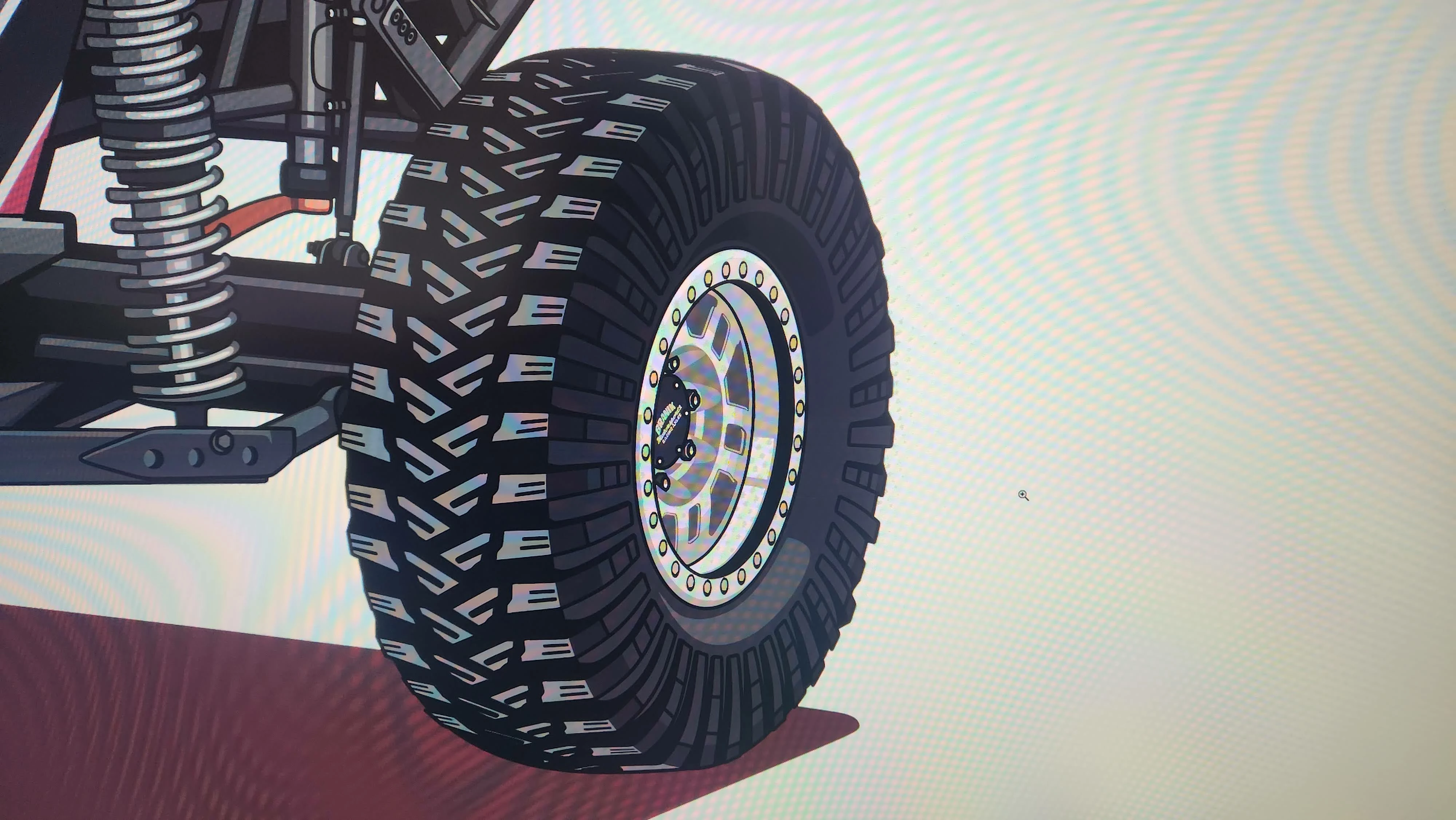
What it looks like before merger
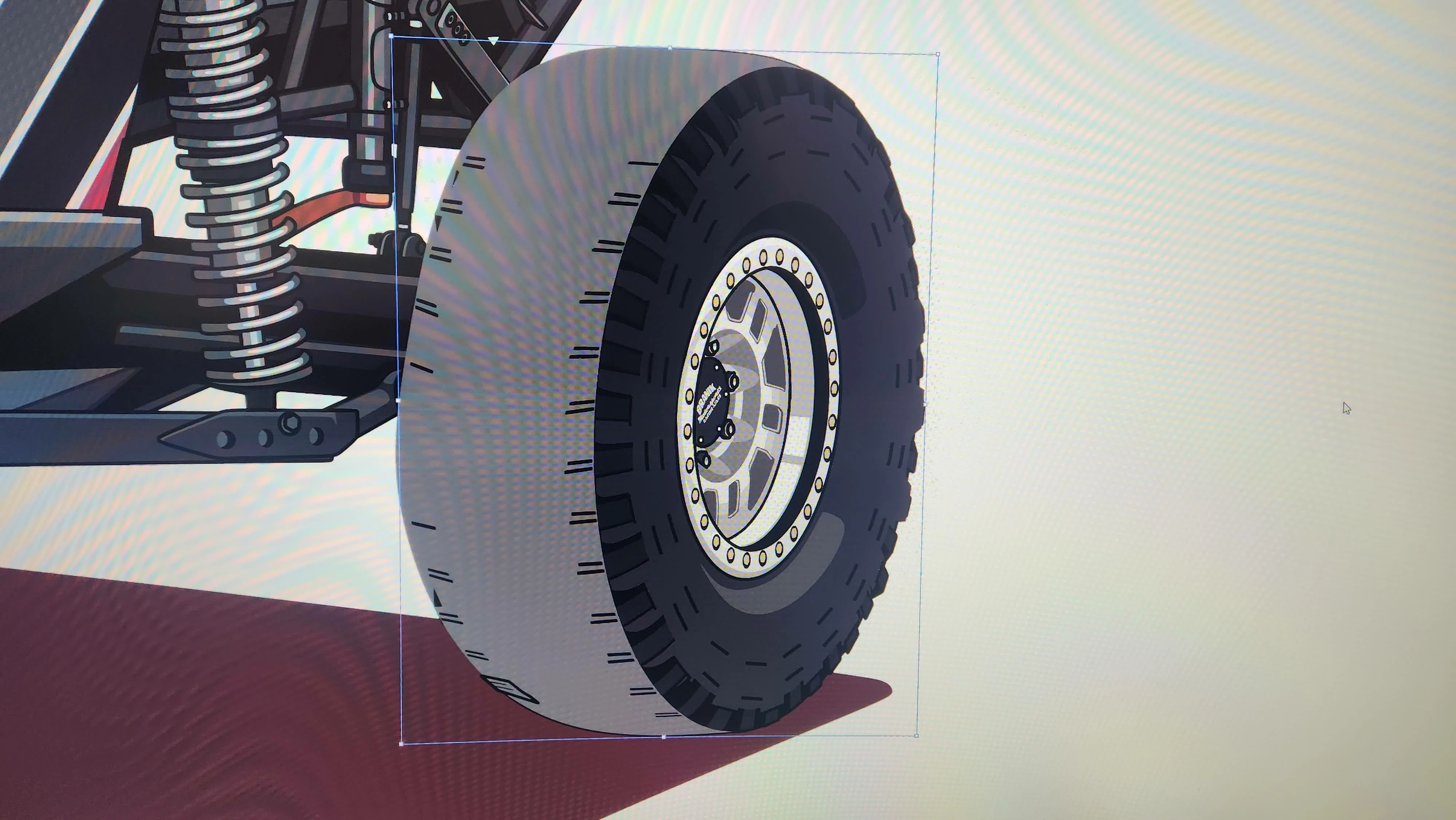
What it looks like after merger

This topic has been closed for replies.

2 replies

Monika Gause
Community Expert
Community Expert
January 3, 2023

How is this built? Please show the layers.

Exactly how did you flatten it?

JimmyJet
JimmyJetAuthor
Participating Frequently
January 3, 2023

I have gone though and done a ton of Ungrouping because I thought that was the issue, so most all the parts are seperated now, and there are 100's of layers.


There are still some Compound Paths and Clip Group's

I have also Expanded everything so there are no lines

Monika Gause
Community Expert
Community Expert
January 3, 2023

So that tire has been built exactly how?

pixxxelschubser
Community Expert
Community Expert
January 3, 2023

What happens if you do before:

  • select all
  • object --> flatten transparency
JimmyJet
JimmyJetAuthor
Participating Frequently
January 3, 2023

I have never tried to do a Flatten Transparency before... I used the standard setting and it doesn't look like it changed anything but how the layout is done in the layers...


After Flatting Transparency > Then Merger it still looked the same.