



Multiply blending mode is making colors darker lower beneath
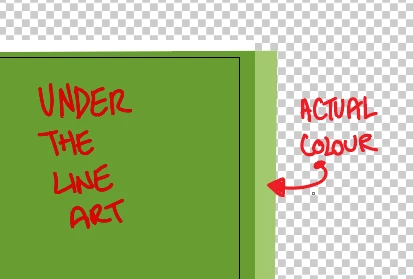
I have been using Illustrator for ages, and for some reason I can't figure out how to make the whites fully transparent in Multiply mode. I scanned line art through Photoshop, used the levels there to make the whites 100%, but after adding the art into Illustrator and setting the layer mode to multiply, it's still making the colors beneath darker. The whites aren't fully transparent. I have tried saving the line art in a variety of formats (.jpg, .png, .tiff) to see if I could make any difference, but no luck. As I say, I am not new to illustrator, I have been using this technique for 20 years (yes, I am that old!), and I have dim memories of this occurring occasionally, but I thought I had previously fixed it by changing the format of the line art. Now I am at a loss. Any helpful suggestions are welcome. Thanks!
 AdChoices