Participant
November 4, 2020
Answered

My AI UI is way too small, yet I can't find the UI slider people say I should have

  • November 4, 2020
  • 2 replies
  • 474 views

I've been browsing this forum for a while but I'm kind of trapped 😅 You see, my Ilustrator UI is way too small. Looking for solutions online, apparently I should've had a "UI scaling slider", which I just don't have.
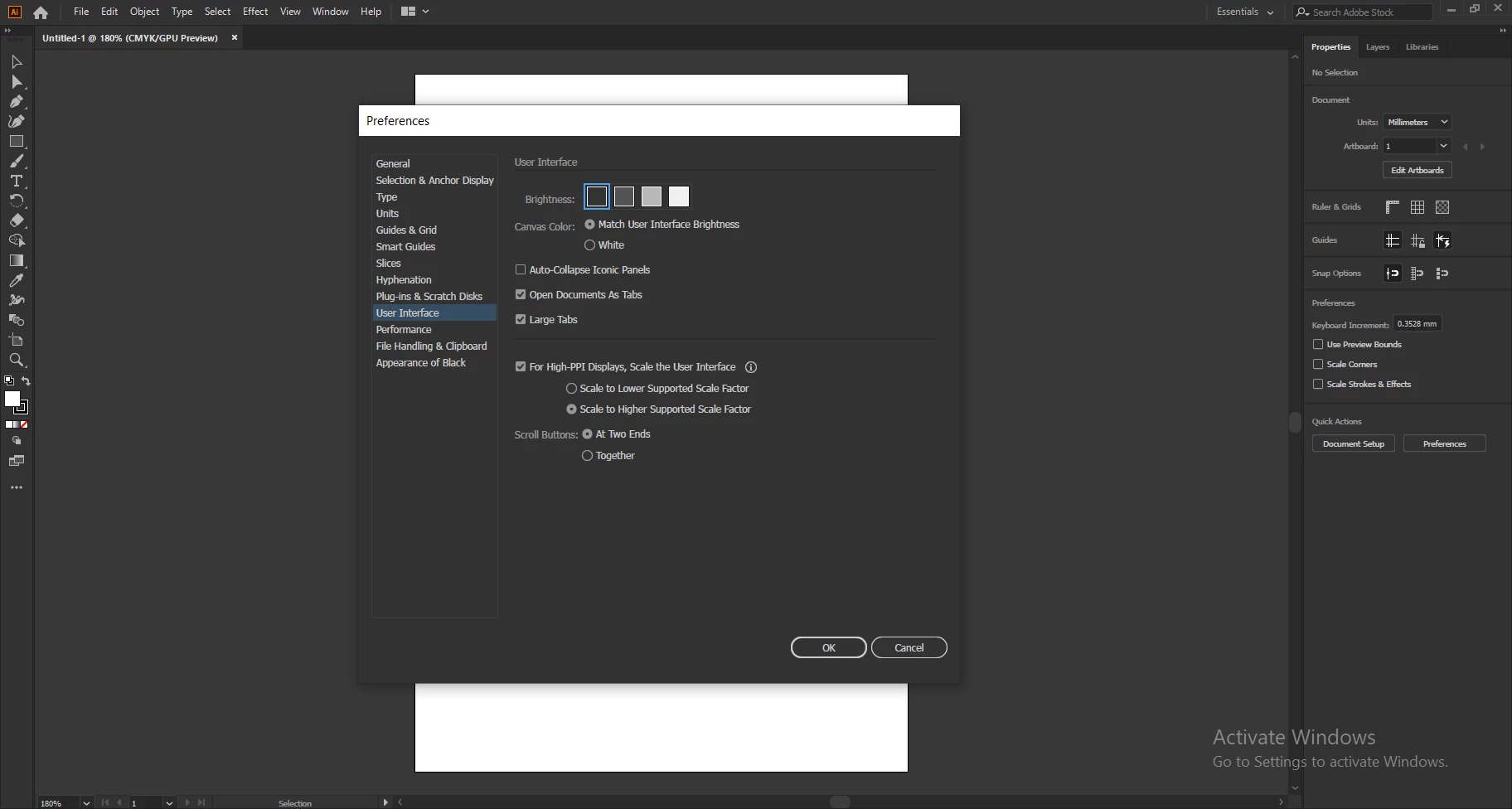
If I spend my usual toll of hours on this UI I'm gonna go blind! XD This is ungodly smaller than what I'm used to in 2019


For reference, my screen is 1824x1026. This is because of an unknown bug that doesn't allow my PC to correctly display my screen in 1920x1080 without cutting off the corners. This is the biggest for which I can hope for the moment.

This topic has been closed for replies.
Correct answer Srishti_Bali

Hi there,


Sorry about the delay. I am hopeful that the issue was fixed. If not, please try the suggestions shard on this help article (https://helpx.adobe.com/in/creative-cloud/kb/application-user-interface-too-big.html) and let us know how it goes. 


Feel free to let us know if you still need assistance. We'd be happy to help.


Regards,

Srishti

2 replies

Srishti_Bali
Srishti_BaliCorrect answer
Legend
December 30, 2020

Hi there,


Sorry about the delay. I am hopeful that the issue was fixed. If not, please try the suggestions shard on this help article (https://helpx.adobe.com/in/creative-cloud/kb/application-user-interface-too-big.html) and let us know how it goes. 


Feel free to let us know if you still need assistance. We'd be happy to help.


Regards,

Srishti

Doug A Roberts
Community Expert
Community Expert
November 4, 2020

What version of Illustrator are you using?

Hex5DCCAuthor
Participant
November 4, 2020

2020 ^^