


Participant
Jun 28, 2025 9:37 PM UTC
Answered

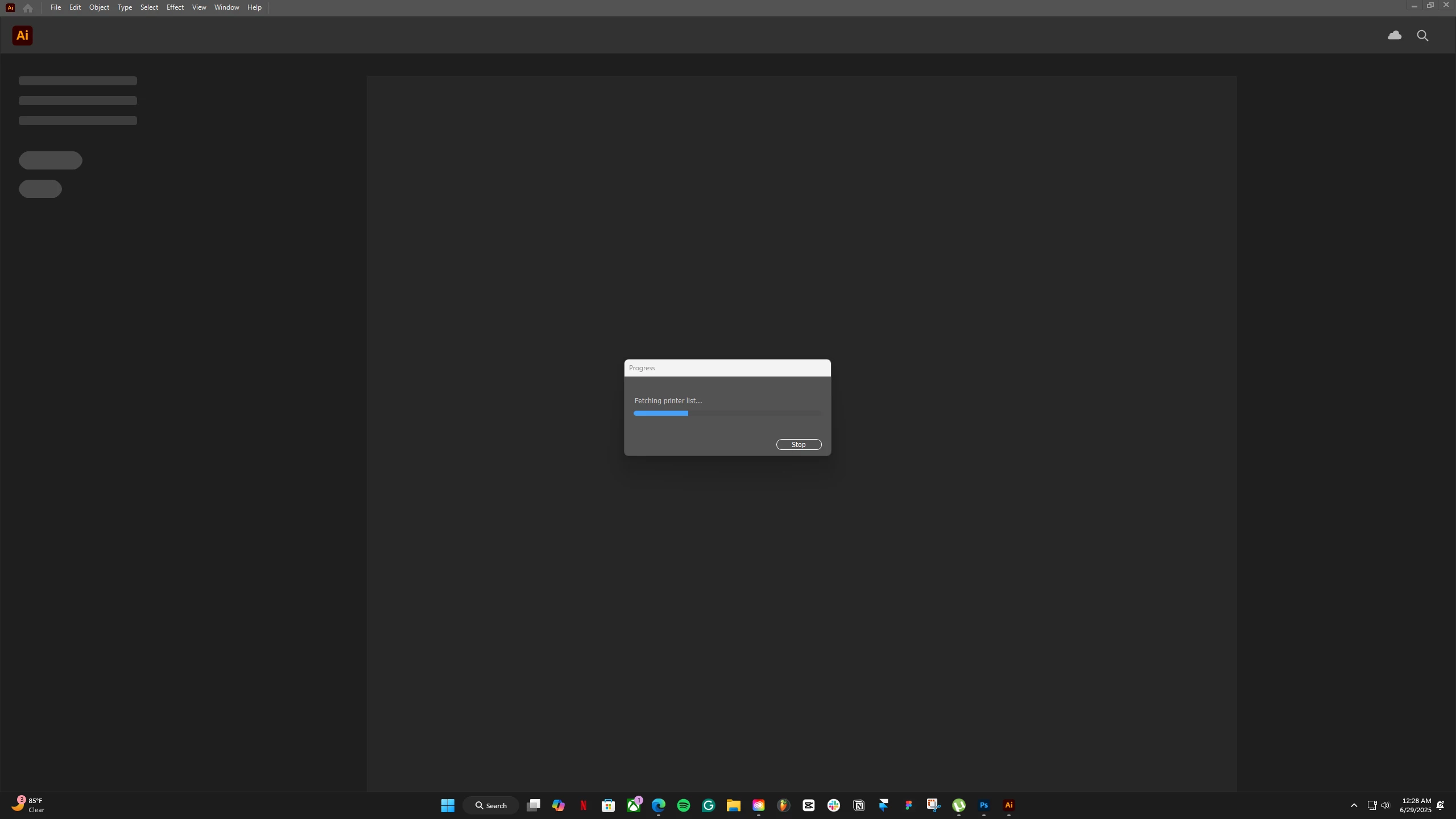
My app is not loading "fetching printer list"

Hey guys, I am losing my mind as I have tried everything to get my AI to work, it still won't.
The momentI opennup my app or anyAI file, it is stuck like this, Left it for 4 hours, still was in thislop. I am gettng close tomy deadline. Please help.
seb-cCorrect answer
Participant
Jul 31, 2025 3:07 PM UTC

What actually worked was resetting my router and PC Strangly! 

16 replies

andrewb92895416
Participant
Aug 13, 2026 5:48 PM UTC

Same problem, August 2026. None of these solutions work. Reset router, reset PC, updated Illustrator, nothing. Deadlines are looming and I literally can’t use Illustrator at all. Holy sweet Jesus this in incredibly frustrating. 

Translate
andrewb92895416
Participant
Aug 13, 2026 6:10 PM UTC

To anyone else reading this, who failed to fix this with the ‘correct answer’: for me, it turned out to be a Windows problem. 

1. Restart the Windows Print Spooler

  1. Press Win + R
  2. Type services.msc and press Enter.
  3. Find Print Spooler.
  4. Right-click it → Restart.
  5. Try launching Illustrator again.

If Illustrator still hangs, continue.

2. Clear the Windows print queue

  1. Press Win + R
  2. Enter:
    services.msc
  3. Right-click Print Spooler → Stop.
  4. Open File Explorer and go to:
    C:\Windows\System32\spool\PRINTERS
  5. Delete the files inside that folder. Don't delete the PRINTERS folder itself.
  6. Return to Services and Start the Print Spooler.
  7. Try Illustrator again.

Step 2/5 (Delete the files inside that folder. Don't delete the PRINTERS folder itself.) finally fixed the issue.

Translate
Participant
Aug 4, 2025 3:59 AM UTC

I've also had the same problem since my Illustrator updated and I'm on Windows. I've made sure my default printer is switched off because I don't have a printer, restarted my laptop and router, and also uninstalled and installed Illustrator; but nothing seems to work. Is there anything else that I can do?? 😞

Translate
Monika Gause
Community Expert
Community Expert
Aug 4, 2025 8:54 AM UTC

Switching off the printer is often not a good idea. Illustrator likes to find one. Can you set up a PDF printer?

Translate
Participant
Aug 4, 2025 6:47 PM UTC

I don't know what happened but something shifted in my computer and I was able to see Adobe PDF printer, thank you for the help!

Translate
Participant
Jul 31, 2025 2:40 PM UTC

I'm having this same problem and i dont own any printer nor do i have anything on my network. 

I have uninstalled and re installed Same problem 

I've only got this problem since updating the App - the version im running of illorstrator is - 29.7 and im on windows 11 

PLEASE can somebody help as im unable to work currently! 

Translate
Monika Gause
Community Expert
Community Expert
Jul 31, 2025 2:49 PM UTC

@seb-c  schrieb:

I'm having this same problem and i dont own any printer nor do i have anything on my network. 

I have uninstalled and re installed Same problem 

I've only got this problem since updating the App - the version im running of illorstrator is - 29.7 and im on windows 11 

PLEASE can somebody help as im unable to work currently! 


Setting up a PDF printer does not work for you?

Translate
seb-cCorrect answer
Participant
Jul 31, 2025 3:07 PM UTC

What actually worked was resetting my router and PC Strangly! 

Translate
Participant
Jul 11, 2025 8:32 PM UTC

Same thing is happening with me. It just won't open. Has been crashing for 2 days now. My version is up to date.

Translate
Anubhav M
Community Manager
Community Manager
Jul 11, 2025 8:43 PM UTC

Hello @april013,

I am sorry to hear about your experience. Could you confirm the version of the OS/Illustrator installed on your device, along with a screenshot / a small screen recording of the problem, so we can better assist you?

Also, try setting a default printer as Monika suggested, and then relaunch Illustrator to see if it helps.

Looking forward to hearing from you.
Anubhav

Translate
Participant
Jul 28, 2025 3:58 PM UTC

Was there a solution for this yet? I'm having the same issue. Illustrator 29.6.1
(already tried uninstalling and re-installing app)

Translate
Monika Gause
Community Expert
Community Expert
Jun 28, 2025 9:42 PM UTC

Are all the printers available?

Are all the printers you have set up in the system turned on?

Are you connected to a printer queue?


You could try and reset the default printer in Windows. Windows likes to mess with that when updating itself.

Translate