Participant
February 27, 2022
Answered

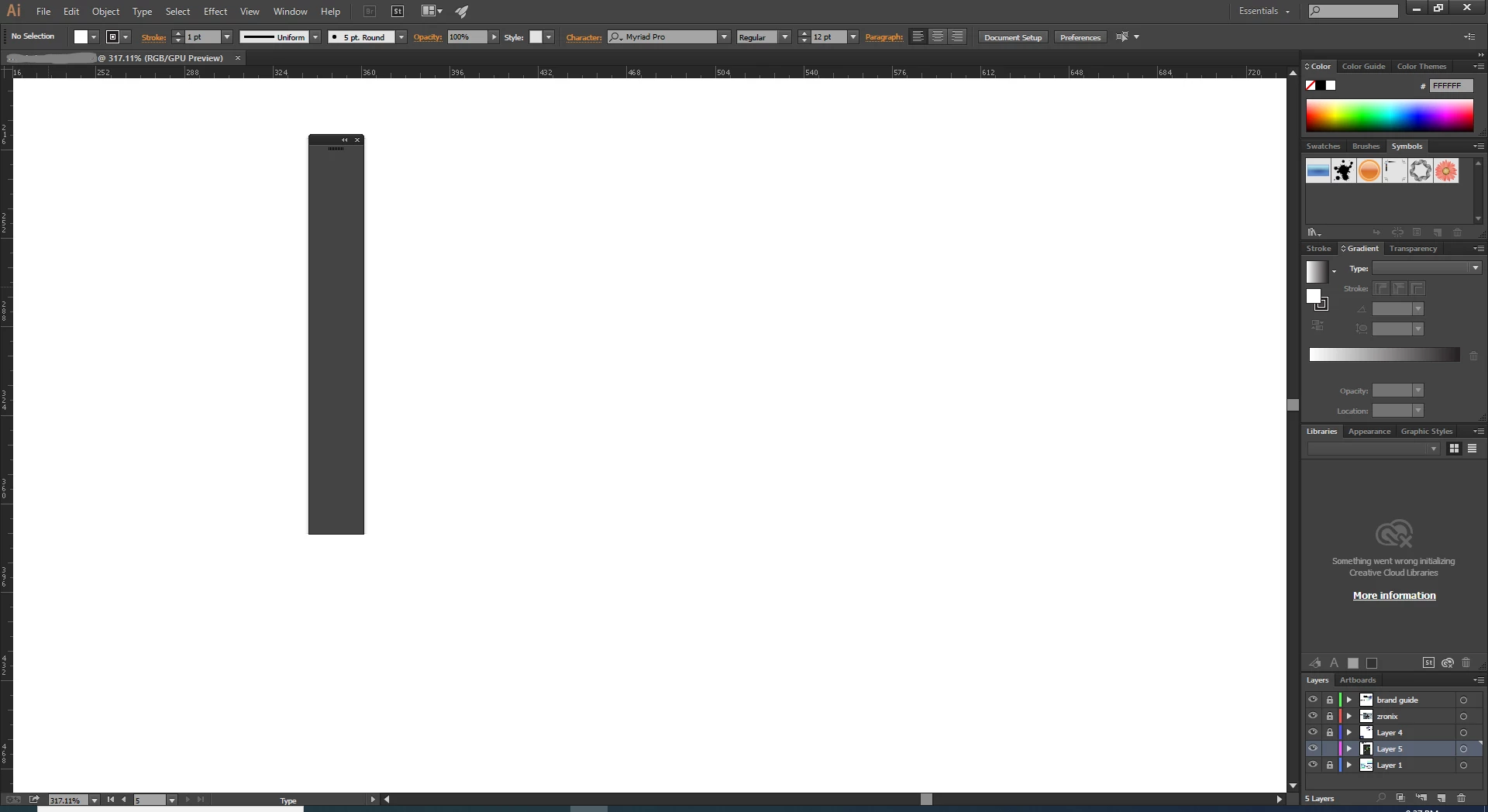
My left side too bar is not showing.
  • February 27, 2022
  • 3 replies
  • 657 views

This topic has been closed for replies.
Correct answer Lukas Engqvist

You should be able to manage your toolbars from Window > Tool Bar > Manage Toolbars…

But normally you will find the quck menu to edit your tools with the elipses in the Toolbar. I would restart the applicateion, If that doesnnt work restart the computer and if that doesnt' work reset Illustrator Preferences https://community.adobe.com/t5/illustrator-discussions/how-to-reset-illustrator-preferences/td-p/10602277

3 replies

Lukas Engqvist
Community Expert
Lukas EngqvistCommunity ExpertCorrect answer
Community Expert
February 28, 2022

You should be able to manage your toolbars from Window > Tool Bar > Manage Toolbars…

But normally you will find the quck menu to edit your tools with the elipses in the Toolbar. I would restart the applicateion, If that doesnnt work restart the computer and if that doesnt' work reset Illustrator Preferences https://community.adobe.com/t5/illustrator-discussions/how-to-reset-illustrator-preferences/td-p/10602277

Mike_Gondek10189183
Community Expert
Community Expert
February 27, 2022

What version OS & Ilustrator?


Window >> Workspace >> choose a workspace

Anna Lander
Inspiring
February 27, 2022

could you please open the Window menu and show the screenshot? looks strange, so any information will be useful.
