
Participant
May 7, 2020
Answered

my pen tool is filling with a color when I draw a line. How can I remove it?

  • May 7, 2020
  • 2 replies
  • 9631 views

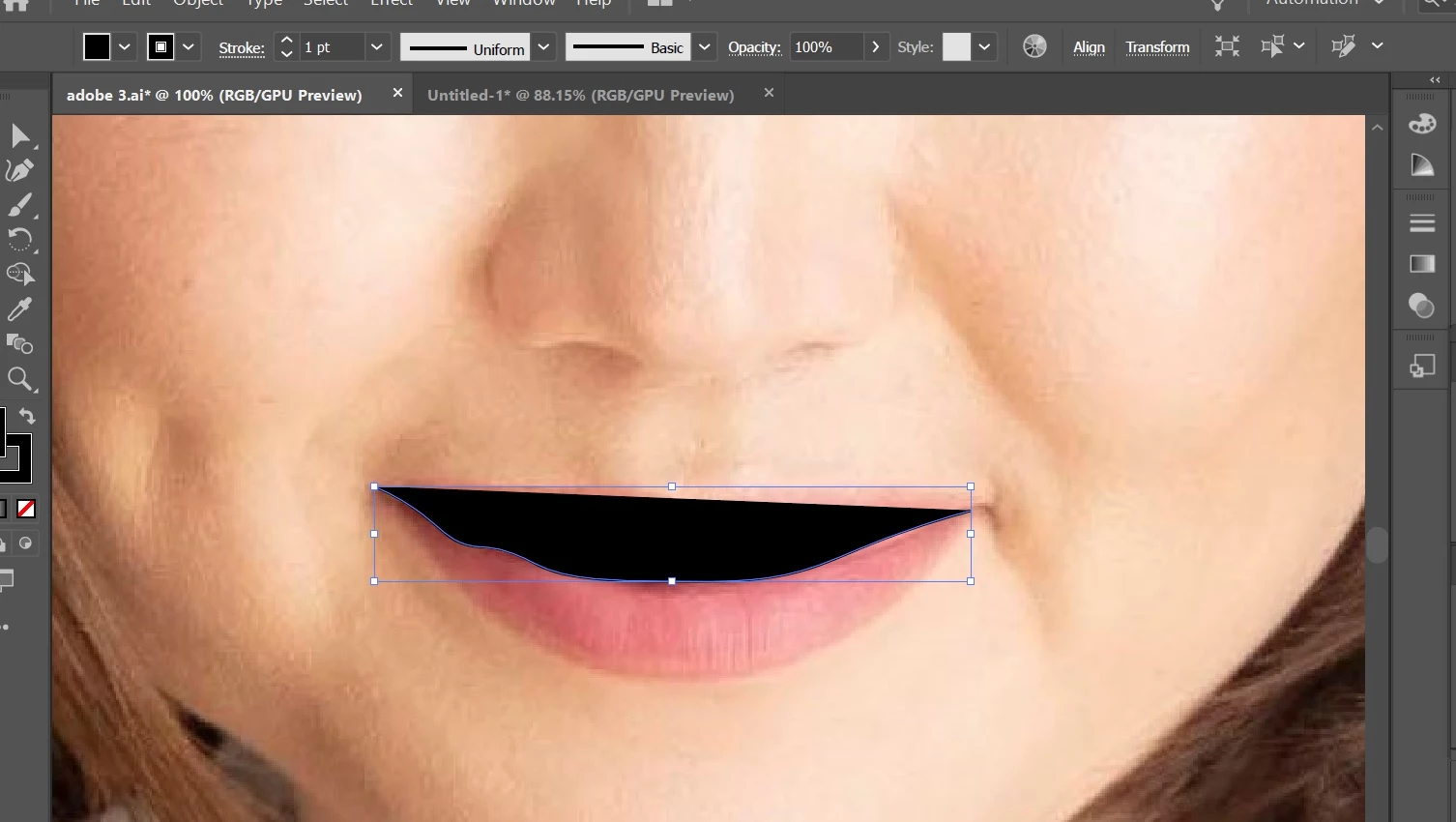
Basically, I am trying to make some curved line but when I draw it, the first and the last points I've made create a certain straight line and fill the color between my curve and that straight. Hope my question makes sense
Correct answer Ton Frederiks

At the bottom of your toolbar you see the current Fill and Stroke.

You have a fill as well as a stroke color..

Remove the fill.

https://helpx.adobe.com/illustrator/using/painting-fills-strokes.html

2 replies

UlsayaAuthor
Participant
May 7, 2020

Thank you so much

Ton Frederiks
Community Expert
Community Expert
May 7, 2020

Good to hear that helped.

Ton Frederiks
Community Expert
Ton FrederiksCommunity ExpertCorrect answer
Community Expert
May 7, 2020

At the bottom of your toolbar you see the current Fill and Stroke.

You have a fill as well as a stroke color..

Remove the fill.

https://helpx.adobe.com/illustrator/using/painting-fills-strokes.html