Participant
March 16, 2022
Answered

Need a way to calculate the open space on my artboard... any ideas?

  • March 16, 2022
  • 1 reply
  • 290 views

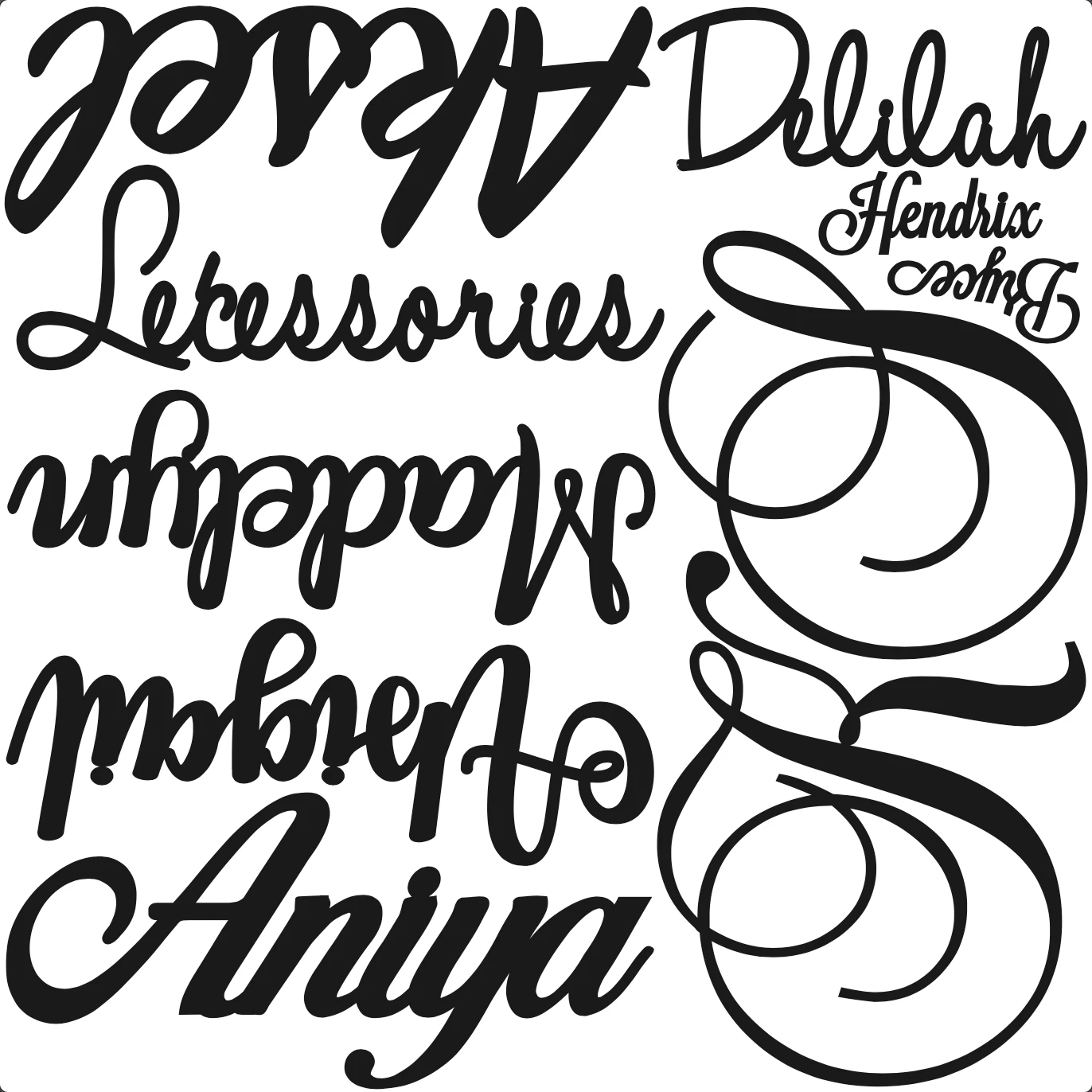
I work for a CNC company that uses illustrator to make 60x60 "boards" to cut our products out of wood. We are trying to minimize waste and need to find a way to calculate the open space on the artboard once our products are on there. Anybody know of a way to do this? I've left an example of the "boards" for reference. Any help would be appreciated!
This topic has been closed for replies.
Correct answer Monika Gause

OK, I see.

Illustrator cannot calculate areas. There have been methods in recent versions and there are scripts, but that tended to fail with compound paths.


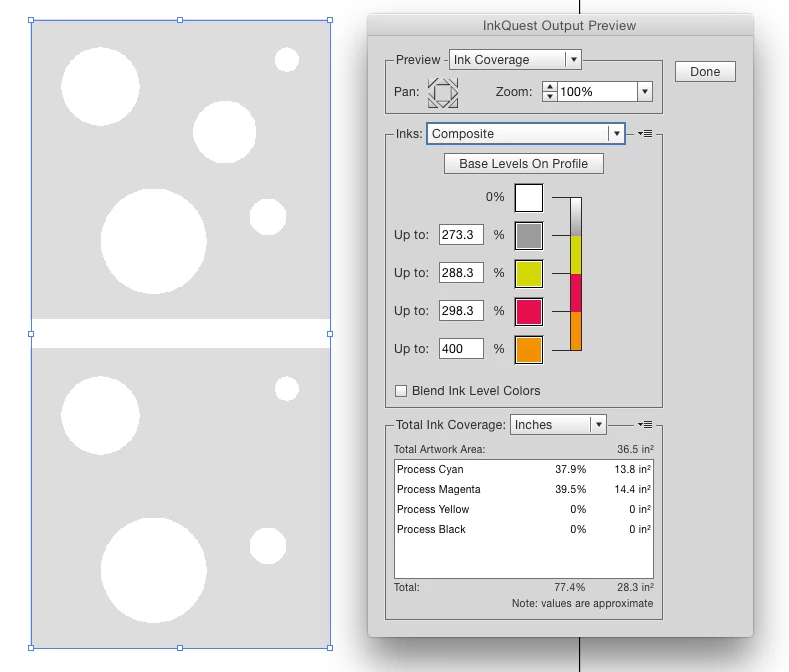
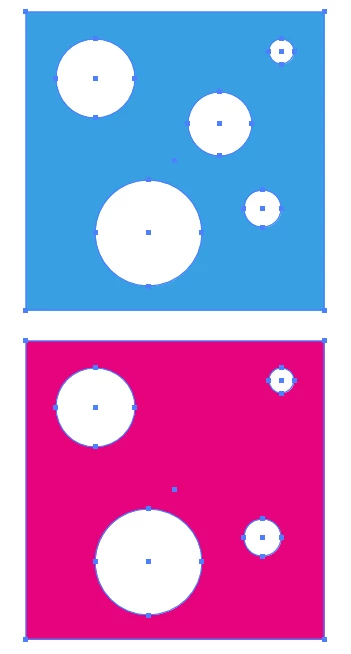
What you can use is e.g. the plugin InkQuest. It would give you this (in Overprint preview). You only need to check out the lower part of that panel. The artwork:


The plugin:

1 reply

Monika Gause
Community Expert
Community Expert
March 16, 2022

This process is called nesting. You want to automize it?


Maybe this here: https://baby-universe.co.jp/en/plug-ins/cad/ainest-pro/ (it's on the expensive side)

Participant
March 16, 2022

Yeah we've looked into some nesting programs and will probably be the route we take in the future. For now we have designers manually nest them on the artboard and I'm trying to figure out a way to calculate the open space to hold them accountable/reward them for utilizing as much space as possible. Thanks for the link anyway, haven't seen this one before.

Monika Gause
Community Expert
Monika GauseCommunity ExpertCorrect answer
Community Expert
March 16, 2022

OK, I see.

Illustrator cannot calculate areas. There have been methods in recent versions and there are scripts, but that tended to fail with compound paths.


What you can use is e.g. the plugin InkQuest. It would give you this (in Overprint preview). You only need to check out the lower part of that panel. The artwork:


The plugin: