Participating Frequently
May 4, 2021
Question

Need help making a seemless pattern brush

  • May 4, 2021
  • 1 reply
  • 1628 views

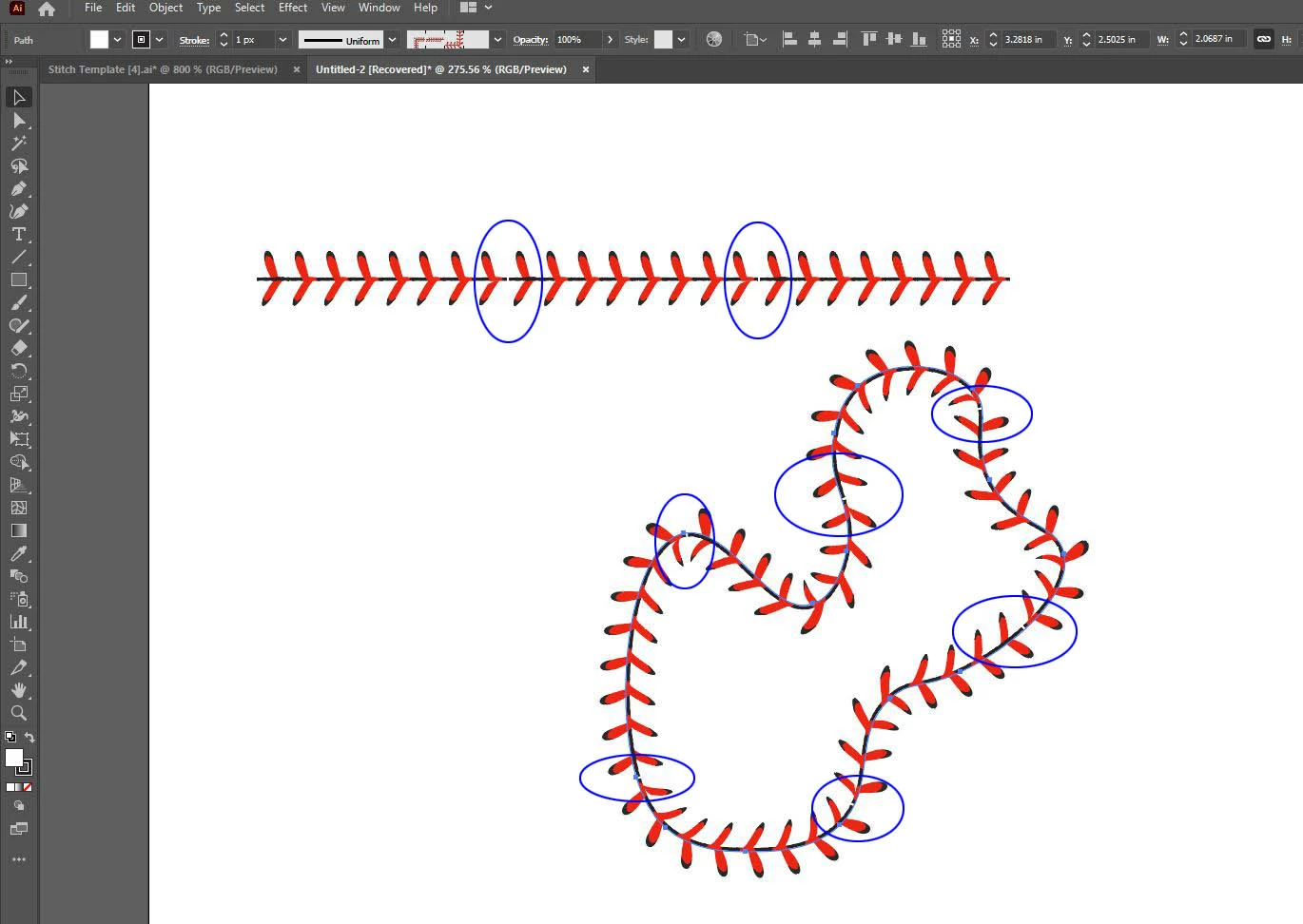
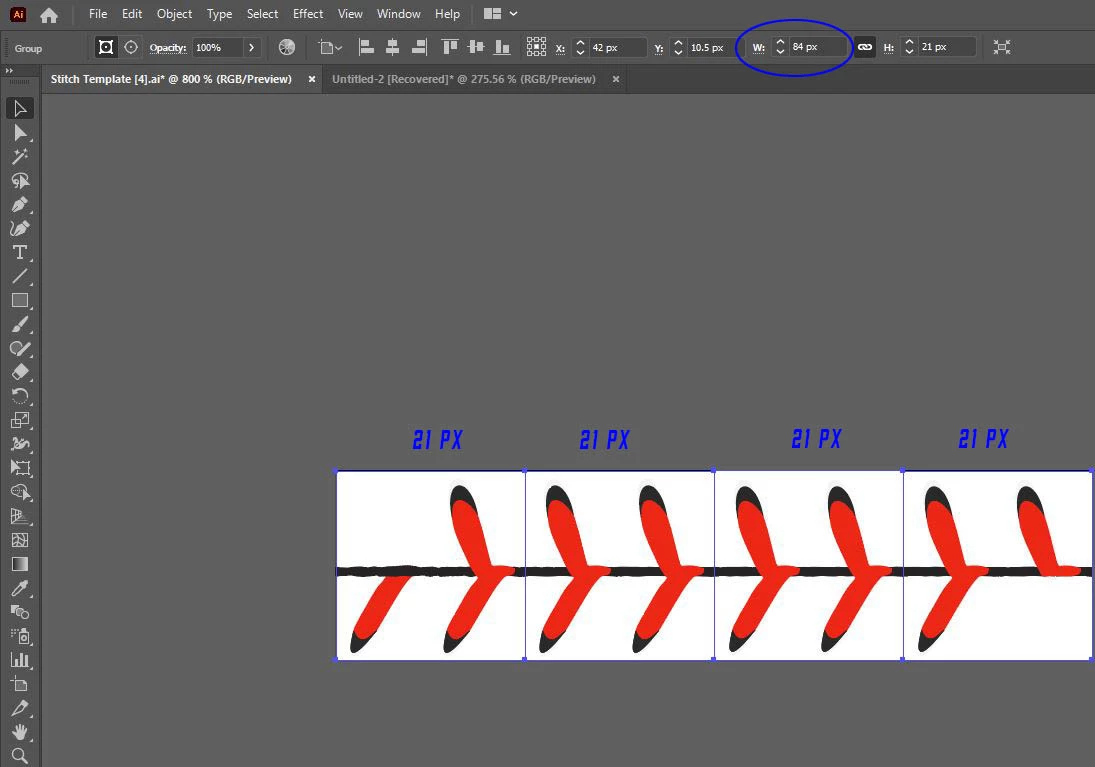
I am at my wits end on this.. I have created a brush 21 x 21 pixels to create a baseball stitch..  My pattern contains two ends and two middle sections totalling 84 pixels long and 21 pixels high as shown in the attached. 


My goal is to make a seemless pattern but I always get a small and annoying white space as shown in the second picture.


I am using Illustrator 25.2.1 (64 bit) on a Windows 64 platform.


Any advice to resolve this challenge would be appreciated.
This topic has been closed for replies.

1 reply

tromboniator
Community Expert
Community Expert
May 4, 2021

In your second image it looks as though the brush is constructed from a jpg image which has extra pixels beyond the end of the seam which need to be cropped off before making the brush.


As an alternative, you might want to consider building a stitch from scratch and turning that into a pattern brush.

Here's an enlarged view in both Preview and Outline views:


And a path turned into a symbol and applied to a 3D ball:

Peter


EdRaponiAuthor
Participating Frequently
May 4, 2021

Peter,


Thank you for responding.  My brush was created in Illustrator and not a .jpg file.  After wasting a fair amount of time trying to figure out why the brush would not appear seamless, I added a fill on both ends.. I then made a clipping mask @ 21 pixels, which should serve the purpose of cropping as you suggested but it did not work.


Ed