Participant
April 15, 2024
Answered

Need help with changing an object color

  • April 15, 2024
  • 2 replies
  • 639 views

Hello,

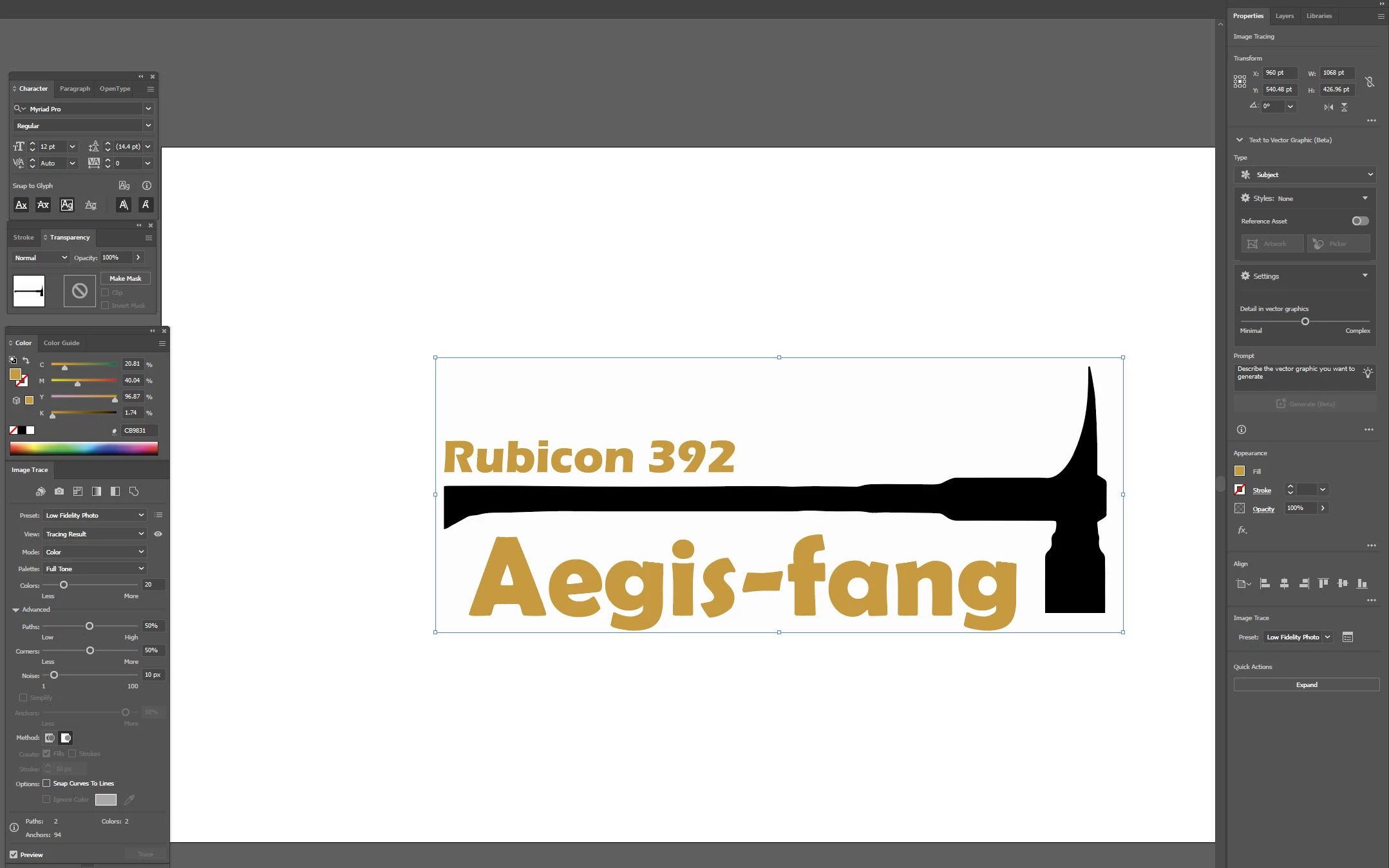
Could someone help and tell me why when I change my object color, it stays black? I am very very new to Illustrator.

Thank you,

Lynn
This topic has been closed for replies.
Correct answer dougl77390883

Use the Direct Selection tool (hollow arrow third one down) to select the rectangle, then set its fill to none.

(You can delete the rectangle if you don't need it)

Then fill the hammer object with the color you desire.

Using outline mode can also help (View/Outline) to see all paths in the docuemtn

2 replies

Mike_Gondek10189183
Community Expert
Community Expert
April 15, 2024

Looks like you just did an image trace.


Object >> Image Trace >> Expand

Use the direct select tool to select one object of the color you want to change

Select >> Same >> Fill color

Fill that preferably with a global swatch color so you can easily make global changes in the future.

Participant
April 15, 2024

Thank you for your quick response! That got me closer Do you know what I did wrong? It filled my background also and not just the hammer.

dougl77390883
dougl77390883Correct answer
Participating Frequently
April 15, 2024

Use the Direct Selection tool (hollow arrow third one down) to select the rectangle, then set its fill to none.

(You can delete the rectangle if you don't need it)

Then fill the hammer object with the color you desire.

Using outline mode can also help (View/Outline) to see all paths in the docuemtn

Doug A Roberts
Community Expert
Community Expert
April 15, 2024

Click on 'Expand' at the bottom of the Properties panel, then try again.
