
Participant
November 7, 2022
Question

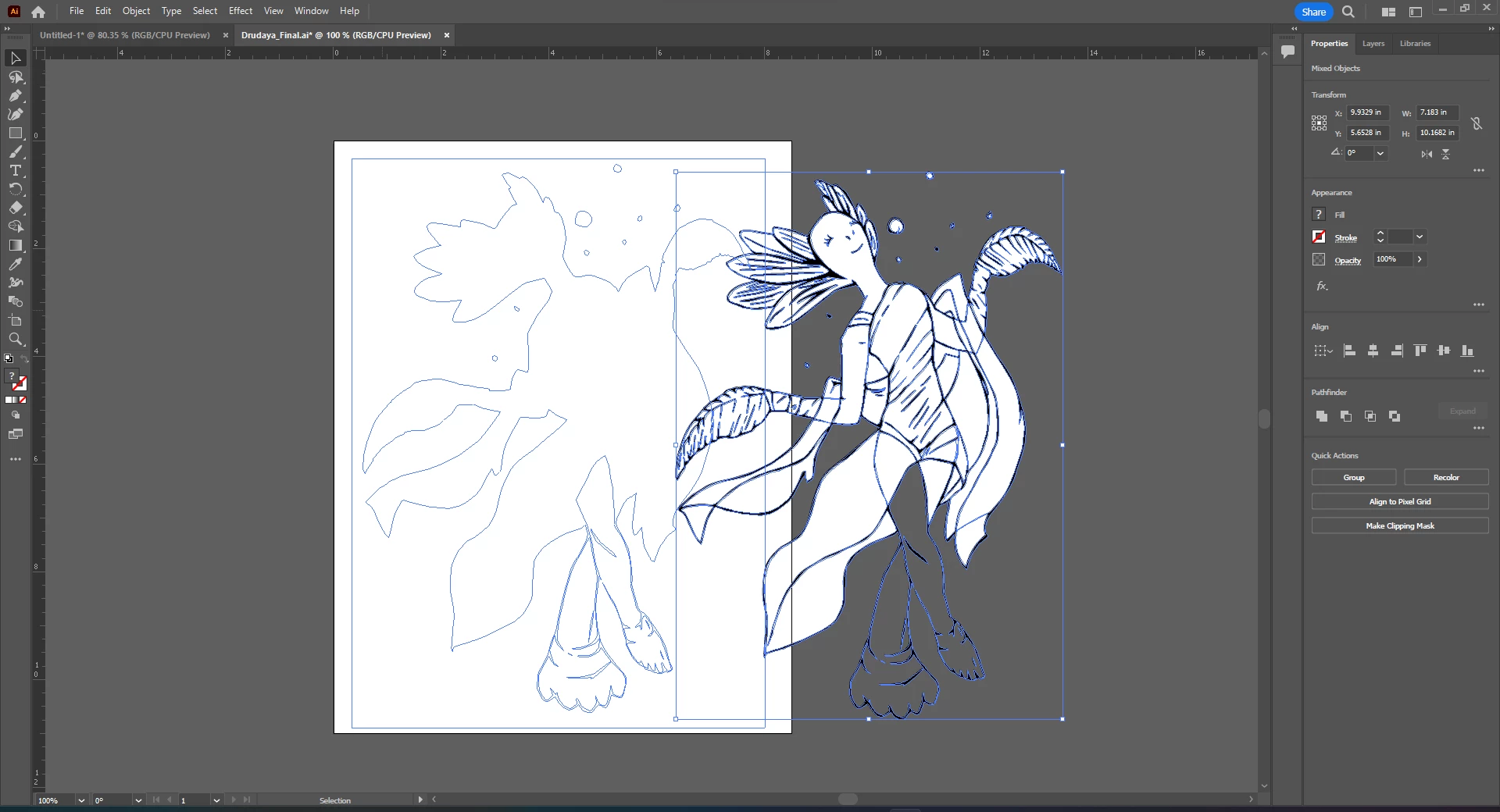
Needing help moving just the lines of a drawing.

  • November 7, 2022
  • 3 replies
  • 173 views

I need help selecting just the lines of a drawing. I have uploaded a drawing, then did image trace, black and white logo. Which is fine for what I'm needing, originally. But now I need just the lines. I was able to get it somewhat but I have no idea how I did it. I don't even know what to call this inorder to google it.


Thatnks for the help!
This topic has been closed for replies.

3 replies

Monika Gause
Community Expert
Community Expert
November 8, 2022

Create a white shape. Select > Selext Same > Fill color. Delete

Create a shape with stroke and fill of None. Select > Select Same > Stroke and fill. Delete.

Should do it.

Jacob Bugge
Community Expert
Community Expert
November 8, 2022

default1z,


How about repeating the Image Trace, only applying Ignore White for this second purpose?


Bill Silbert
Community Expert
Community Expert
November 8, 2022

The problem with using Image Trace is that the results it produces are a mass of compound paths which can be very cumbersome—if not impossible— to work with—even for an experienced user. I've found very little rhyme or reason for the way it sets up the order of the shapes. I would only recommend using the feature for an image that you will not need to edit. The best way that I could suggest for your current need is to use your result as a locked template and manually create the linework by drawing over it with the pen tool.