Participant
July 9, 2022
Answered

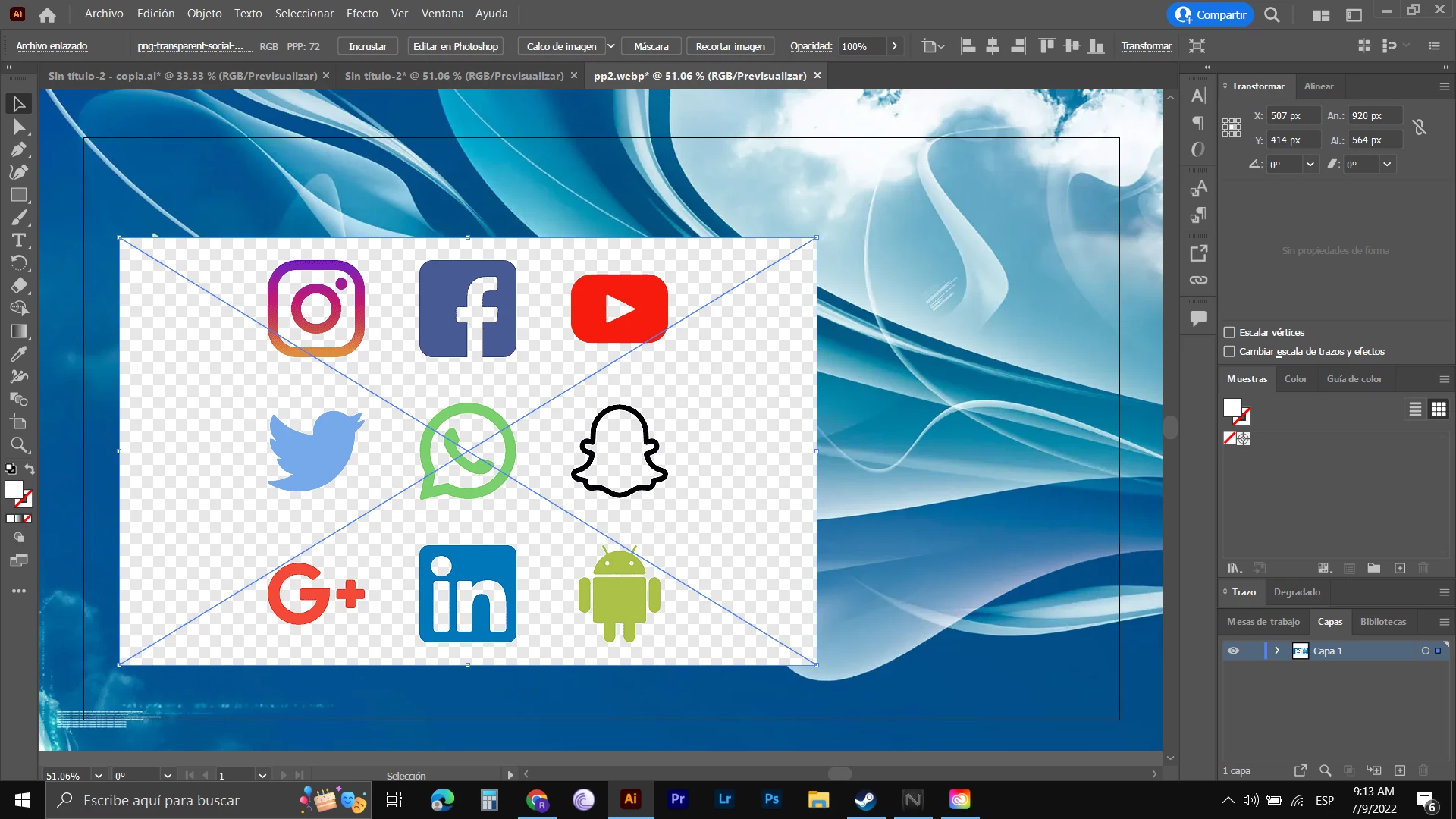
Nesecito ayuda con imagen PNG en illustrator

  • July 9, 2022
  • 3 replies
  • 1657 views

Hola el asunto es que cuando pego o arrastro una imagen sin fondo ( PNG) a illustrator, la sigue poniendo con un fondo de cuadros pero no transparente realmente, busque en redes y dice que ponerla dandole archivo luego colocar y me sigue pasando lo mismo sin embargo e visto en videos y si se la pone a la gente  con el fondo transparentes las de png, probe con diferentes imagenes y me sigue pasando igual, nose como proceder para colocar imagenes png correctamente en el illustrator,esto mismo me esta pasando en el photoshop ¿alguien sabe que debo hacer o que estoy haciendo mal? 
This topic has been closed for replies.
Correct answer Bill Silbert

These look like images that have been downloaded from a website. I have often found that downloaded png images from, for instance, a Google image search often do not actually have a transparent background. You can easily test for this by opening (not copying and pasting) the image into Photoshop. Then create a layer below the one that the image is on and fill that one with a color. If the color shows through then the image is actually transparent. If it doesn't then it's actually a flattened image.

3 replies

Bill Silbert
Community Expert
Bill SilbertCommunity ExpertCorrect answer
Community Expert
July 9, 2022

These look like images that have been downloaded from a website. I have often found that downloaded png images from, for instance, a Google image search often do not actually have a transparent background. You can easily test for this by opening (not copying and pasting) the image into Photoshop. Then create a layer below the one that the image is on and fill that one with a color. If the color shows through then the image is actually transparent. If it doesn't then it's actually a flattened image.

CarlosCanto
Community Expert
Community Expert
July 9, 2022

Hola Melisa, podrias compartir el png para analizar? podria ser que el fondo cuadriculado que simula o ayuda a visualizar la transparencia este rasterizado? O sea, tal vez la imagen no es transparente?

Mylenium
Legend
July 9, 2022

Update your system's graphics driver and check the hardware acceleration options or switch the preview to non-accelerated mode entirely.


Mylenium