
Participant
November 3, 2023
Question

😞 Nested CC Library Assets not updating correctly

  • November 3, 2023
  • 2 replies
  • 692 views

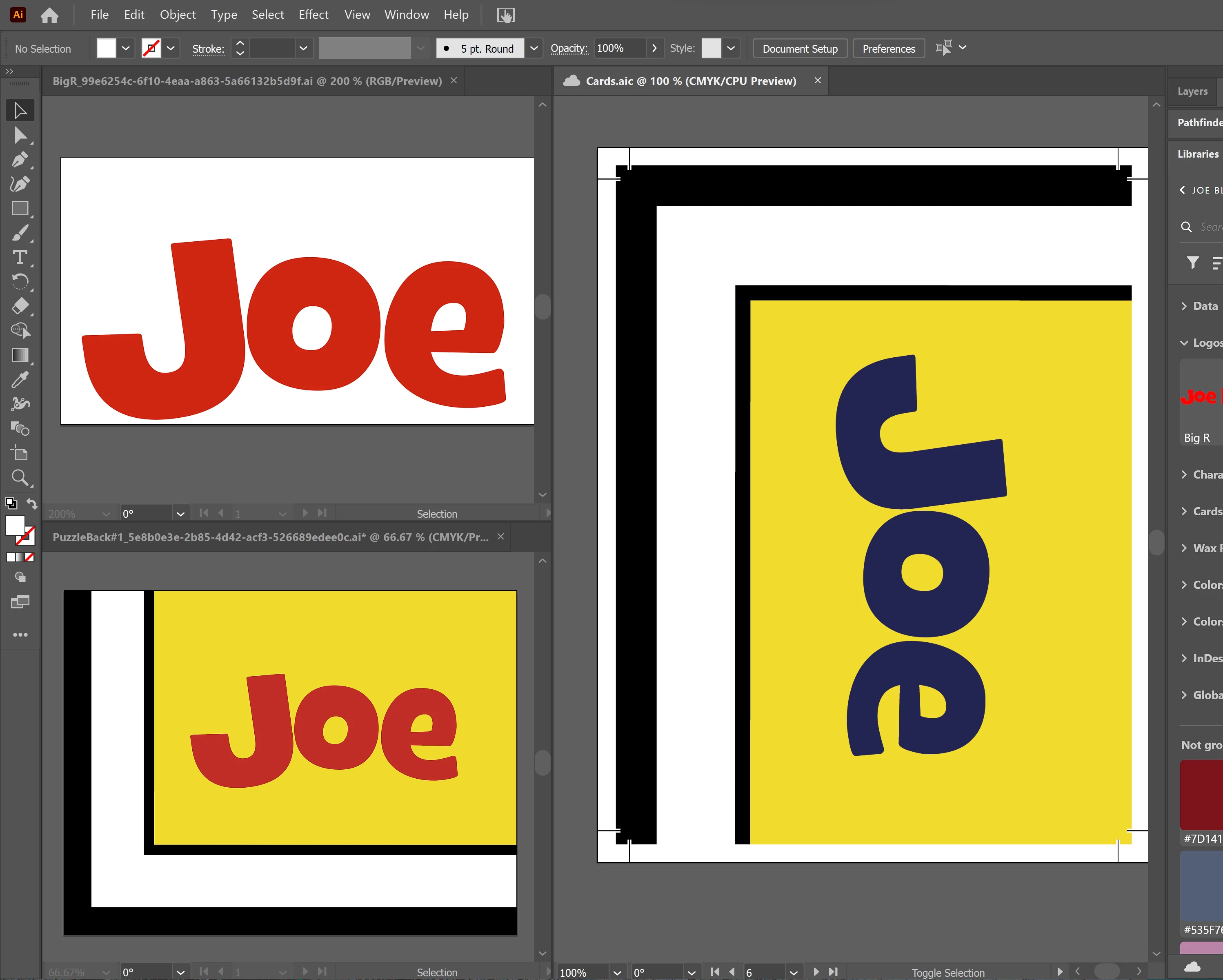
I'm having an issue with nested CC library assets (linked assets within linked assets) not updating correctly in my Cards.aic adobe illustrator file.


here's my scenario:

  • i have 1 "Blue Logo" in my CC library
  • i have 10 designs in my CC library all linking to the "Blue Logo" in my CC library
  • i have 10 artboards in my Cards.aic file that links to each of these 10 designs in my CC Library


When I open up my libraries panel and edit my "Blue Logo" to be a "Red Logo", I don't see any of the linked CC designs update the logo within my Cards.aic file. However, when I open up any of the 10 designs, I see updated logo. The only way to see the changes update from within my Cards.aic file is to open up each of the 10 designs in the CC library, re-save them, and only then see the Cards.aic file will update.


This is really irritating! And kinda defeats the purpose of using CC Linked library files in my opinion. Is there a way to fix this so that when I make changes to any CC linked file it will update in all of my other files automatically? 


This topic has been closed for replies.

2 replies

Ton Frederiks
Community Expert
Community Expert
November 3, 2023

I am afraid you are expecting too much from libraries.

It would be good if they could keep track of where the assets are used and update changes in files that use them, but they don't.

sp1007Author
Participant
November 3, 2023

i wouldn't say to much, because this is definitely possible in web technology and CC Libraries is web tech. Adobe devs need to get on it. i think $60/ mo is worth it

Ton Frederiks
Community Expert
Community Expert
November 3, 2023

It would be a good feature request. 

kglad
Community Expert
Community Expert
November 3, 2023

in the future, to find the best place to post your message, use the list here, https://community.adobe.com/

p.s. i don't think the adobe website, and forums in particular, are easy to navigate, so don't spend a lot of time searching that forum list. do your best and we'll move the post (like this one has already been moved) if it helps you get responses.


<"moved from cc services">
sp1007Author
Participant
November 3, 2023

I did. I figured it belonged in Creative Cloud forum since this is specifically a CC Library syncing issue. the same is most likey true for using CC libs with other adobe products