


Inspiring
February 15, 2026
Answered

Nested Symbols & Variants Possible?
  • February 15, 2026
  • 1 reply
  • 73 views
I want to make the elements/symbols inside the cards editable

I created a ton of symbols and “nested” other symbols inside.
I’ve create symbols for the suits, values, cards etc


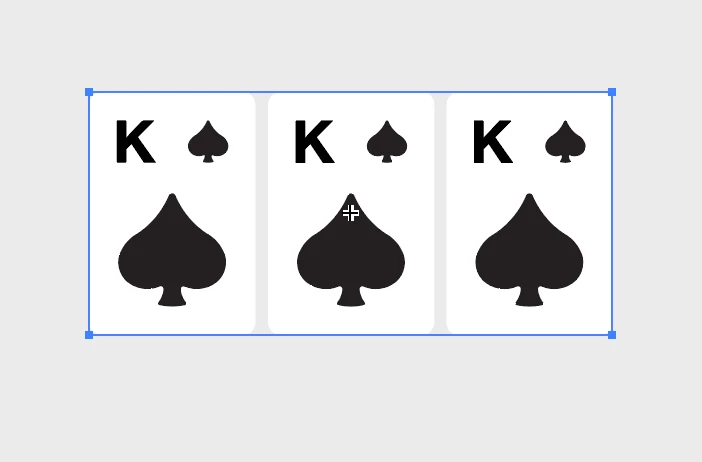
So for example here we have:
Flop contains > Card Master x 3
Card Master contains > Spade x 2 and “Card Value


Anyways ideally I’d like to somehow create editable variants so I can replace suits and values etc. Something similar to what you can do in Figma etc


Is this possible in Illustrator? Do I need a plug-in or script?

    Correct answer Kurt Gold

    Yes, you can create nested symbols. When you edit the individual symbol definitions they should get updated inside the nested symbol.


    You may also try dynamic symbols for some more sophisticated constructions.

    1 reply

    Kurt Gold
    Community Expert
    Kurt GoldCommunity ExpertCorrect answer
    Community Expert
    February 15, 2026

    Yes, you can create nested symbols. When you edit the individual symbol definitions they should get updated inside the nested symbol.


    You may also try dynamic symbols for some more sophisticated constructions.

    Bing Drawsby
    Participating Frequently
    February 16, 2026

    Sorry let me re-define what I’m thinking of as the sample.

    I want to make the Card Values & the Suits be variables (maybe that’s the incorrect term).

    I’ve created all 4 suits and 2-A values as symbols and placed these inside Card Master.

    So ideally in the mock ups I’m created I could just use one Card Symbol and define the symbols to be used inside of each Card Symbol.

    I don’t want to create a whole deck of cards! And I also don’t want to export to Figma and do it there yet - ideally.

    If not native to illio, any plug ins or scripts?

    I have Figma and use it but at this point I’m just messing around with UI designs etc, and like illustrator more for this purpose, but maybe it’s better to go to Figma for what I need to do?

    Kurt Gold
    Community Expert
    Community Expert
    February 16, 2026

    To clarify even further, you may provide a sample Illustrator file with some instructions to explain the desired result.


    Based on your previous description, I still think that using symbols may be an appropriate way.


    Other possible approaches could be creating variables with the Variables panel or even brushes.