Participant
June 9, 2018
Answered

New To Creative Cloud Where Are My Fonts?

  • June 9, 2018
  • 1 reply
  • 1720 views

I just got a new iMac and it doesn't have a disc drive. So I decided to sign up for Creative Cloud since I have been working with the 2010 version of Illustrator for years. I copied over all the fonts from my old iMac then dropped them into the fonts folder on my new iMac only none of them are showing up. What am I doing wrong? I don't have an Adobe Folder like I used to have with my software installed and I can't find a way to sync all my fonts from my font folder to Adobe. Please help.


This topic has been closed for replies.
Correct answer Eugenio.NYC

Hi there. First lets take a look to the fonts folder inside your mac:

Mac HD / Library / fonts:

Mac HD / System / Library / fonts:

User / your home / Library / fonts: In New Macs Apple has hidden your personal Library folder, in the Finder go to the menu "GO" holding down the key option and you will see Library

Also if you open Fontbook in this version you can disable fonts, you have to check there also

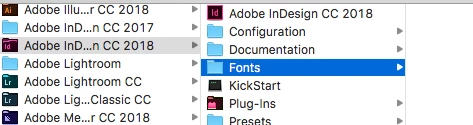
In addition if you are using InDesign, you can check the application folder, maybe you have more fonts there

And, check if you are using Typekit fonts

I hope this is helpful

Eugenio

1 reply

Larry G. Schneider
Community Expert
Community Expert
June 9, 2018

Do the Fonts show if you open the Font Book app? Try using Font Book to actually install the fonts.

Eugenio.NYC
Eugenio.NYCCorrect answer
Participating Frequently
June 10, 2018

Hi there. First lets take a look to the fonts folder inside your mac:

Mac HD / Library / fonts:

Mac HD / System / Library / fonts:

User / your home / Library / fonts: In New Macs Apple has hidden your personal Library folder, in the Finder go to the menu "GO" holding down the key option and you will see Library

Also if you open Fontbook in this version you can disable fonts, you have to check there also

In addition if you are using InDesign, you can check the application folder, maybe you have more fonts there

And, check if you are using Typekit fonts

I hope this is helpful

Eugenio

dhartistAuthor
Participant
June 12, 2018

Thank you everyone! I was a able to find my way into the folder and saw where I had dropped my files. Placed them in the wrong folder for starters Thank you!