Inspiring
November 20, 2018
Answered

New value for property position

  • November 20, 2018
  • 2 replies
  • 1141 views

Hello, hello

I have a problem with property position about pathItem in Illustrator, in Javascript I can write : object.position[0] = newValue and position from object change.

But no with illustrator objects, I can't use pathItem.position[0] = newValue because position from pathItem don't change.
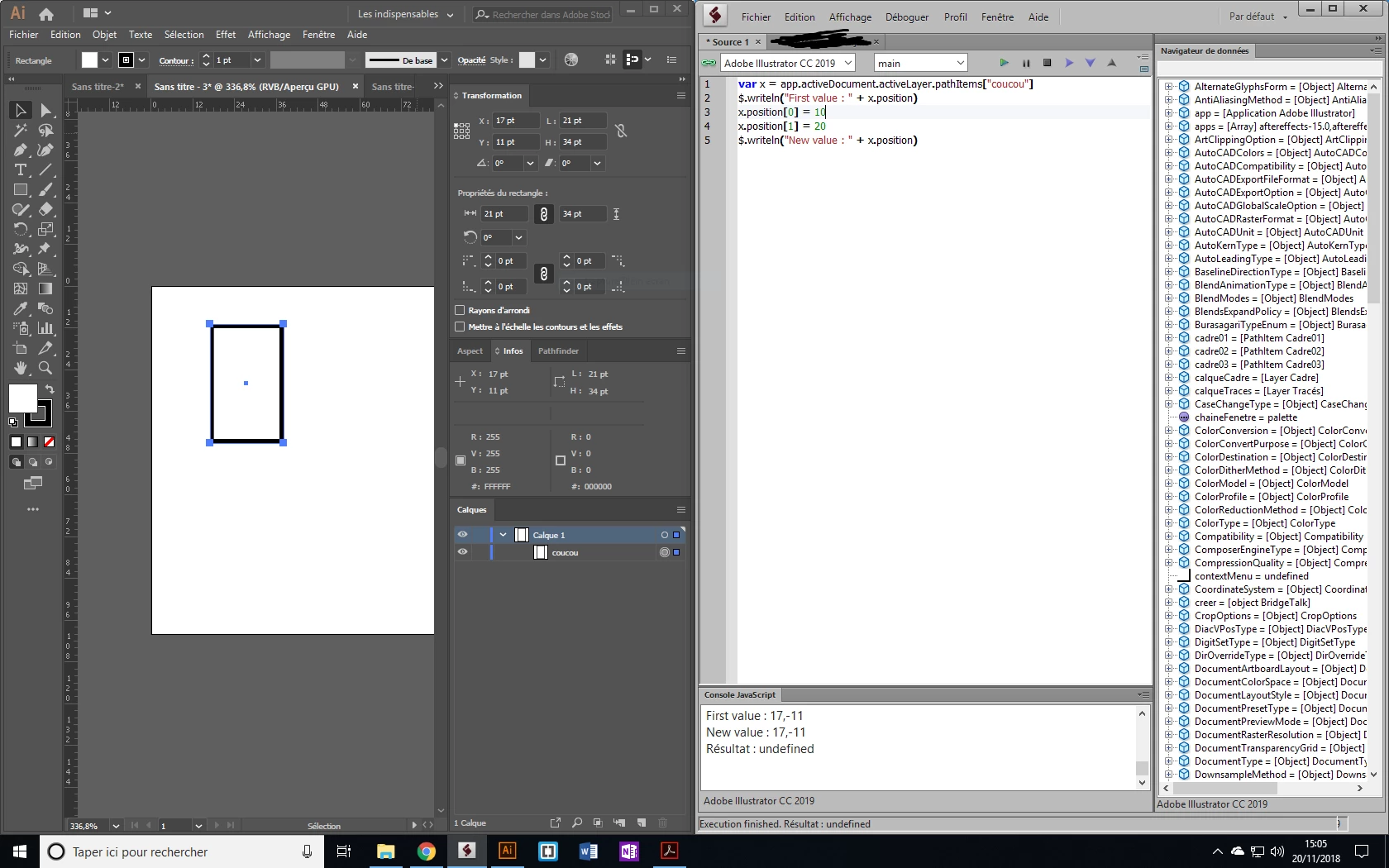
I try a test, I share with you code :

---------

var x = app.activeDocument.activeLayer.pathItems["coucou"]

$.writeln("First value : " + x.position) //Result : First value : 17,-11

x.position[0] = 10

x.position[1] = 20

$.writeln("New value : " + x.position) //Result: New value : 17,-11

---------

Thank you, thank you for your help and sorry for my bad english

This topic has been closed for replies.
Correct answer CarlosCanto

that's how it works, position property takes a pair of values. You can't assign each value individually.

try this instead, if you want to change only the x position

var left = 10;

var top = x.position[1];

x.position = [left, top];

2 replies

Disposition_Dev
Legend
November 20, 2018

function test()

{

     var docRef = app.activeDocument;

     var path = docRef.pageItems[0];

     path.left = 10;

     path.top = 20;

}

test();

Inspiring
November 20, 2018

Thank you I tried left and top but left and top include stroke weight @@

Disposition_Dev
Legend
November 20, 2018

try this:

var x = app.activeDocument.activeLayer.pathItems["coucou"]

$.writeln("First value : " + x.position) //Result : First value : 17,-11

x.position = [10,20];

$.writeln("New value : " + x.position) //Result: New value : 17,-11

Inspiring
November 20, 2018

Hello, thank you for your answer.

I can do this but I want just modify one value without write all array.

When I write :

---

var x = [1, 2, 3];

x[0] = 10;

$.writeln(x[0]) //Result : 10

---

I want do it with property position without write all array.

It's work for object JavaScript but no for Illustrator object.

CarlosCanto
Community Expert
CarlosCantoCommunity ExpertCorrect answer
Community Expert
November 20, 2018

that's how it works, position property takes a pair of values. You can't assign each value individually.

try this instead, if you want to change only the x position

var left = 10;

var top = x.position[1];

x.position = [left, top];