Participant
January 26, 2017
Question

Newbie question: rectangle fill - colours disappeared

  • January 26, 2017
  • 2 replies
  • 1284 views

Must have done something beyond my intentions.

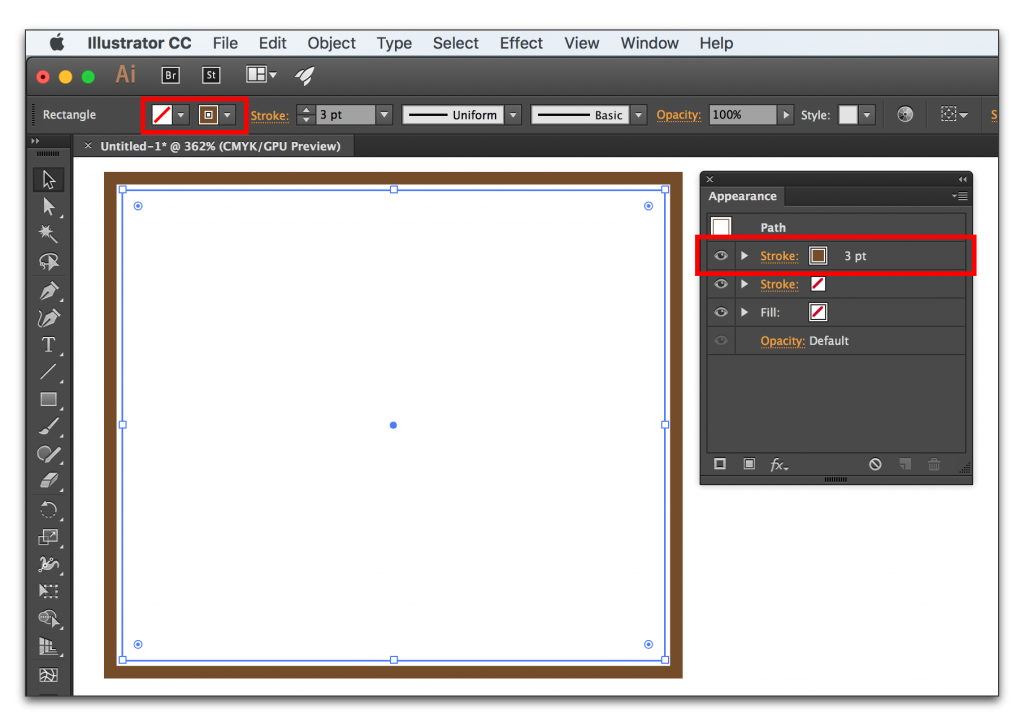
Now when I draw a rectangle and then try to fill it with a color by clicking the fill square to the right on the tool option bar (the upper red rectangle in this picture I've lifted from the web)
Adobe-Illustrator-CC-2015.3ss_020-1024x726.png

I don't get a nice choice of many different colours but an almost empty dialog with just two patterns.

How can I reset the former normal behaviour ?

Thanks in advance

This topic has been closed for replies.

2 replies

Kris Hunt
Legend
January 26, 2017

Or you can shift-click that icon to get a color picker.

Doug A Roberts
Community Expert
Community Expert
January 26, 2017

gah! of course.

Doug A Roberts
Community Expert
Community Expert
January 26, 2017

normal behaviour is for that box to display whatever swatches are in the document. so if there are just two swatches, that's all you'll see.

if you want a colour picker either use the colour palette (window > colour) or double-click on the fill box in your tool palette (on the left of the screen in most workspaces).