


Participant
April 13, 2025
Answered

No More Lines on Rectangles

  • April 13, 2025
  • 2 replies
  • 252 views

Hey there, I'm used to my rectangles having lines that I'm able to use to align everyting perfectly, but i must have clicked something and now my rectangles no longer have their "lines". They still have their strokes, but the "lines" aren't there. Here's a pic: 
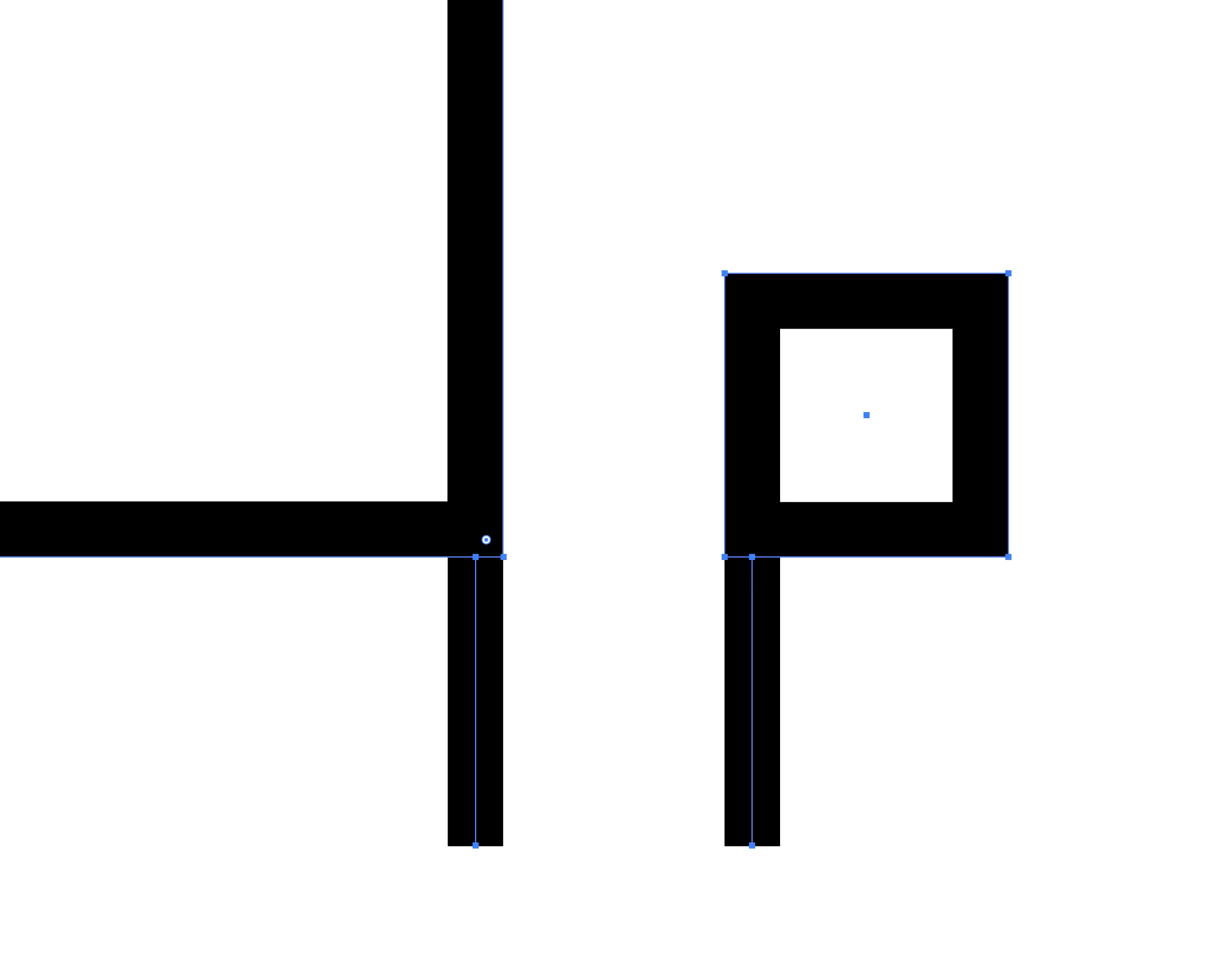
 

I'm assuming I clicked a setting, but I can't find anything here or on Google that tells me how to set it back. Thank you! 

Correct answer Ton Frederiks

It also looks like you have the Align Stroke to the Inside checked in the Stroke panel.

2 replies

Ton Frederiks
Community Expert
Ton FrederiksCommunity ExpertCorrect answer
Community Expert
April 13, 2025

It also looks like you have the Align Stroke to the Inside checked in the Stroke panel.

Participant
April 13, 2025

THAT is what it is. Thank you! 


Ton Frederiks
Community Expert
Community Expert
April 13, 2025

Good to hear that helped!

Ton Frederiks
Community Expert
Community Expert
April 13, 2025

Does Show Bounding Box in View menu help?

Participant
April 13, 2025

That was one of the settings that popped up during my search. It's on and working. You can see the bounding box around the rectangle. But see the lack of line in the middle of the stroke when compared directly to the line object right below?