Inspiring
March 11, 2025
Answered

Non breaking space option disappeared?

  • March 11, 2025
  • 1 reply
  • 717 views

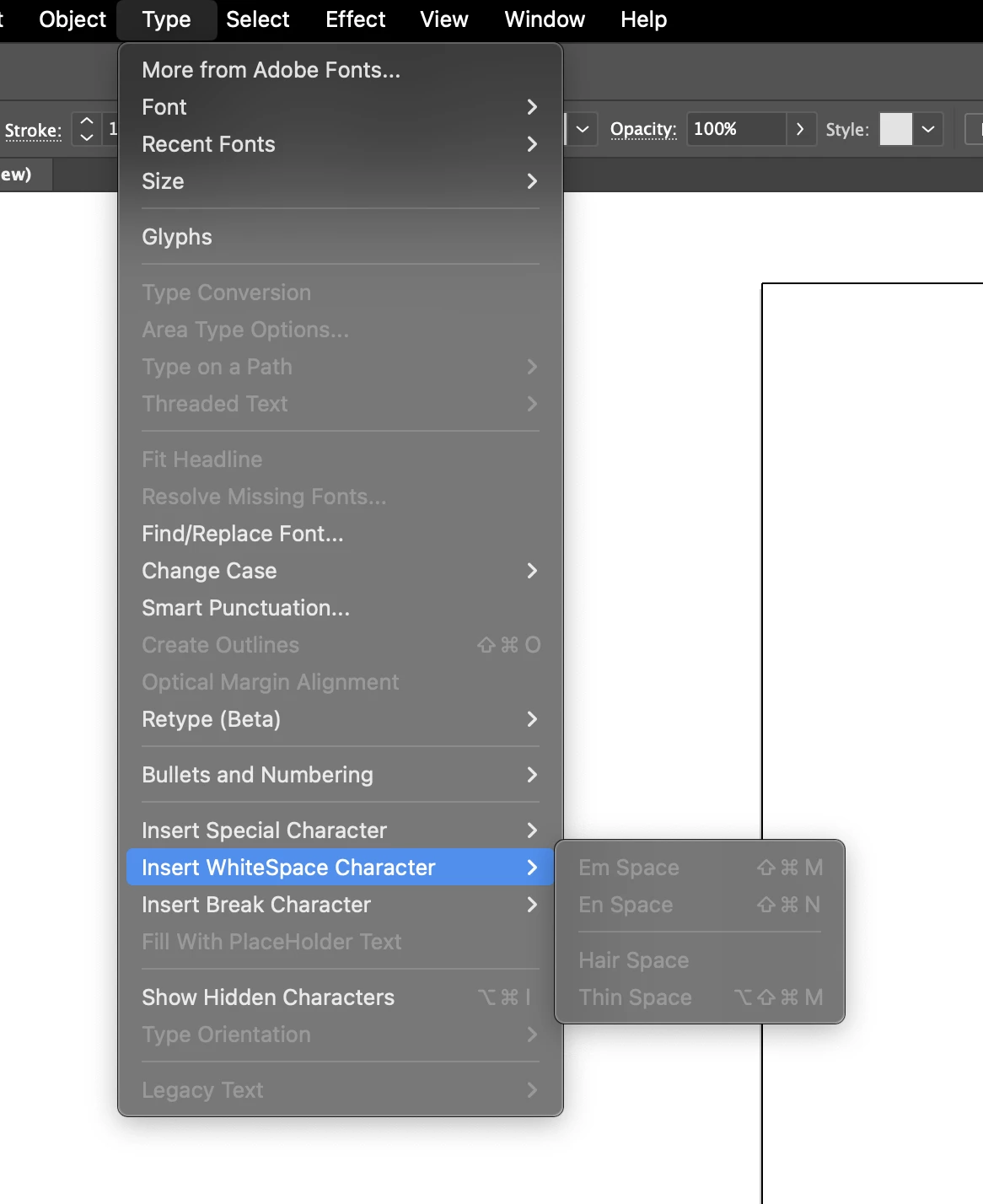
I just realized that the special marks / em/en dash / spacing options were reorganized, but I can't find the option »non-breaking space« anymore? I must admit that I usually work with a German UI but changed it to English recently.


Am I missing something or did Adobe get rid of this option?

Correct answer Anubhav M


Hello @wnwka,

Could you try running Illustrator under a different administrator account (macOS) and check if it helps?
If the problem persists, please share the system report (https://adobe.ly/41VSVqh) and confirm the Default Install Language set under Creative Cloud Desktop > Preferences > Apps so I can check it with the team.

Looking forward to hearing from you.


Anubhav

1 reply

Monika Gause
Community Expert
Community Expert
March 11, 2025

Schrift > Leerraumzeichen > Geschütztes Leerzeichen does not exist?

wnwkaAuthor
Inspiring
March 11, 2025

That's the one I would usually use... However, it does not exist in the English Versionof the app (?) and I can't re-install the app right now as I'm working on stuff. (Unfortunately, switching languages in Adobe apps is a little bit of a hustle because you can't switch language without re-installing the app).

Monika Gause
Community Expert
Community Expert
March 11, 2025

Booted up my English system: Type > Insert Whitespace Character > Non-breaking space.