


Inspiring
January 6, 2023
Answered

Numbered list across different text boxes

  • January 6, 2023
  • 3 replies
  • 4634 views

Hey everyone! 


I'm trying to create the headers of an index in Illustrator. So, I'd like a numbered list with all my sections and then be able to break up that list into individual text boxes, so I can list the subsections below. Something like this: 
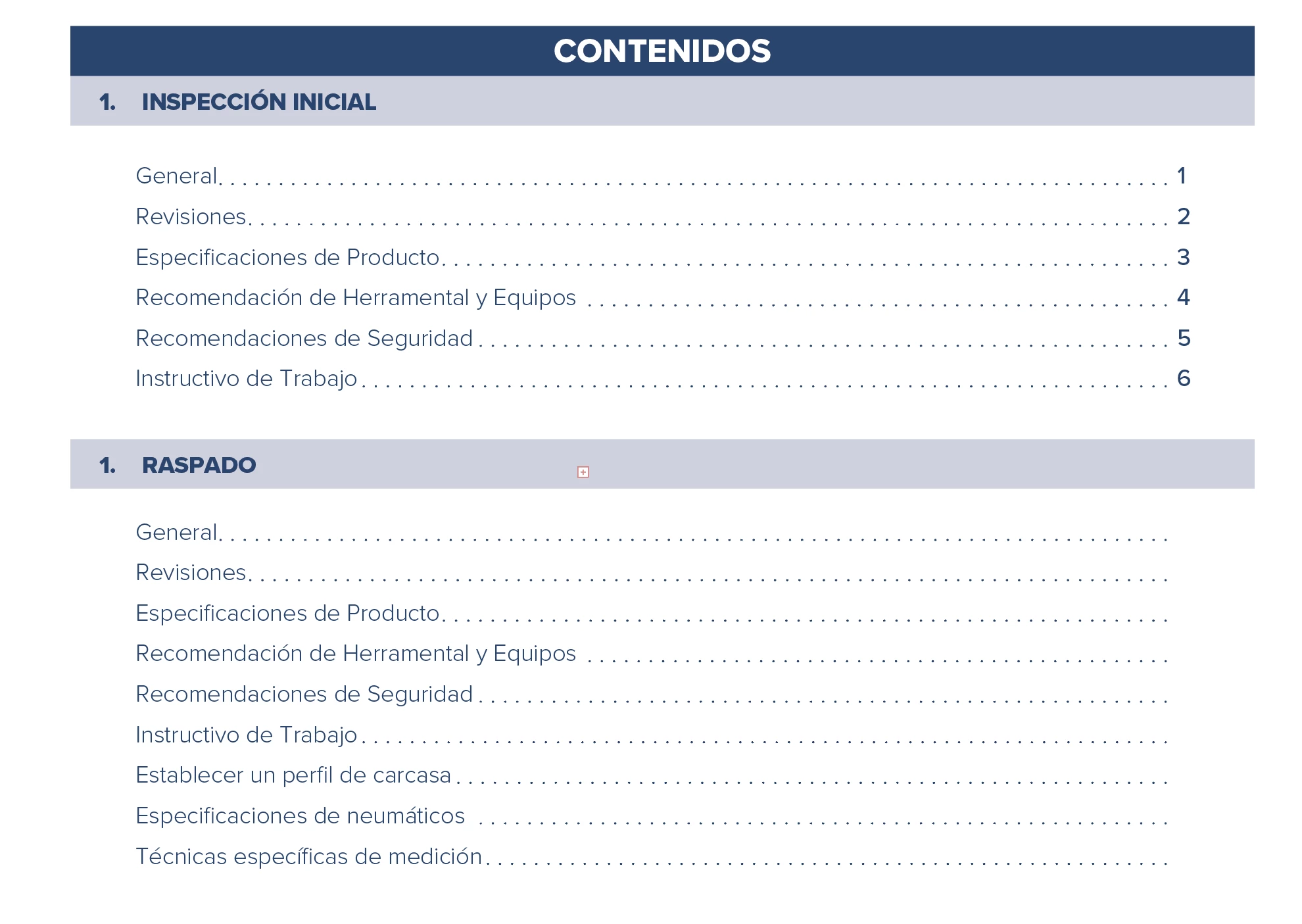
But when I break up the list into new text boxes, the numbers seem to reset, which is really annoying. Is there any way to maintain the numbering across different text boxes?
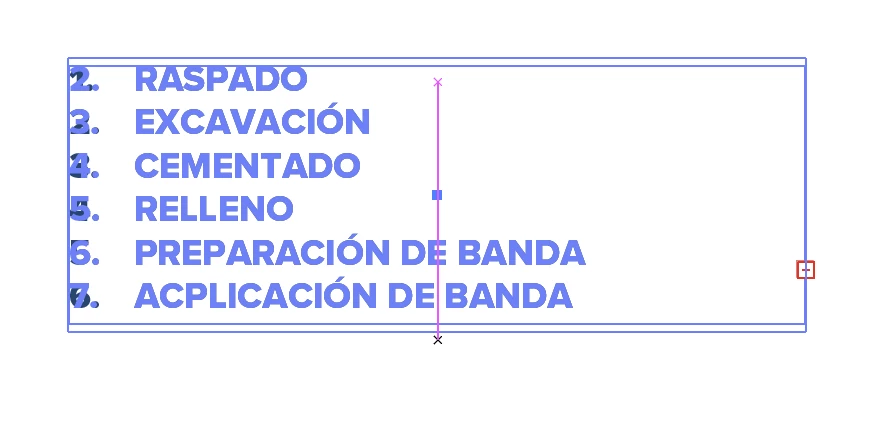
 

When I resize the text box, I get the ACTUAL numbers I want over it, like the continued numbers. Which is weird because that only shows up when manipulating the tex box. 


Does anyone know if it's possible to keep the original numbers across multiple text boxes?


Thank you!

Correct answer Monika Gause

So creating a text box and then the numbering and later resizing the box and splitting it up across multiple text boxes and then resizing it again keeps the numbering for me.


Can you please show screenshots of each step?


It's the same paragraph style you apply to all the text, right?

3 replies

pixxxelschubser
Community Expert
Community Expert
January 6, 2023

@chamilila 

That is not an answer to your question.

However, InDesign is clearly better suited for such tasks.


Do you have experience with InDesign? Would that perhaps be an alternative for you?

chamililaAuthor
Inspiring
January 6, 2023

Thank you @pixxxelschubser , I do have experience with inDesign. However, this set of documents have already been designed in Illustrator so it would have been a much more time-consuming task to import/migrate the designs and I managed to do it the way Monika suggested for the numbered lists.

pixxxelschubser
Community Expert
Community Expert
January 6, 2023

Unfortunately I don't know your project.


But if it is to be a recurring project:

Maybe in the next edition of your project? Maybe the effort for a new creation in InDesign is worth it very quickly?

Monika Gause
Community Expert
Monika GauseCommunity ExpertCorrect answer
Community Expert
January 6, 2023

So creating a text box and then the numbering and later resizing the box and splitting it up across multiple text boxes and then resizing it again keeps the numbering for me.


Can you please show screenshots of each step?


It's the same paragraph style you apply to all the text, right?

chamililaAuthor
Inspiring
January 6, 2023

That actually did work. But I'm not sure what the difference is with the previous text box, because they have the same text style. It's a mystery lol. Thank you so much!

Doug A Roberts
Community Expert
Community Expert
January 6, 2023

Are you using threaded text boxes?

chamililaAuthor
Inspiring
January 6, 2023

Yes

Doug A Roberts
Community Expert
Community Expert
January 6, 2023

Likewise, I don't see numbers resetting in threaded text boxes: