Participant
October 28, 2025
Question

Object and Effect aren't working

  • October 28, 2025
  • 2 replies
  • 124 views

Hello everyone !


I have some issues lately with my illustrator ...
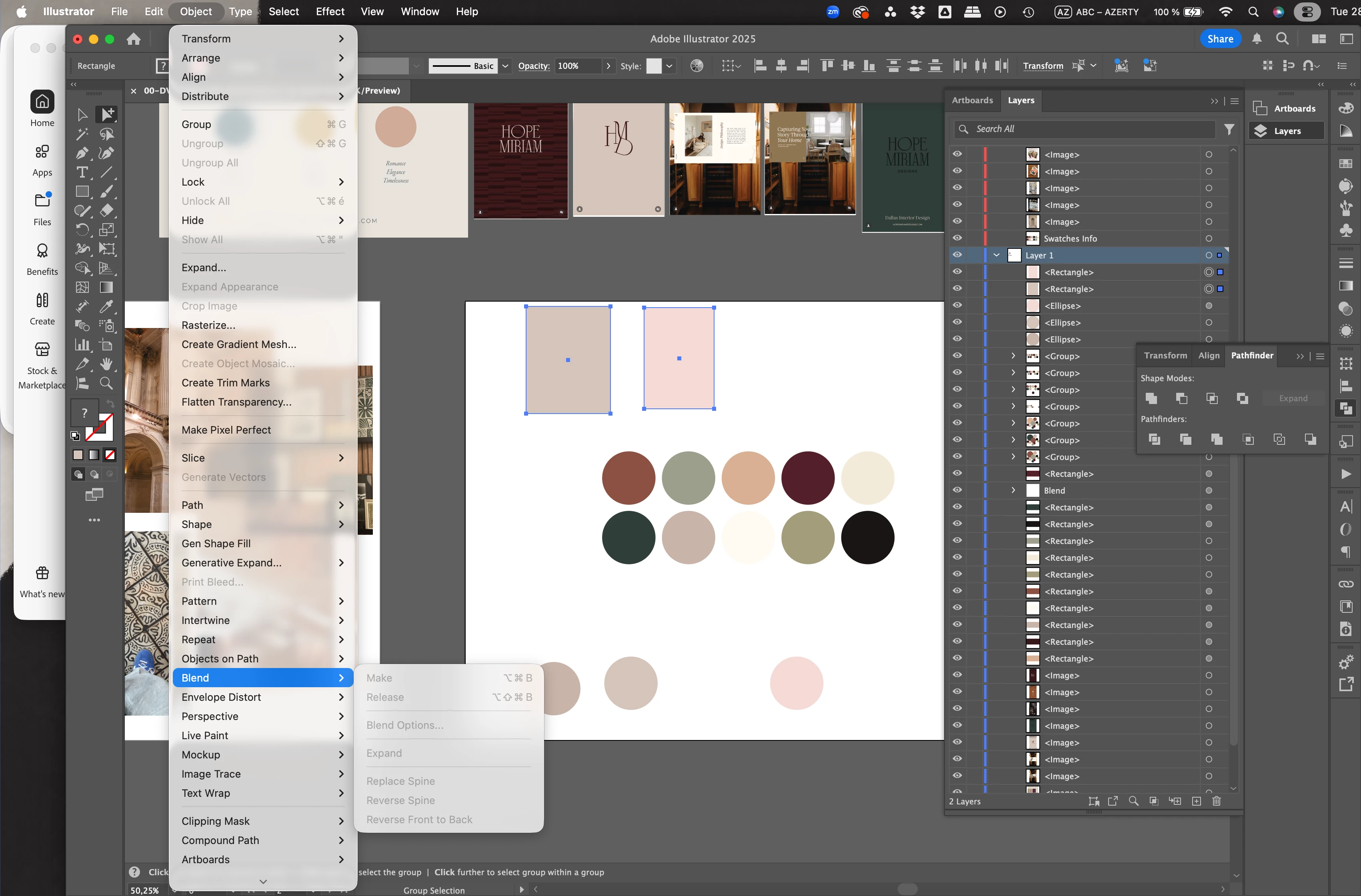
Today, my blending mode options aren't available, and I do not understand why.
I selected 2 shapes in different colors to create a gradient, but when I click on Object > Blend, all the options are light grey, and I cannot select anything.

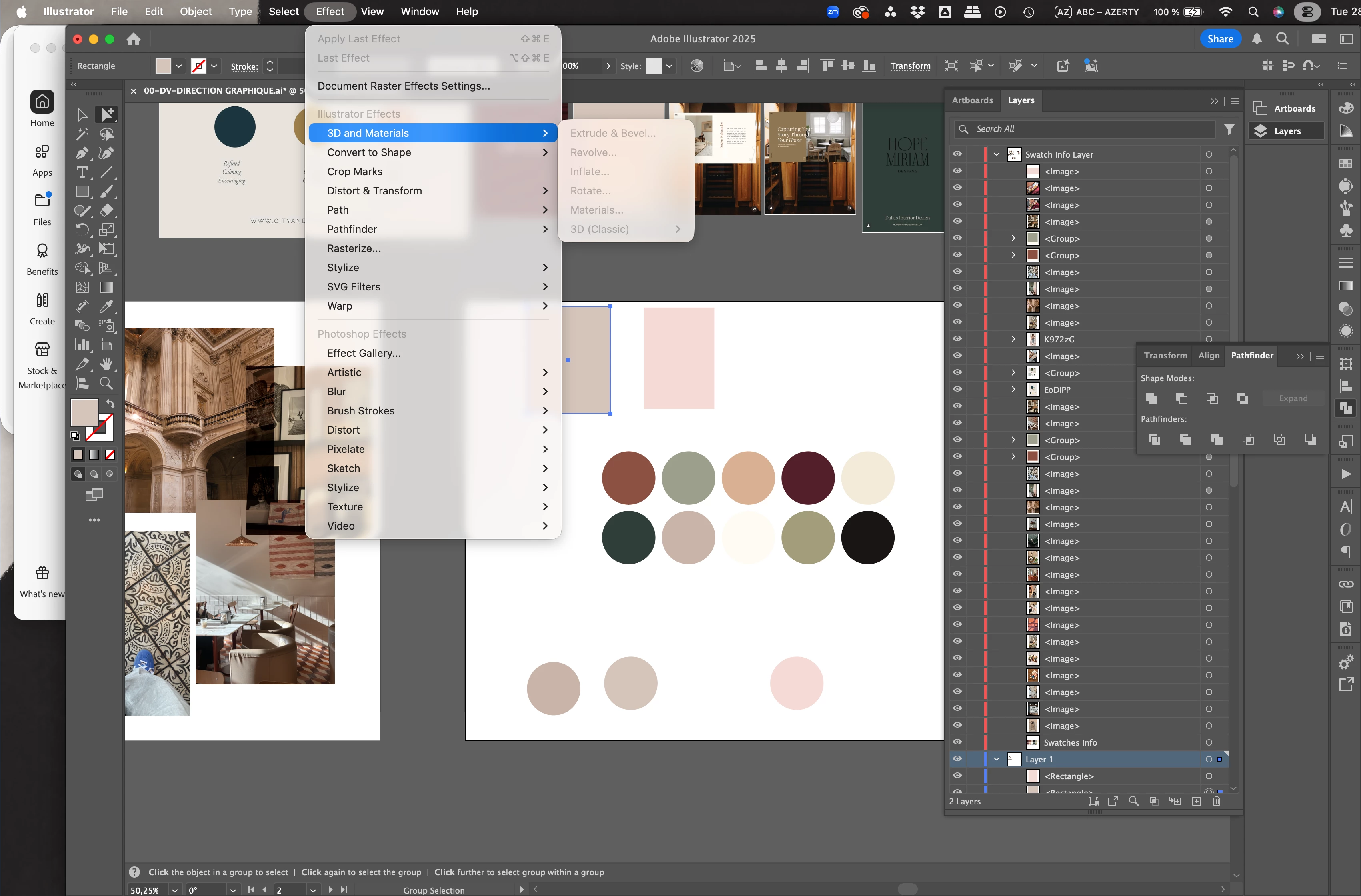
Unfortunately, this is far from the only option that's not working ...

All the Effects aren't available, and most of the options on Object too
I haven't checked everything, but I have the feeling that so many options aren't working anymore.

Pls help !!
Thank you do much !!
2 replies

Abhishek Rao
Community Manager
Community Manager
October 28, 2025

Hi @Marie_Rapin6945,


Thanks for reaching out. I hope the expert's suggestion helped. If you're still facing the issue, could you please confirm which version of Illustrator and macOS you're using? Also, let me know if this happens with all files or only a specific one. Please try resetting Illustrator preferences manually and test again. You can follow the steps here: https://adobe.ly/4o9yxL3.

Let me know if this brings back the missing functionality or if the issue persists.


Looking forward to your update.
Abhishek

Participant
October 29, 2025

Hello Abhishek

Thanks for the message !
As I mentioned earlier, I'm not sure what fixed the issue between updating my Mac software and updating my Illustrator, but today the Blending options are working again.
I'm going to investigate a bit more to make sure everything works 🙂

Abhishek Rao
Community Manager
Community Manager
October 29, 2025

Hi @Marie_Rapin6945,


I'm glad to hear things seem to be working again after your updates. Please keep an eye on it for a bit and let me know if any of the Object or Effect options stop responding again. 


Looking forward to your update.

Abhishek

Monika Gause
Community Expert
Community Expert
October 28, 2025

Did you already try and reboot the computer?

Participant
October 29, 2025

I did it several times, but it didn't work.
But I also updated the Mac software + updated the latest Illustrator version
I don't know what did the trick, but something did, and today it seems like it works! Yayy 
Thanks for the support 🙂