


Answered
Object-->Blend -->Make
Usually Object-->Blend -->Make's one new image in between two already exisiting images but in my case it makes many. What is the reason?
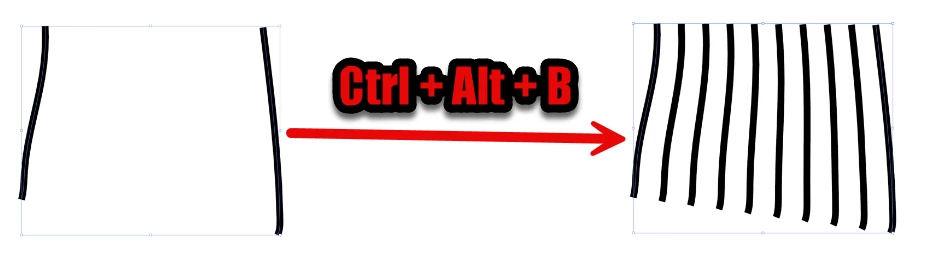

Usually Object-->Blend -->Make's one new image in between two already exisiting images but in my case it makes many. What is the reason?
Already have an account? Login
Enter your E-mail address. We'll send you an e-mail with instructions to reset your password.

 AdChoices