Participant
February 1, 2019
Answered

Object in front disappears in black background

  • February 1, 2019
  • 1 reply
  • 1573 views

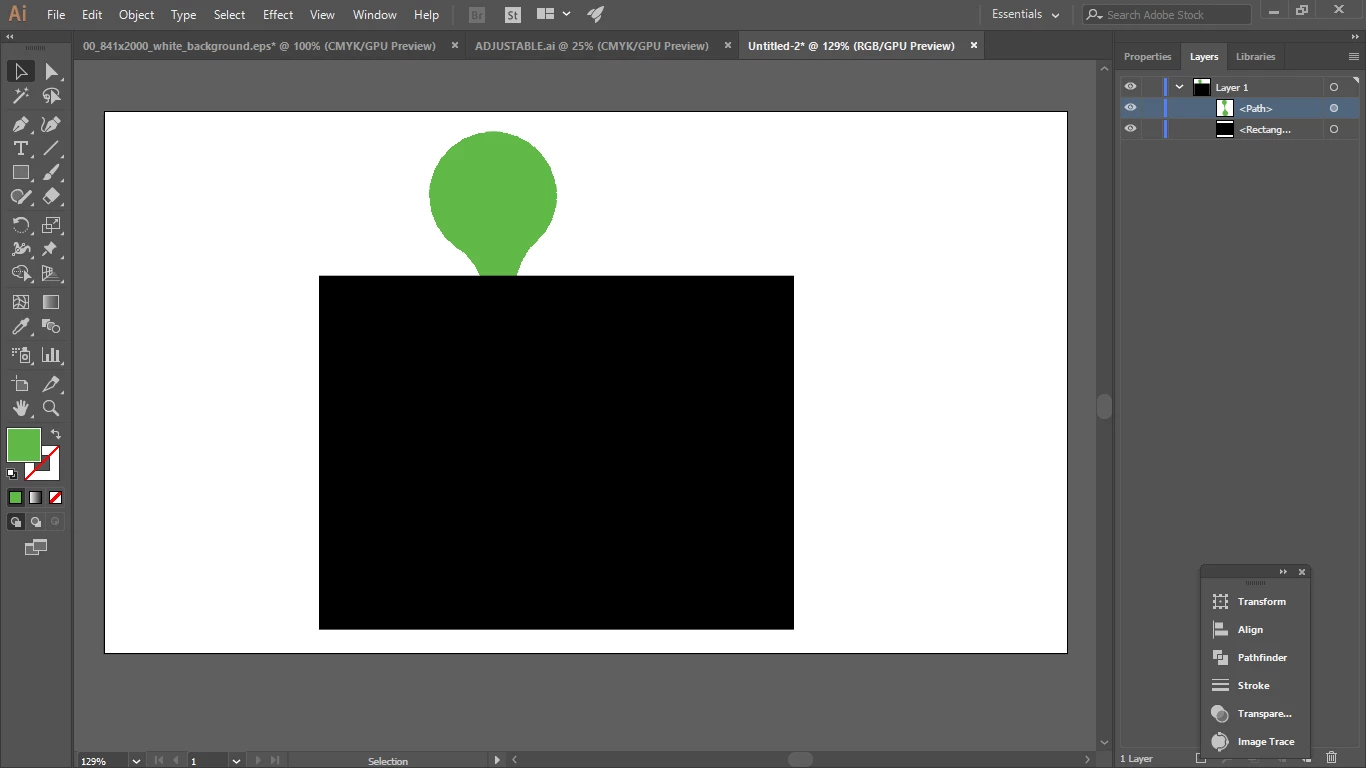
I want to print something on a black background so I have created a black rectangle but when I try and put the object over it is disappears behind the rectangle. Do you have any advice? I am still new to Illustrator.

Below is what I get.

Thanks
    This topic has been closed for replies.
    Correct answer tromboniator

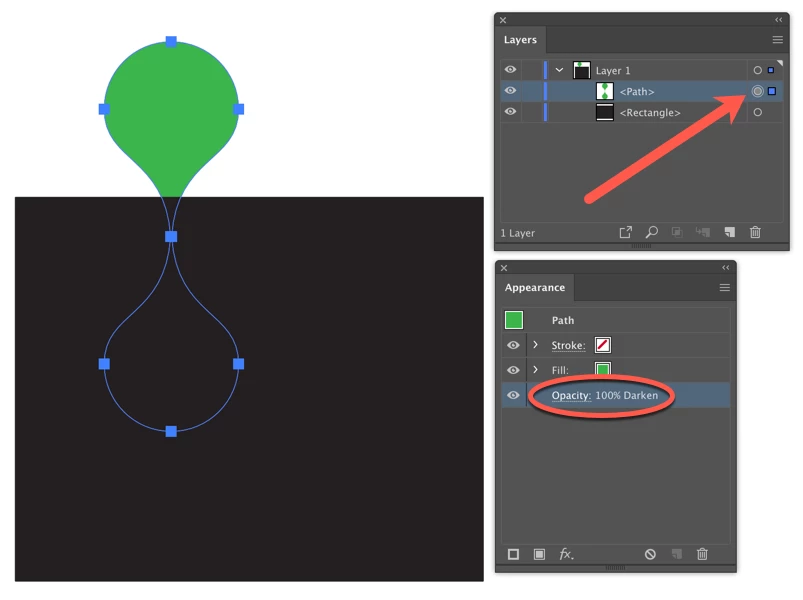
    In your Layers panel the gray-filled circle to the right of the green path indicated that some appearance has been applied to the path. Select the green path and open the Appearance panel (Window menu > Appearance). I suspect that you will find a Blending Mode applied, as in my example below, which you can fix by clicking on Opacity and choosing Normal.

    Peter

    1 reply

    tromboniator
    Community Expert
    tromboniatorCommunity ExpertCorrect answer
    Community Expert
    February 1, 2019

    In your Layers panel the gray-filled circle to the right of the green path indicated that some appearance has been applied to the path. Select the green path and open the Appearance panel (Window menu > Appearance). I suspect that you will find a Blending Mode applied, as in my example below, which you can fix by clicking on Opacity and choosing Normal.

    Peter