Answered
Objects are created in the back...
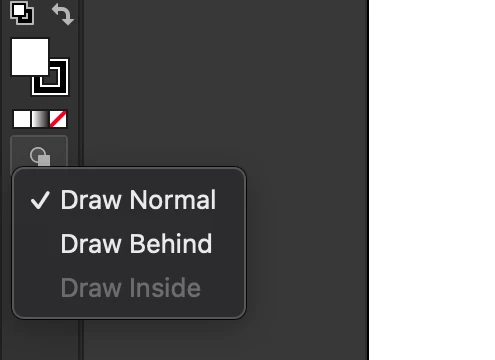
Adobe is creating the objects in the back of everything, how do I get them to create them in the front by default? This has never happend to me before.

Adobe is creating the objects in the back of everything, how do I get them to create them in the front by default? This has never happend to me before.
Hi. As Tom said, check the toolbar icons. Also, check if you're working with layers.
Already have an account? Login
Enter your E-mail address. We'll send you an e-mail with instructions to reset your password.
 AdChoices