Known Participant
June 23, 2024
Question

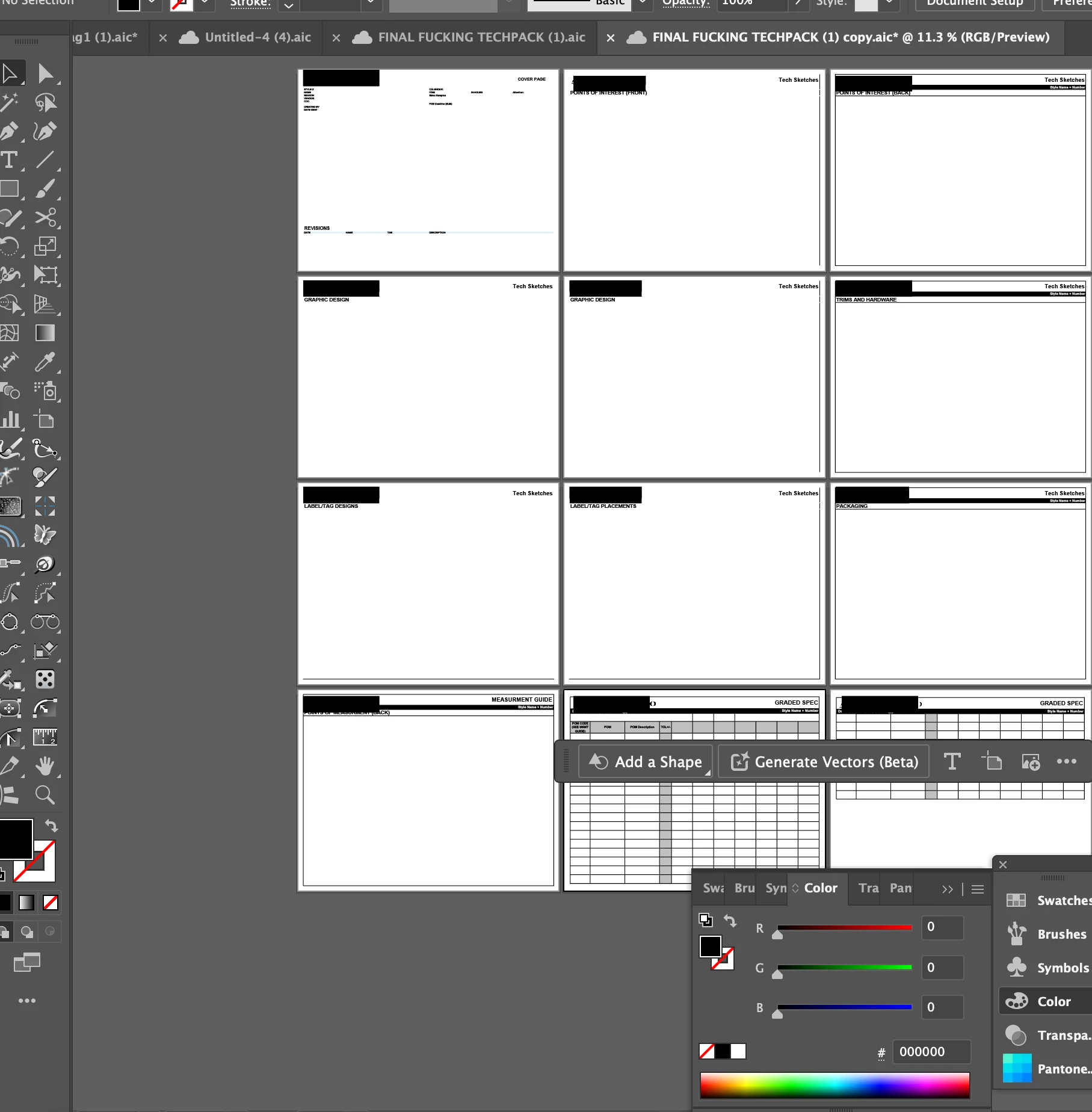
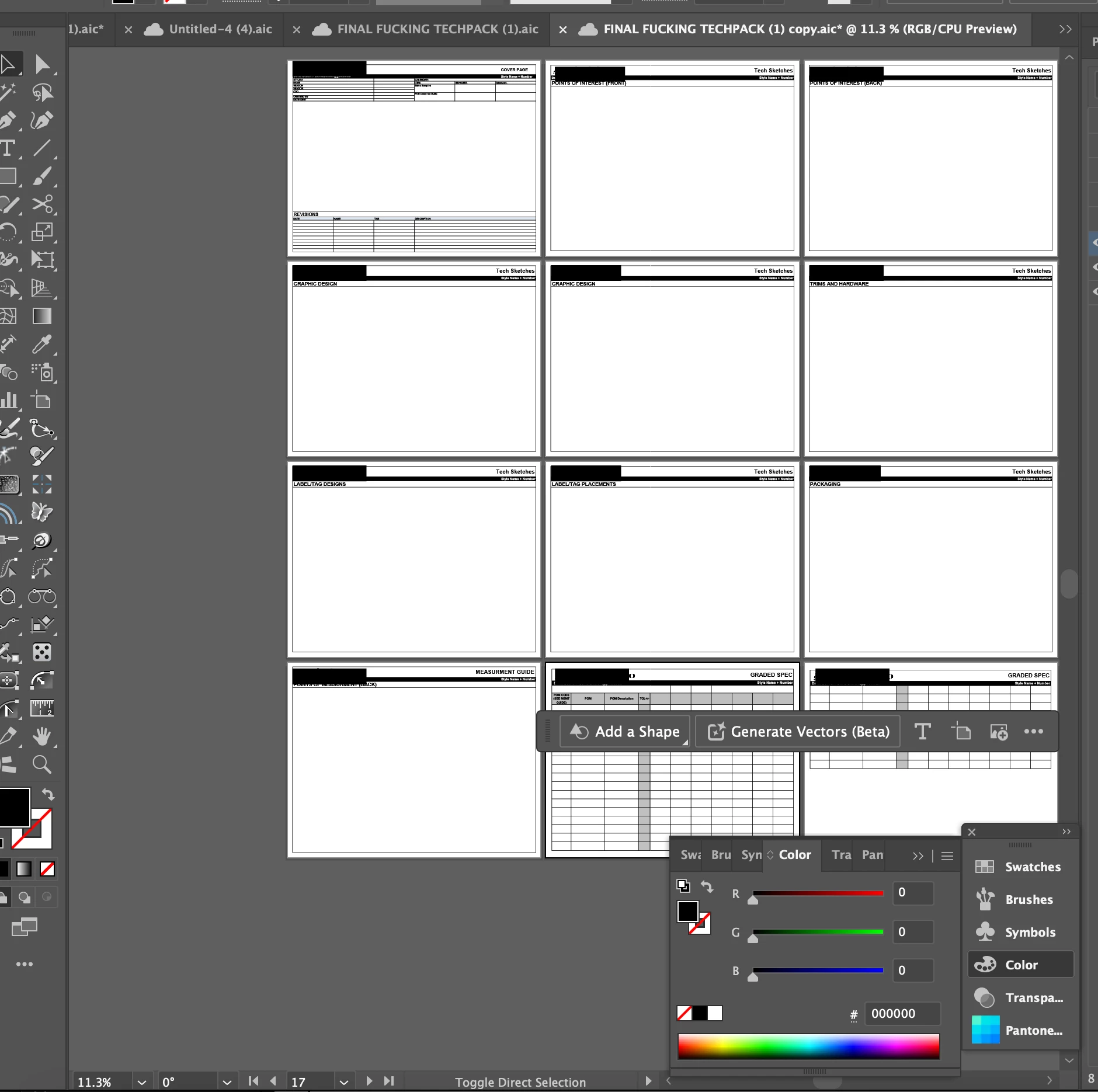
objects completely disappear when I changed to rgb and viewed in gpu

  • June 23, 2024
  • 1 reply
  • 240 views

The only way I am able to actually see them is if i switch to cpu but its very slow when im scaling objects. Im not new to gpu and its issues with rendering complex things and i usually dont have an issue when gpu doesnt render a stroke or glitches the fill of a shape when Im zooming in and out but completly vanashing almost half of my objects is crazy. Also i just realized it was working fine before its just that when I changed the document to rgb from cmyk thats when the gpu stopped rendering those lines (even though theyre black). BTW I have already tried turning animation mode off but that doesnt work either. lmk what i should do next (first pic is the document w cpu and second pic is it with gpu). 
This topic has been closed for replies.

1 reply

Community Manager
June 23, 2024

Hello @David30125243i5sb,

Sorry to hear about your experience. Are you using Illustrator on a Windows computer? If yes, kindly try performing a clean reinstallation of the GPU drivers (Intel / NVIDIA / AMD) and setting the Graphics Preference to High-Performance for Illustrator (https://adobe.ly/45GCnDg) to see if it helps.

If you're on a macOS computer, try running Illustrator under a different administrator account (Windows / macOS) and share your observations.

Also, kindly check if Illustrator only behaves this way with some files. If yes, kindly share a public link to a sample file after uploading it to Dropbox/Google Drive/etc. so we can check it on our end.

Looking forward to hearing from you.


Thanks,

Anubhav