Jason-D
Participant
November 1, 2018
Answered

Objects do not align when inside the artboard tool

  • November 1, 2018
  • 3 replies
  • 1096 views

Help!  This is so annoying, while using the artboard tool, I used to (before cc2018) be able to have the tool open, copy and paste a similar object (crop marks) and align to a specific artboard, all while not closing the artboard tool, now it does not align at all?

Also, is there a way to change the automatic placement of new artboards like the older versions where you could click where you wanted it placed and then "fit to object"?

So annoyed...

Thank you!
    This topic has been closed for replies.
    Correct answer barbara_a7746676

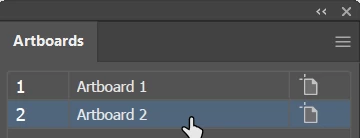
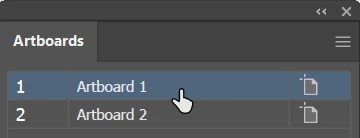
    I think you'll find it easier to use the Artboards panel rather than the Artboard tool.

    In the Artboards panel, select the artboard that has the object you want to copy.

    With the black Selection tool, select the object you want to copy.

    In the Artboards panel, double-click the artboard you want to copy the object to.

    Edit > Paste in Front.

    3 replies

    Srishti_Bali
    Legend
    November 12, 2018

    Hi Paul,

    I would like to know if the steps suggested above worked for you, or the issue still persists.

    Kindly update the discussion if you need further assistance with it.

    Thanks,

    Srishti

    barbara_a7746676
    Community Expert
    barbara_a7746676Community ExpertCorrect answer
    Community Expert
    November 2, 2018

    I think you'll find it easier to use the Artboards panel rather than the Artboard tool.

    In the Artboards panel, select the artboard that has the object you want to copy.

    With the black Selection tool, select the object you want to copy.

    In the Artboards panel, double-click the artboard you want to copy the object to.

    Edit > Paste in Front.

    Inspiring
    November 1, 2018
    while using the artboard tool, I used to (before cc2018) be able to have the tool open, copy and paste a similar object (crop marks) and align to a specific artboard, all while not closing the artboard tool

    Those actions still work in 2018, as long as you don't select another tool. For example, if you Alt/Option drag an object to duplicate it, or if you use keyboard shortcuts for copy and paste, the artboard tool will remain active. However, if you switch to another tool, like the Selection tool, to copy and paste, the artboard tool will no longer be active.

    There are many functions you can perform by using the Artboard panel, rather than the artboard tool, and perhaps that will give you want you want.

    "fit to object"

    To fit an artboard to the artwork on that artboard, first make the artboard the active artboard. Then choose Object > Artboards > Fit to Artwork Bounds.

    Jason-D
    Jason-DAuthor
    Participant
    November 2, 2018

    Thank you for the reply, but what I am trying to do is align something to the artboard I already have place, not fit to artwork.

    while in the artboard tool I just ctrl+c and ctrl+v to copy and paste and then try to use the alignment tool for the artboard that was selected.  It will not align to that artboard.

    hammer0909
    Community Expert
    Community Expert
    November 2, 2018

    Are you telling it to align to the Artboard in the Align panel?