
Participant
June 24, 2023
Answered

Objects have dissapeared overnight

  • June 24, 2023
  • 4 replies
  • 356 views

Hello,


I have recently created an Illustrator file with a range of objects, and after going to open it again this morning, all of the objects are now invisible. When I hover over them, I can see the blue path outline, but everything else is invisible. It also appears as though all of the layers have dissapeared.
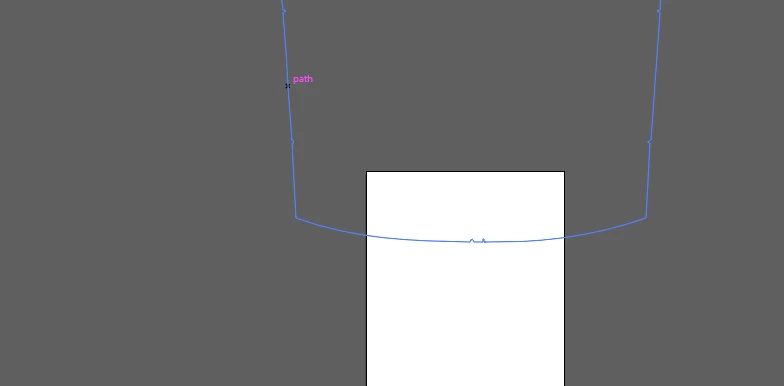


This topic has been closed for replies.
Correct answer Mike_Gondek10189183

View >> Preview

4 replies

Participant
November 3, 2023
Mike_Gondek10189183
Community Expert
Mike_Gondek10189183Community ExpertCorrect answer
Community Expert
June 24, 2023

View >> Preview

Monika Gause
Community Expert
Community Expert
June 24, 2023

Can you please show us the complete screen with title bar and all? Also the layers panel (open the layer so objects are visible)


You are not by any chance in outline view? 

Is Save in Background on or off in the preferences?

Participant
June 24, 2023

Just to add, I installed Inkscape (free vector software) just to check, and the file is perfectly fine, and all of the colour shows up. Therefore, I assume something is wrong with illustrator (possibly I have somehow only allowed for paths to be seen?).