


Inspiring
June 22, 2026
Question

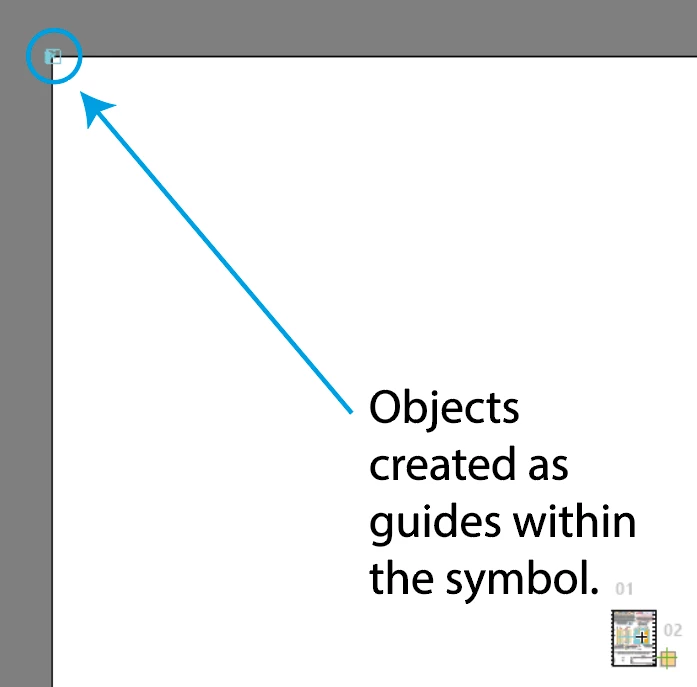
Objects within a symbol are appearing outside of the canvas and cannot be selected.

  • June 22, 2026
  • 2 replies
  • 10 views

I have two groups of objects which I have turned into guides that are within a clipping mask.  I turned everything into a symbol.  I now see that the guide objects are appearing outside of the overall canvas area and cannot be selected.  Even when I delete all the objects in the file, they remain. I have the origin point for the document set at the top left corner.  I have tried breaking the link to the symbol, deleting the objects, changing the objects from guides back to regular shapes, but this object remains.  Could this be a rendering error?
 

    2 replies

    Dan Rodney
    Community Expert
    Community Expert
    June 23, 2026

    Have you looked in your Layers panel to find the object? It might be locked somehow.

    Adobe Certified Expert & Instructor at Noble Desktop | Web Developer, Designer, InDesign Scriptor
    Anubhav M
    Community Manager
    Community Manager
    June 22, 2026

    Hello ​@josephb2381006 


    I’m sorry to hear about your experience. Would you mind confirming if this problem started after a recent update/change, so we can better assist you? Also, try copying the objects from this file to a new one and share your observations.


    Looking forward to hearing from you.
    Anubhav