
Question
October 2017 update to Illustrator - insane lines!
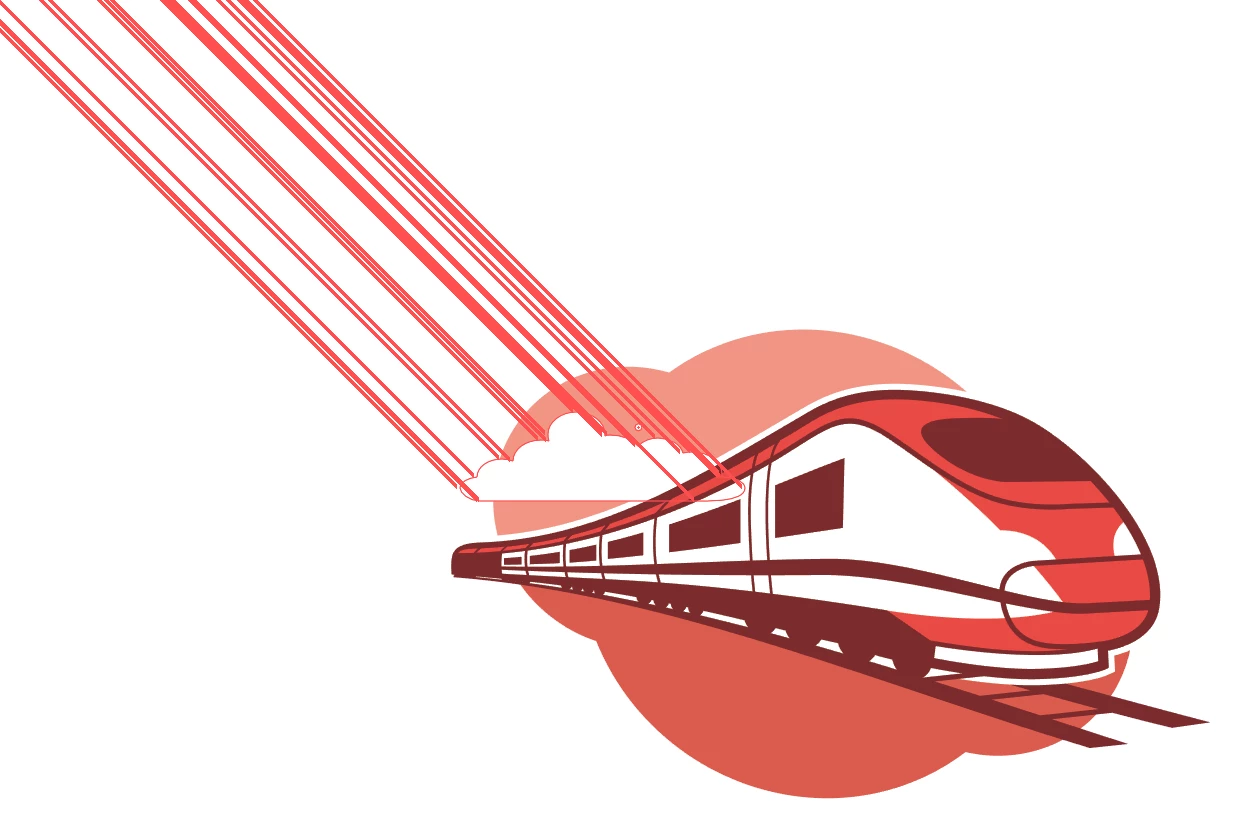
I just updated Illustrator to the October 2017 release today and I'm having this insane issue with these diagonal red lines gong all the way to the edge of the space. It happens when the object is selected and I press CTRL, and when I use the direct selection tool. The lines seem to be related to each anchor point or edge. But it is IMPOSSIBLE to work on anything with this going on. I mean, seriously, look at this..
Please help!!!
This one is showing how far the lines go when I have the whole thing selected and press CTRL:

This is the cloud selected with the direct selection tool:
 AdChoices