



Offset any objects
It was an exciting challenge at the intersection of code and the magic of the Appearance panel, which resulted in a script.
OffsetObjects — free automatic offset creation for any objects in Adobe Illustrator
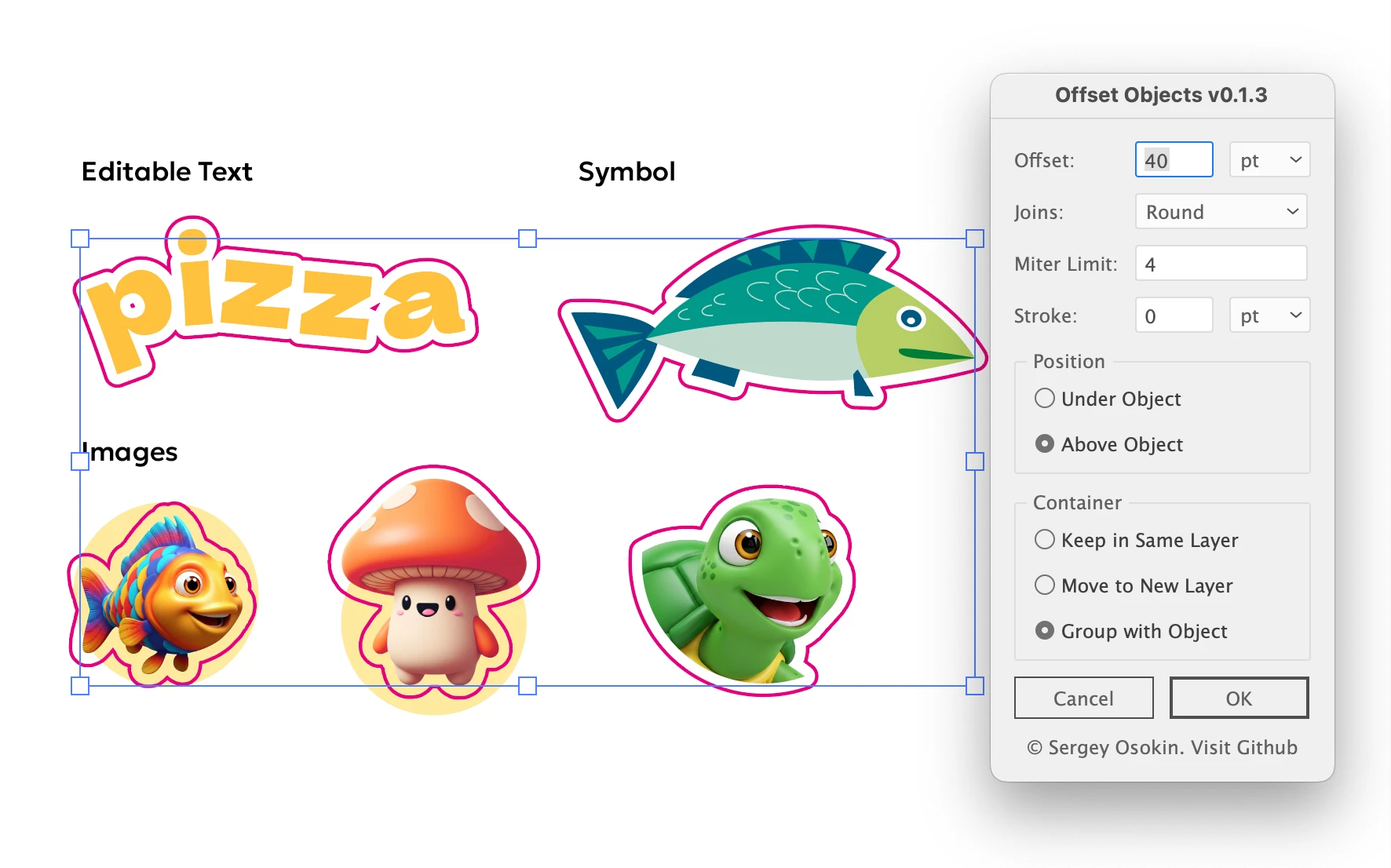
The problem:
Illustrator’s built-in Object → Path → Offset Path works only with vector paths. For other object types, you have to find workarounds or manually draw contours with the Pen Tool, which takes extra time.
The OffsetObjects script creates outlines for
— Editable text
— Images with alpha-channel (with 100% transparent pixels)
— Vector objects
— Groups and clipping groups
Features
— Uses a graphic style developed together with Egor Chistyakov (Ai Prerelease Ambassador) — the style file must be placed in the same folder as the script
— Main offset settings are available in the interface
— Default contour color and layer name can be changed in the code
— Contour color and layer can be modified after running the script
Alternatives
— Esko DeskPack with the White Underprint tool (€1500/year)
— Manually draw a contours
Watch at the attached MP4 demo and try https://github.com/creold/illustrator-scripts/blob/master/md/Item.md#offsetobjects
 AdChoices