
Inspiring
September 17, 2018
Answered

Offset Path creating a line break

  • September 17, 2018
  • 3 replies
  • 1504 views

Hello Everyone,

9 times out of 10 Offset path  (Object > Path > Offset Path) work great, however, the tenth time seems to "leave a man behind" in the plugs of my outlined Letters.  Are there steps I can take to avoid this?  I've tried adding a stroke then expanding the stroke and unite with Pathfinder but I am not getting the desired effect with that process.
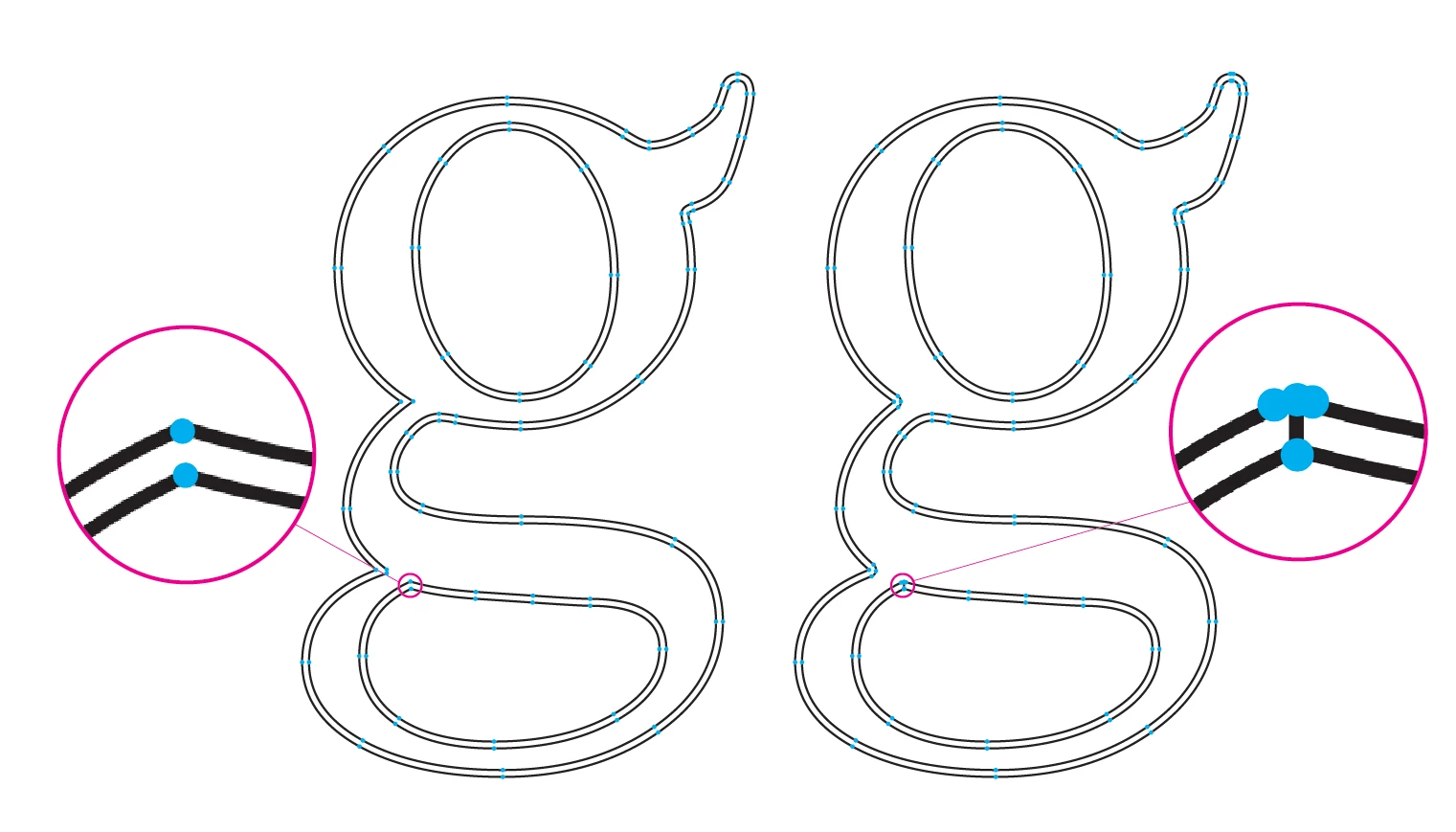
Resulting in a Dimple I don't want.
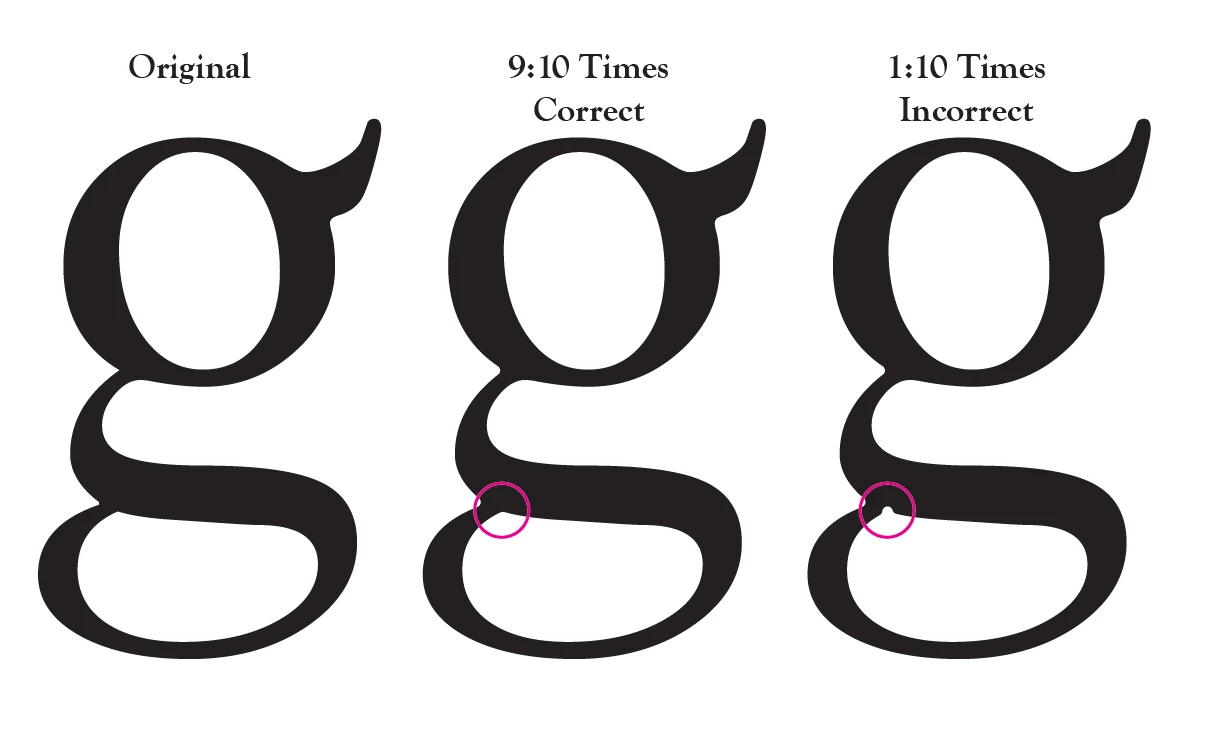
If anyone has overcome this issue please let me know how to fix this.

Thank you!

    This topic has been closed for replies.
    Correct answer BryanPagenkopf

    SOLVED IT!   I ran the action over 60 times and could not get the issue to present itself.

    So in the action I run, (it's stupid but it works) if I move my selection 0.001" as a first step then the offset path does not create a break by leaving an Anchor Point behind.  After the Offset Path work is done then I move it -0.001" so that my selection is right back where I started.

    3 replies

    BryanPagenkopfAuthorCorrect answer
    Inspiring
    September 19, 2018

    SOLVED IT!   I ran the action over 60 times and could not get the issue to present itself.

    So in the action I run, (it's stupid but it works) if I move my selection 0.001" as a first step then the offset path does not create a break by leaving an Anchor Point behind.  After the Offset Path work is done then I move it -0.001" so that my selection is right back where I started.

    Myra Ferguson
    Community Expert
    Community Expert
    September 18, 2018

    If you're getting an inconsistent result when applying Offset Path to the same letter, it could be a bug. You could report it here:

    Illustrator Bugs: Top (1233 ideas) – Adobe Illustrator Feedback

    Make sure to include details about your version of Illustrator, your OS, and the steps you took that produced the errant path.

    Monika Gause
    Community Expert
    Community Expert
    September 17, 2018

    Is this an RGB or a CMYK file?

    Is the "Align to pixel" setting turned on? (in older version this would be "Align to pixel grid")

    Should be turned off.

    Which fonts is this and at which size does this happen?

    Inspiring
    September 17, 2018

    Monika,

    I am using the Latest Version of Illustrator in CMYK mode.  This happens with all fonts in all sizes.

    Monika Gause
    Community Expert
    Community Expert
    September 17, 2018

    Does the same happen when you use "Offset path" as an effect?

    Effect> Path > Offset path