Offset path for 1 fill
Hi all,
Does somebody know how I can offset a path for 1 specific fill in Adobe 2020? When I try to offset a path by 1 px for example, the path of the entire object gets expanded.
I've reproduced the following example:
I have 1 fill (purple) with 2 black drop shadows of 1px (above and below the rectangle). I have a green fill below the previous purple fill that I want to offset with 1 px. See below image.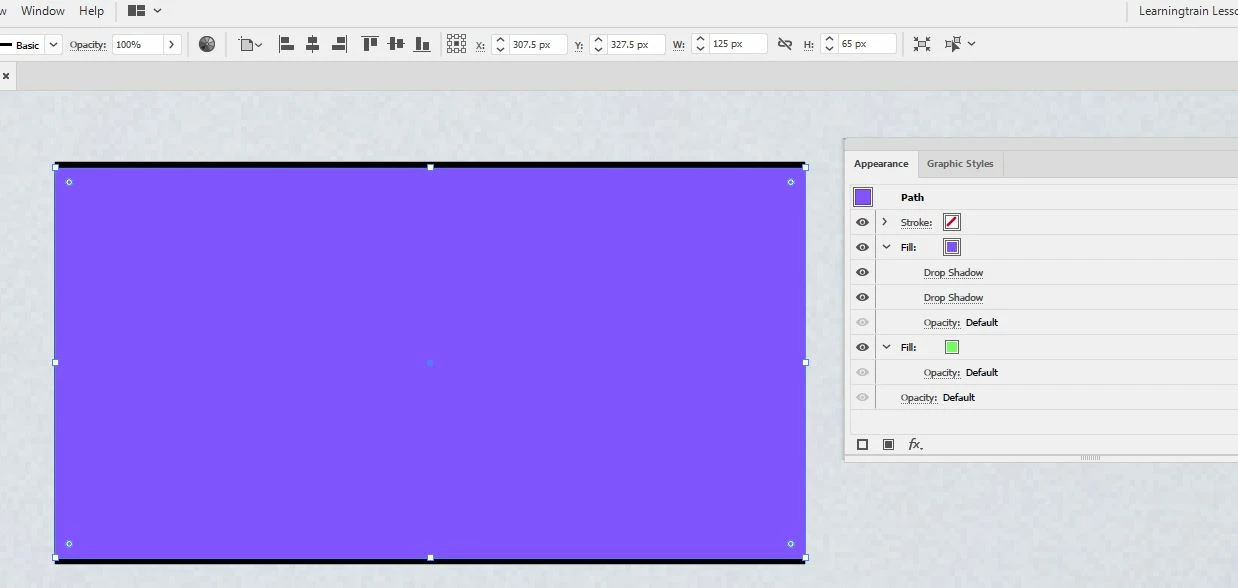
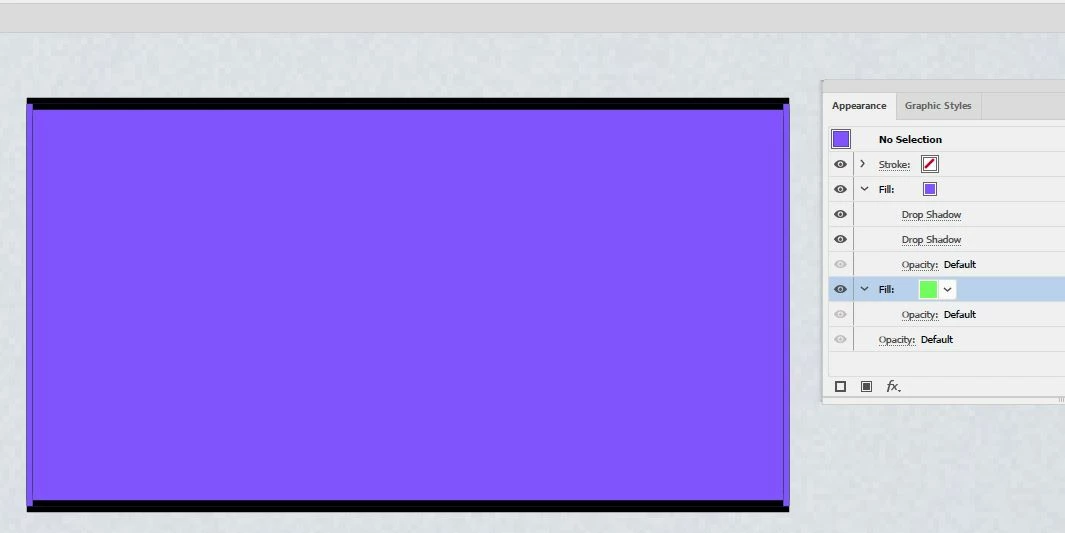
By offsetting the path by 1px while keeping the green fill selected, I offset the entire object, resulting in following image. 'Offset path' characteristic is not shown in the Appareance panel after offsetting the path.
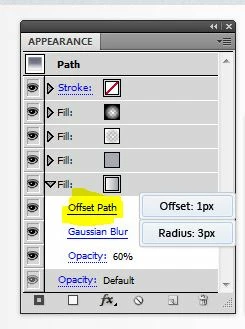
What I would have liked, is to ONLY expand the green fill, and have the offset path characteristic fall under the green fill, like it is in this image
Can somebody address me how to achieve this in Adobe Illustrator 2002? Thank you in advance!
 AdChoices