Participant
November 9, 2021
Question

Offset Question

  • November 9, 2021
  • 2 replies
  • 166 views

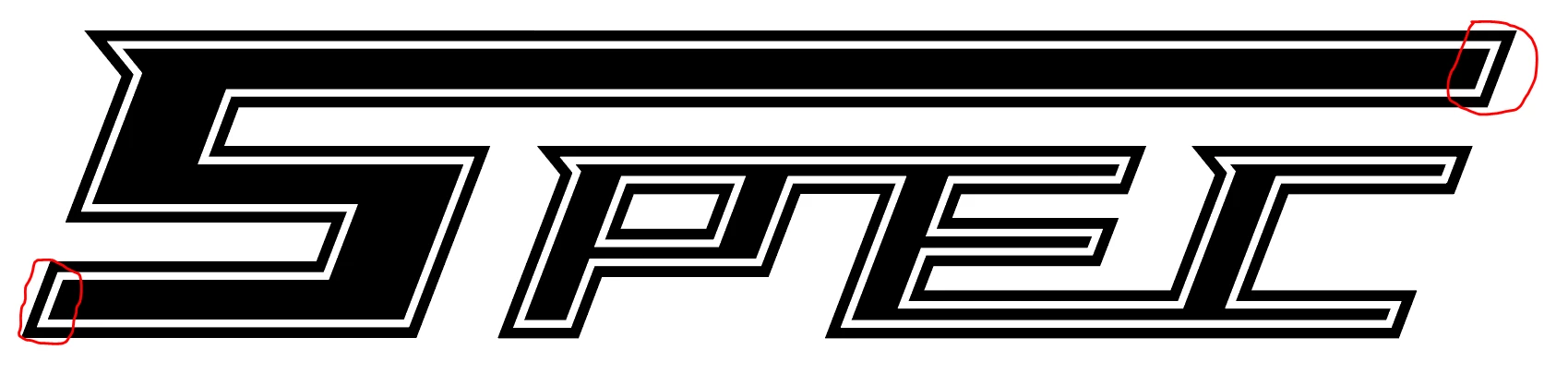
I created an offset on a logo I created and I was wondering if there was a way to separate the offset into individual line segments. The black is the original and the white is the offset. I wanted to delete the white offset line segments that I circled in red but I cannot figure out how to do it. Does someone know how to do this? Thank you. 
This topic has been closed for replies.

2 replies

Kurt Gold
Community Expert
Community Expert
November 9, 2021

No, you may just use the Scissors tool or some Pathfinder operations to do it.


Kurt Gold
Community Expert
Community Expert
November 9, 2021

Did you use the Offset Path effect in the Effect menu?


If so, you may expand its appearance (see Object menu) and then delete the parts you don't need anymore.


snider42Author
Participant
November 9, 2021

I did Object > Path > Offset Path. Should I get rid of that and do Effect > Path > Offset then? Thank you.