


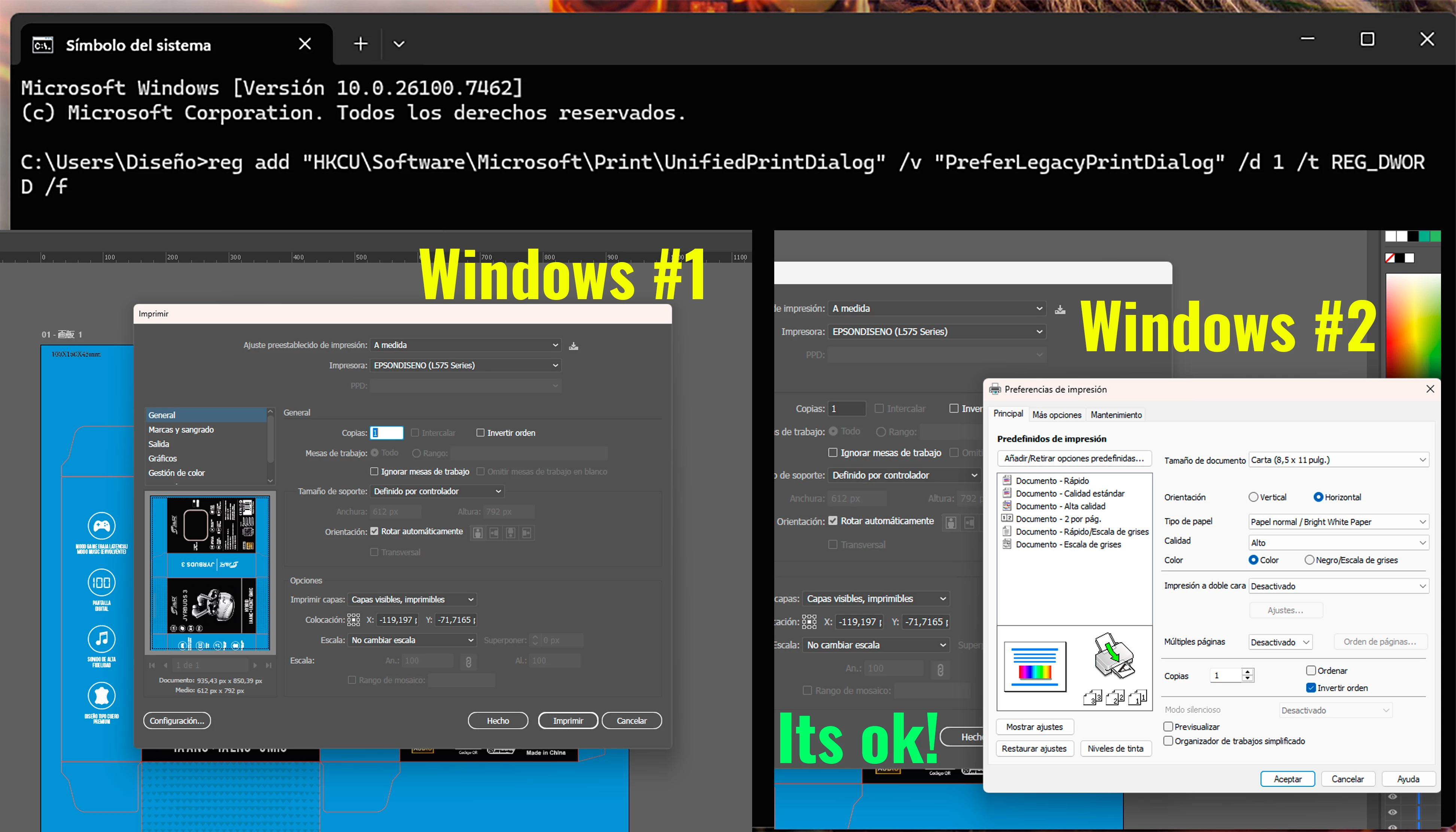
old user interface for printing
ello!
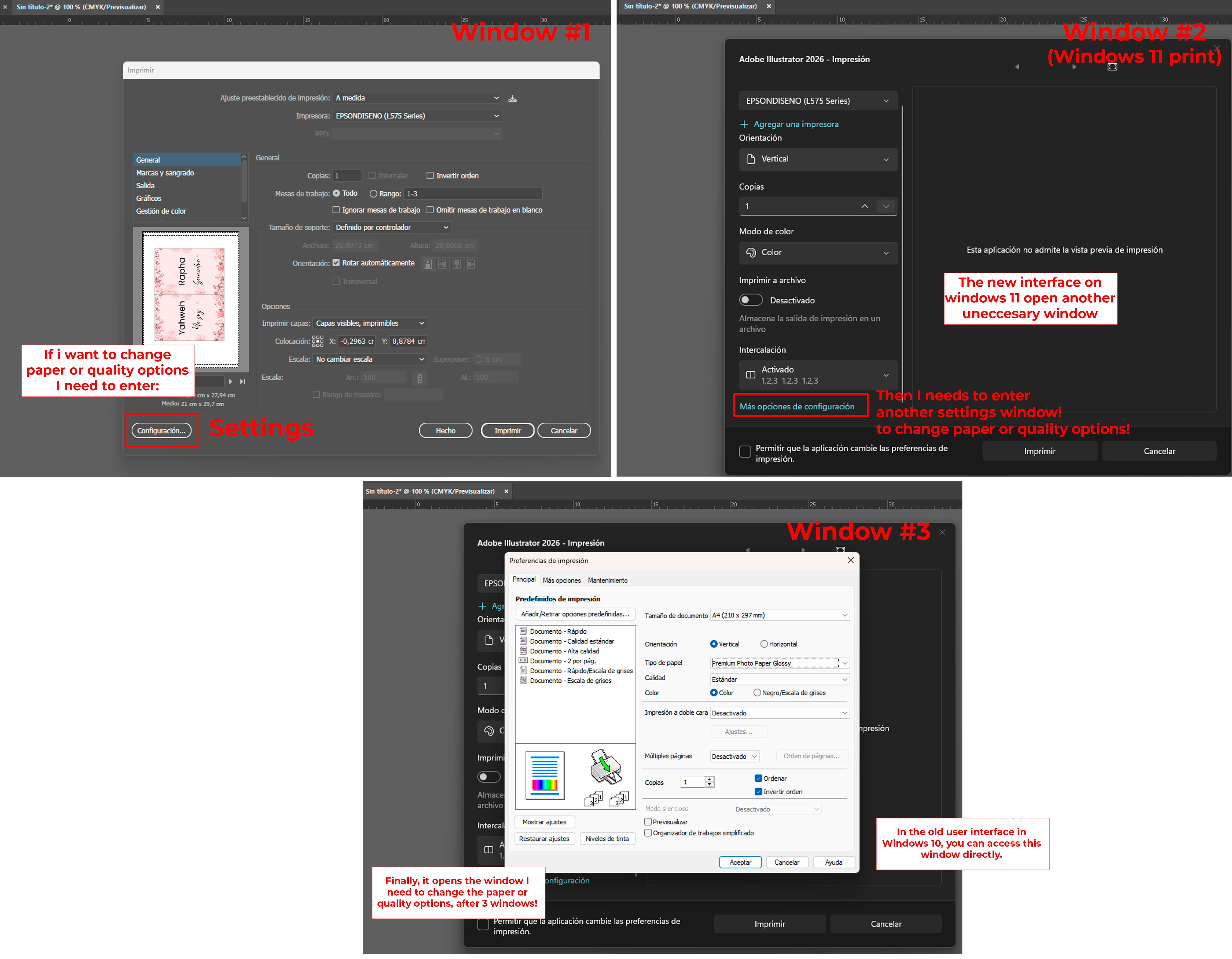
I recently upgraded my operating system from Windows 10 to Windows 11. This new operating system has its quirks, and it takes some getting used to. However, something I haven't been able to get used to is the new interface in Illustrator for printing. It feels like the interface has added others windows, making the printing process slow. Before, it was just one window; you adjusted the necessary options—paper type, number of copies, print quality—and it printed. Now, it opens an Illustrator window for printing, then another window with print options in Windows, and if I want to adjust the print quality, yet another window opens... and if I want to change any of those options again, everything I had already selected is reset to its defaults! This isn't very user-friendly. This used to happen in Photoshop (new version in windows 11), but in Photoshop, I unchecking the "New Modern Interface" option reverted it to the old interface, which I greatly appreciate.
How can I fix this in Illustrator?
I've attached an image of what I mean.
Thank you in advance.
Here is a video
 AdChoices