
Known Participant
May 14, 2024
Question

One Custom Swatch Missing Now

  • May 14, 2024
  • 2 replies
  • 186 views

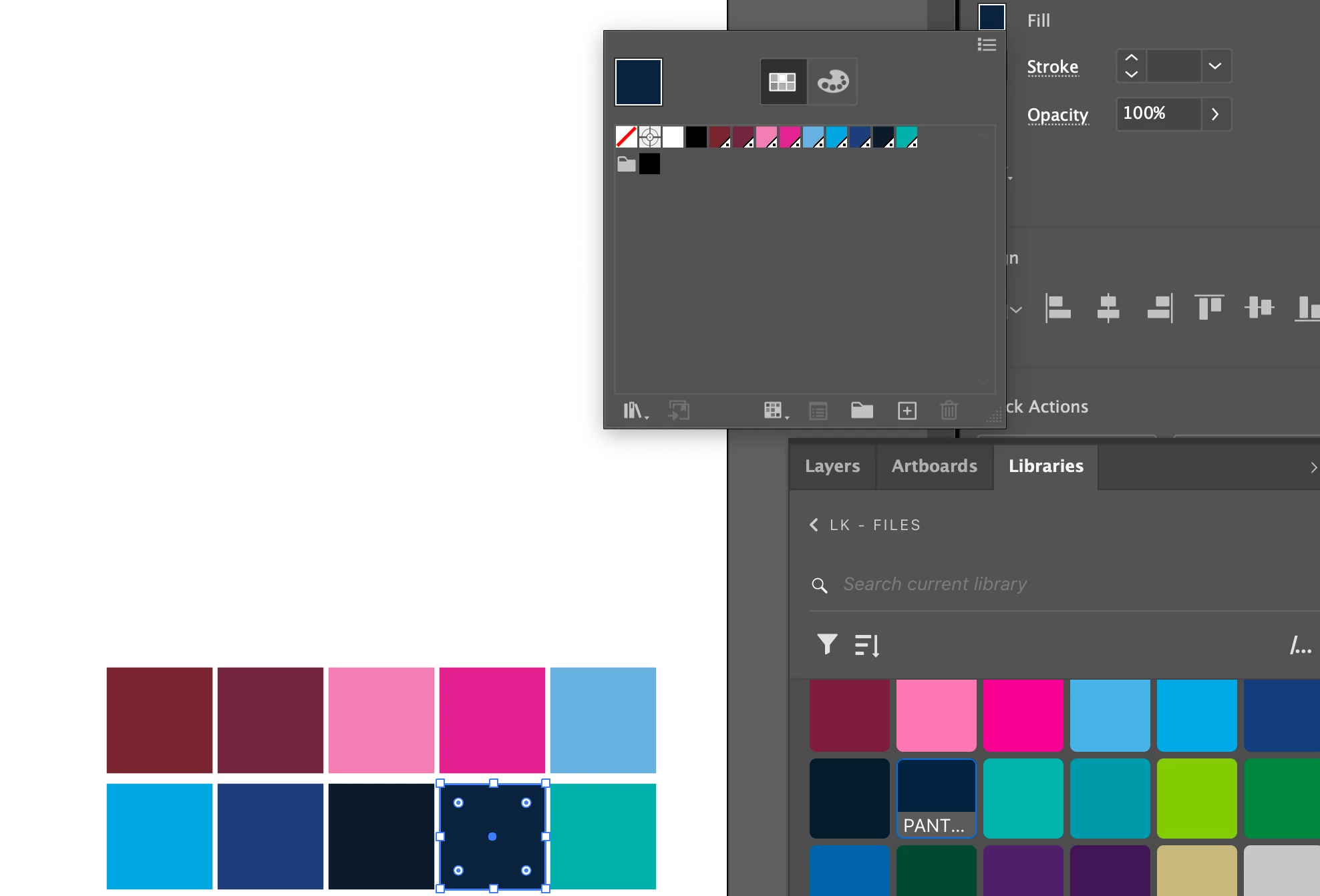
I have a set of custom spot colors I have saved in my Creative Cloud Libary that I pull into projects to use. They have all historically populated the swatch panel with no issue, but now suddenly one of them (the navy one in the screenshot) isn't populating anymore. I click on the color swatch in my CC library and it colors the selected item that color, but there's no swatch associated with it anymore. It used to populate a color swatch for every color I used in my swatches as I used them. Why is just this one not working anymore?
This topic has been closed for replies.

2 replies

Ton Frederiks
Community Expert
Community Expert
May 20, 2024

This works for me with Illustrator swatches, global, spot, patterns, gradients, brushes

Ton Frederiks
Community Expert
Community Expert
May 14, 2024

Spot colors, Global colors are not very reliable in CC libraries, I am surprised it has worked well for you until now.

As a workaround I drag one or more objects filled with a global or spot color to the library.

The easiest way to add them to a new document is to hold down the Alt key when you drag them from the library and place them in a new document. The colors automatically get added to your swatches panel.

You can hit escape before you click to place the object(s) or delete the dragged library items because the swatches and brushes are now part of the document.