Opacity does not remain 50% in my graphic style
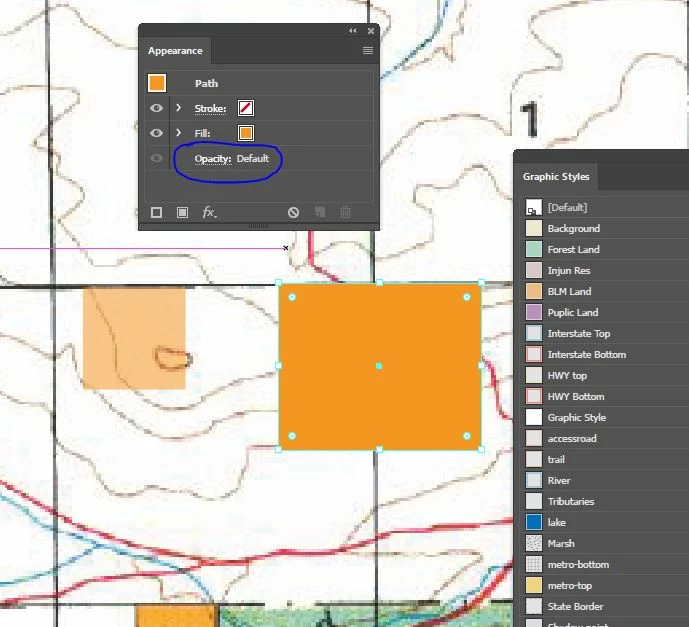
Hi - I have had this issue for years but decided to finally try to figure it out. I have several graphic styles that have an opacity of 50%. But when I save that graphic style to my Graphic Styles and create a new object with it, the opacity is always 100% (the appearance panel shows "Opacity: Default). My solution has been to create the object, then click that graphic style in the Graphic Style panel. But I'd rather not have to click the graphic style every time - I make hundreds of objects that I have to do this to per file. For example, in the image below, the graphic style was saved as the one on the left, but always appears as the one on the right, initially, until I click the "BLM Land" graphic style, which reverts it to Opacity: 50%. Is there a solution to force the graphic style to display with 50% opacity when I create it? Thank you kindly, Josh
 AdChoices