
Participant
February 3, 2021
Answered

Opacity mask not previewing live with gradient - illustrator

  • February 3, 2021
  • 1 reply
  • 572 views

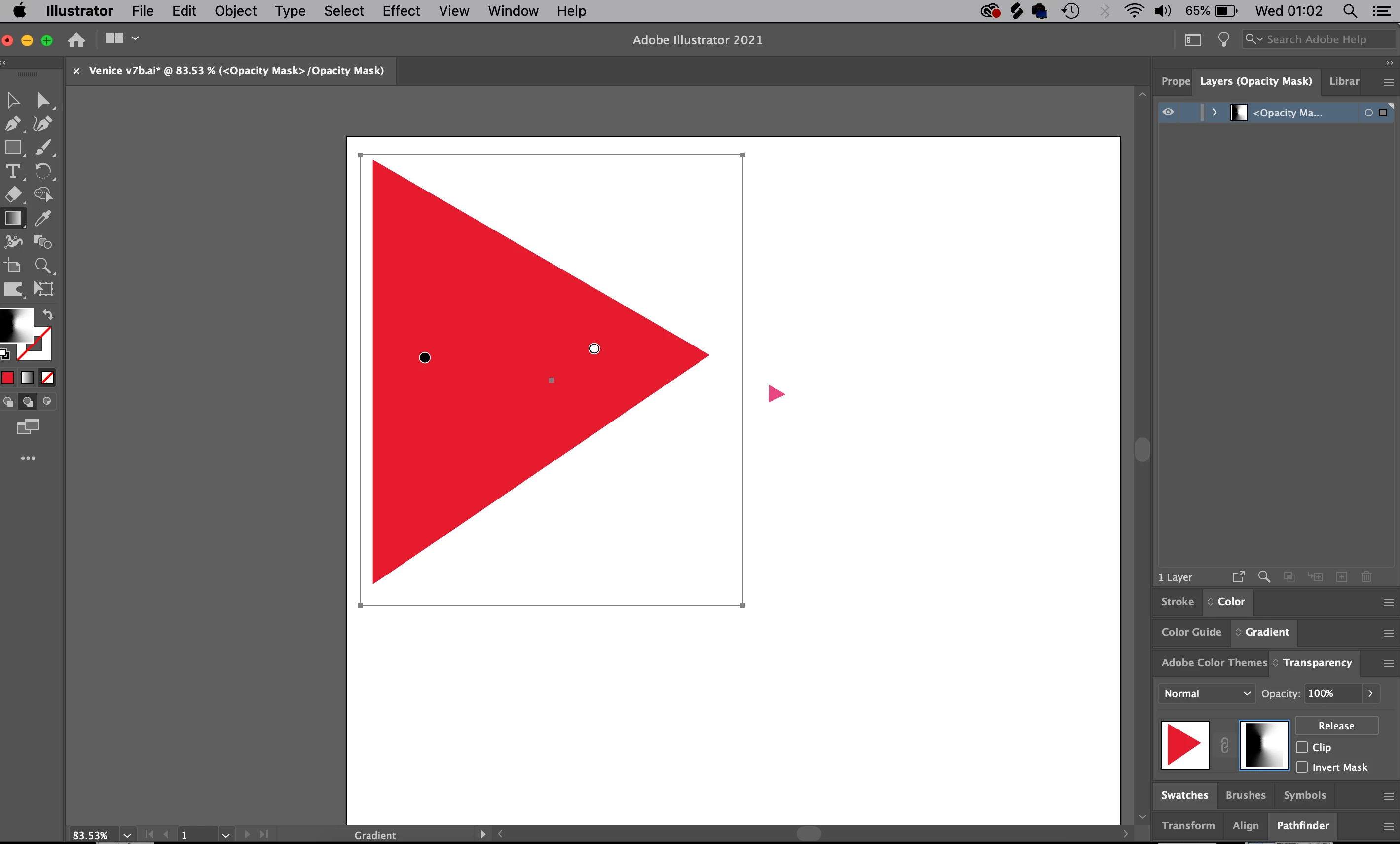
Hey, new user here!  I went to the Transparency tab, after I copied and pasted over the image I had. When I click 'Make Mask' and click on gradient, I can see the thumbnail moving, however, the preview is not live on the main screen. In other words, it doesn't seem there is a way that Illustrator is live previewing the opacity mask (gradient not moving on the image as I'm working)? I have to release and see the changes that way everytime I wish to know how it looks!
This topic has been closed for replies.
Correct answer tromboniator

This is a known bug, supposedly fixed in a beta version, which I haven't tried yet. More information here. 

1 reply

tromboniator
Community Expert
tromboniatorCommunity ExpertCorrect answer
Community Expert
February 3, 2021

This is a known bug, supposedly fixed in a beta version, which I haven't tried yet. More information here. 

Participant
February 3, 2021

Oh thank you so much for your help! I was wondering what I've done! thanks