
Answered
Opacity Mask Options?
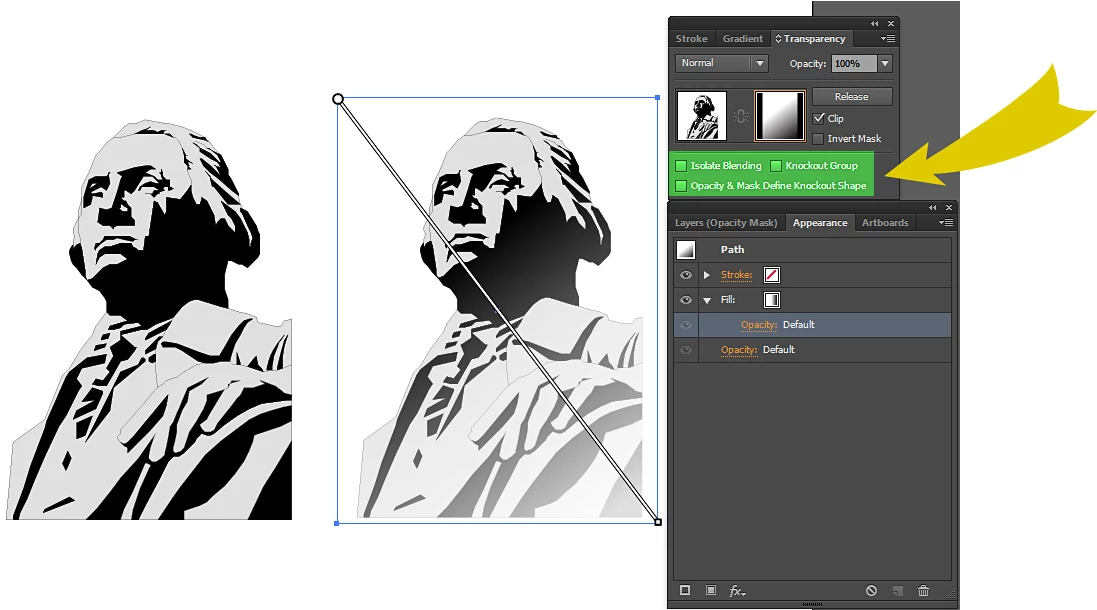
I'm still using Windows version of Adobe Illustrator CS6. My question has to do with the Transparency & Gradient Palettes. Now I do understand how and when to use an opacity mask that's seems simple enough. My long running confusion comes from the three options related to the mask. When would one use these options, how & why? The last book I have that I read attempts to explain it (w/graphics) is "How to do everything with Illustrator CS" by Osborne but I must be dense because I still don't quite get it. Can some of you power users help me out by pointing me to some examples, video or a simpletons explanation preferably all three. Thanks in advance.
 AdChoices