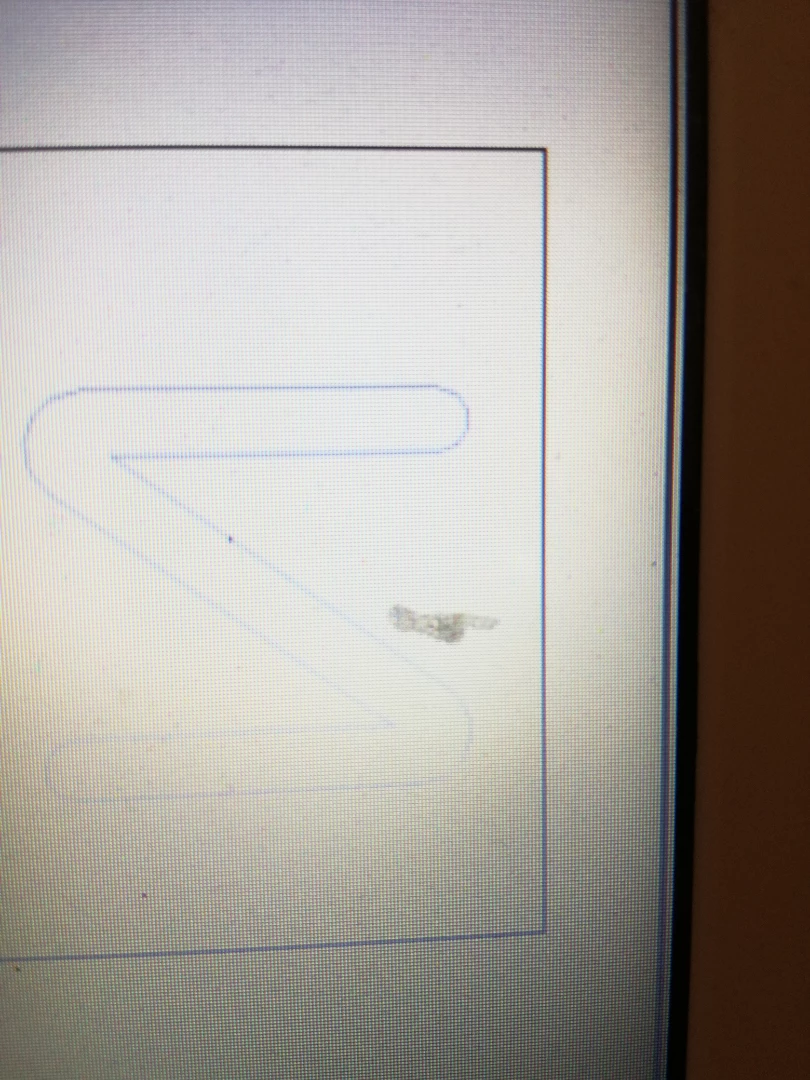
I take a cgm from NX and opened in Illustaror .When I did this I want to fill the tnside the letter (letter was not a text font , was generated in NX as a sketch).As you can see inside the letter I can't just apply fill .
Any idea how to fill this . I was trying to apply vector points but I need more practice with that
Waiting for help,
Thanks,
Valentina
This topic has been closed for replies.
Correct answer Muqqarib Hassan
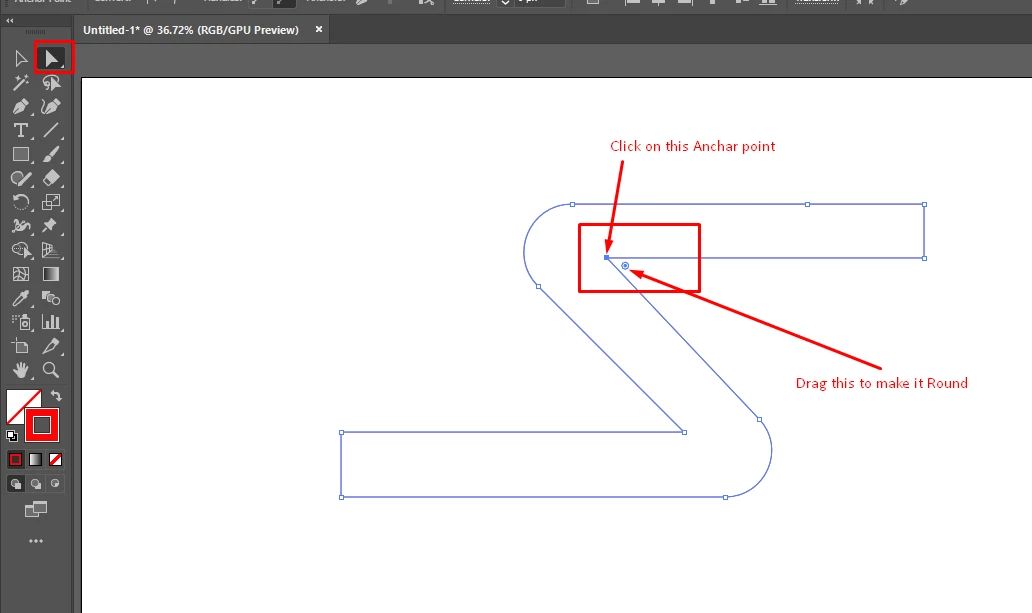
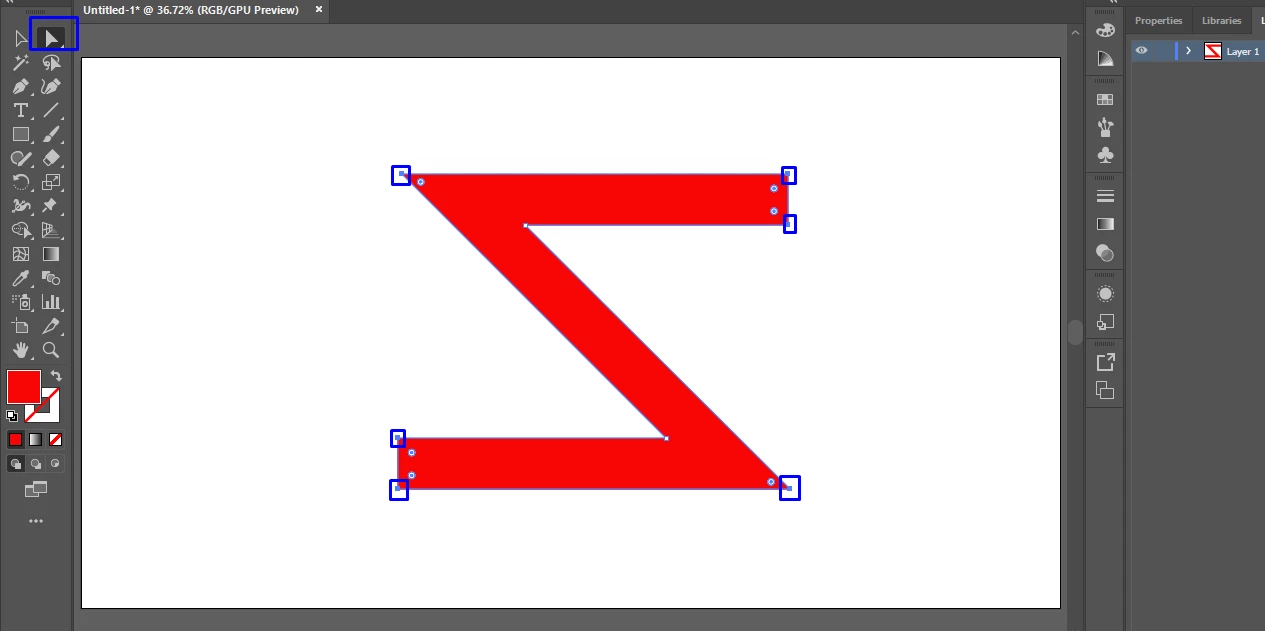
valz55434659 You can round the corner using Direct Selection (A) Tool next to Selection tool. Just Draw your letter S with pen tool and draw Straight lines after drawing choose Direct Selection tool and Click on the Anchor point which you want to round then you will See small circle and then drag it and make your corners round.
Or Check this Video Guide how to draw S.
There are many ways to Create this S or Z.
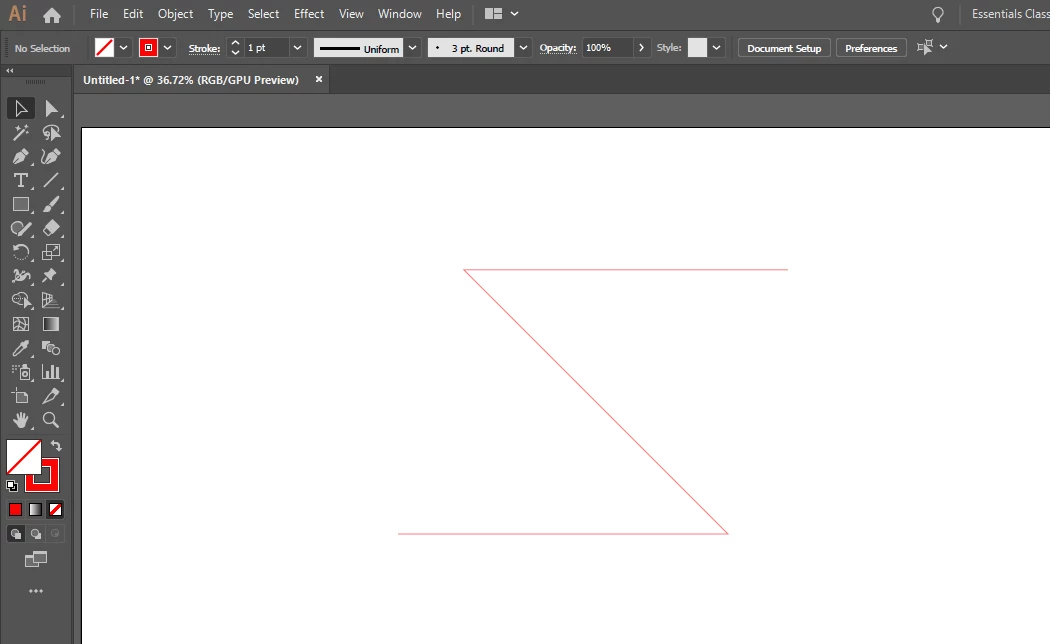
1:- First Select pen tool and draw a simple line like this. ( make sure you have disable the fill and enable the Stroke)
2:- Then Increase the Stroke value according to your need as i shown in Screenshot.
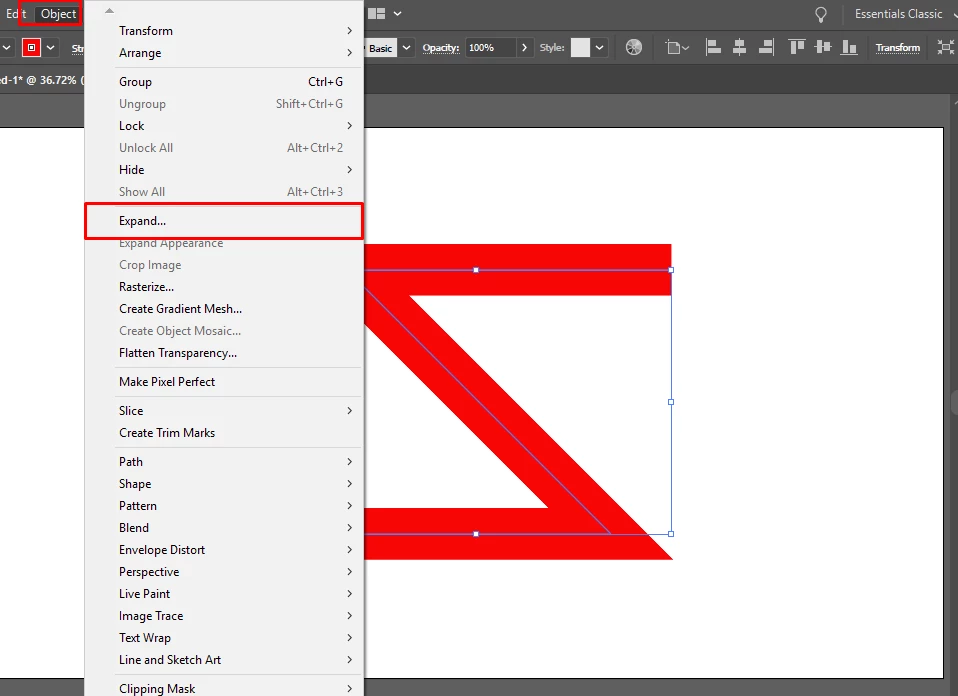
3:- Go to Object > Click on Expand and Hit Okay.
4:- After that Select Direct Selection tool and Select these Anchor points by holding shift for multi points selection
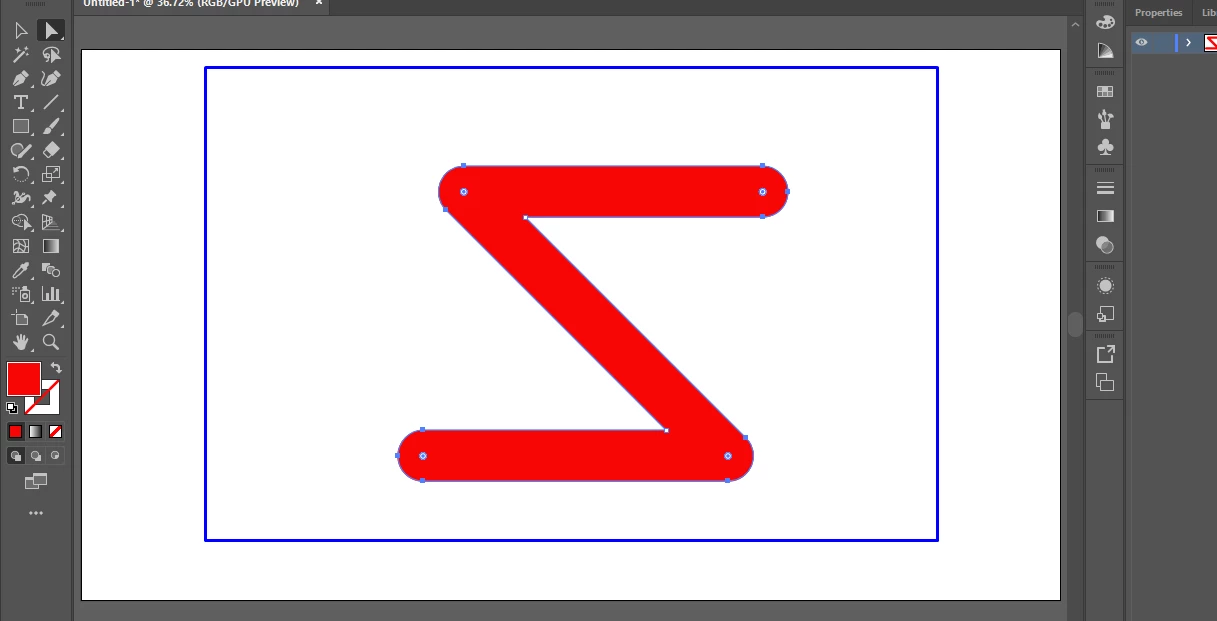
5:- After that Drag any this small circle and make it Round.
First Select your pen tool and make sure your fill option is Off and your Stroke is on.
After that Draw your letter like that. When you draw your first letter like (S) and then exit the pen tool line that is showing with your mouse cursor when you drag your mouse just Hold the ctrl and click somewhere on the workspace.
After that select your letters and Increase the Stroke value(According to your needs).
Then Click on the Stroke and open stroke panel and choose the 2nd option Round Cap.
After that Select all your letter and Go to Object > Expand and Hitt Okay.
Then Select Direct Selection tool
Then choose multiple point that you want to make round by holding shift( for multi selection )
Then Select any little circle showing and drag it to make round.
It is exactly the answer I was need it, without you I will never understood this . You know , I was thinking I need to do the round shape with that pen who is doing curves and the line with normal pen. But now is all clear , I will try to do it correct as you teach me.
I 'm impress of people who share and help other , this is amazing, thanks you help me so much.
Hello thank you so much , I was doing as you are telling me with the pen but I wasn't able to go around the letter and close the contor. Instead I get inside and in not an ordonate way I was doing this with pen.
Do you have any tips for using the pen (how you start keeping in mind you have curve and lines.ex for that letter S?
valz55434659 You can round the corner using Direct Selection (A) Tool next to Selection tool. Just Draw your letter S with pen tool and draw Straight lines after drawing choose Direct Selection tool and Click on the Anchor point which you want to round then you will See small circle and then drag it and make your corners round.

 AdChoices