


Inspiring
May 28, 2025
Answered

Opening a New File

  • May 28, 2025
  • 1 reply
  • 581 views

Hello Team,

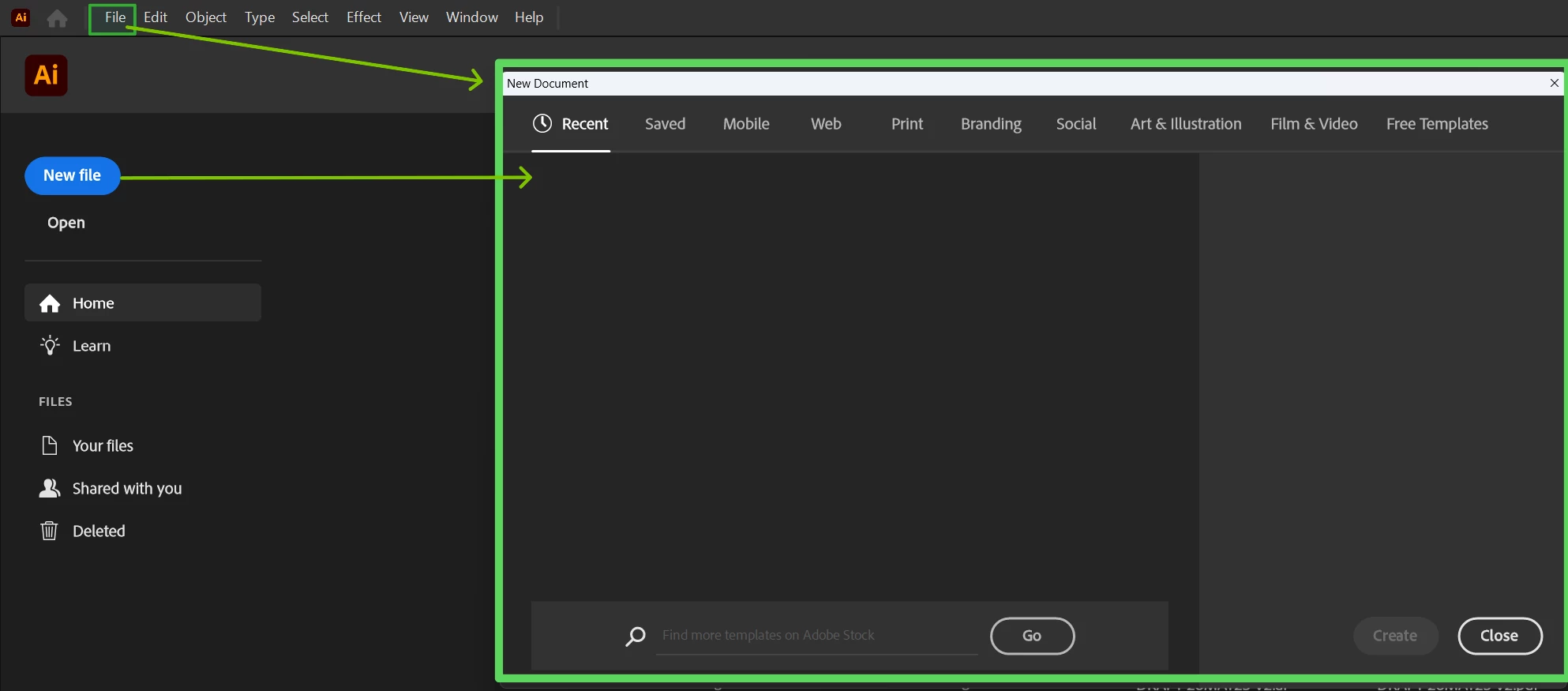
up until today, when i select "File" and "New" or  select "New File", i used to have a few options for how i want the new blank page to be created i.e Set pixels, page size, etc... However, now when I attempt to open a new page, it is completely different as shown in the screenshot image. How do i revert back to the having all the options for when i open a new file?
Correct answer donnie_1505

Yes. Thank you, this is the expected screen when you open a New File. Please let us know if this helps.

Thanks,

Harshika


Excellent, thank you for the confirmation. 

1 reply

Ton Frederiks
Community Expert
Community Expert
May 28, 2025

As a workaround you can check  "Use legacy "File New" interface" in the Preferences.

But you could try a restart of your machine or a reset of preferences.

https://helpx.adobe.com/illustrator/using/setting-preferences.html

Anubhav M
Community Manager
Community Manager
May 28, 2025

Hello @donnie_1505,

I hope Ton's suggestions helped resolve the problem. If not, please try the following steps and check if they help:


- Close all Adobe applications.

- Rename the UXP folder to UXP.old from the following location:

(Windows) Navigate to C:\Program Files\Common Files\Adobe\UXP

(macOS) Navigate to Macintosh HD/Library/Application Support/Adobe/UXP


- Relaunch Illustrator


Looking forward to hearing from you.
Anubhav

Inspiring
May 28, 2025

Hello Team, thank you both for your assistance. I tried each of the suggestions provided by both of you. Attached is my current view when i select "New File".