
Inspiring
November 30, 2017
Answered

Opening client's file, every cut out glitched

  • November 30, 2017
  • 2 replies
  • 609 views

I have this file from a client, and all the cut outs are wrong.  Here is a frame.  I remember running into this before like a year ago, but i've forgot how to fix it.  It was a setting or import? View top image.
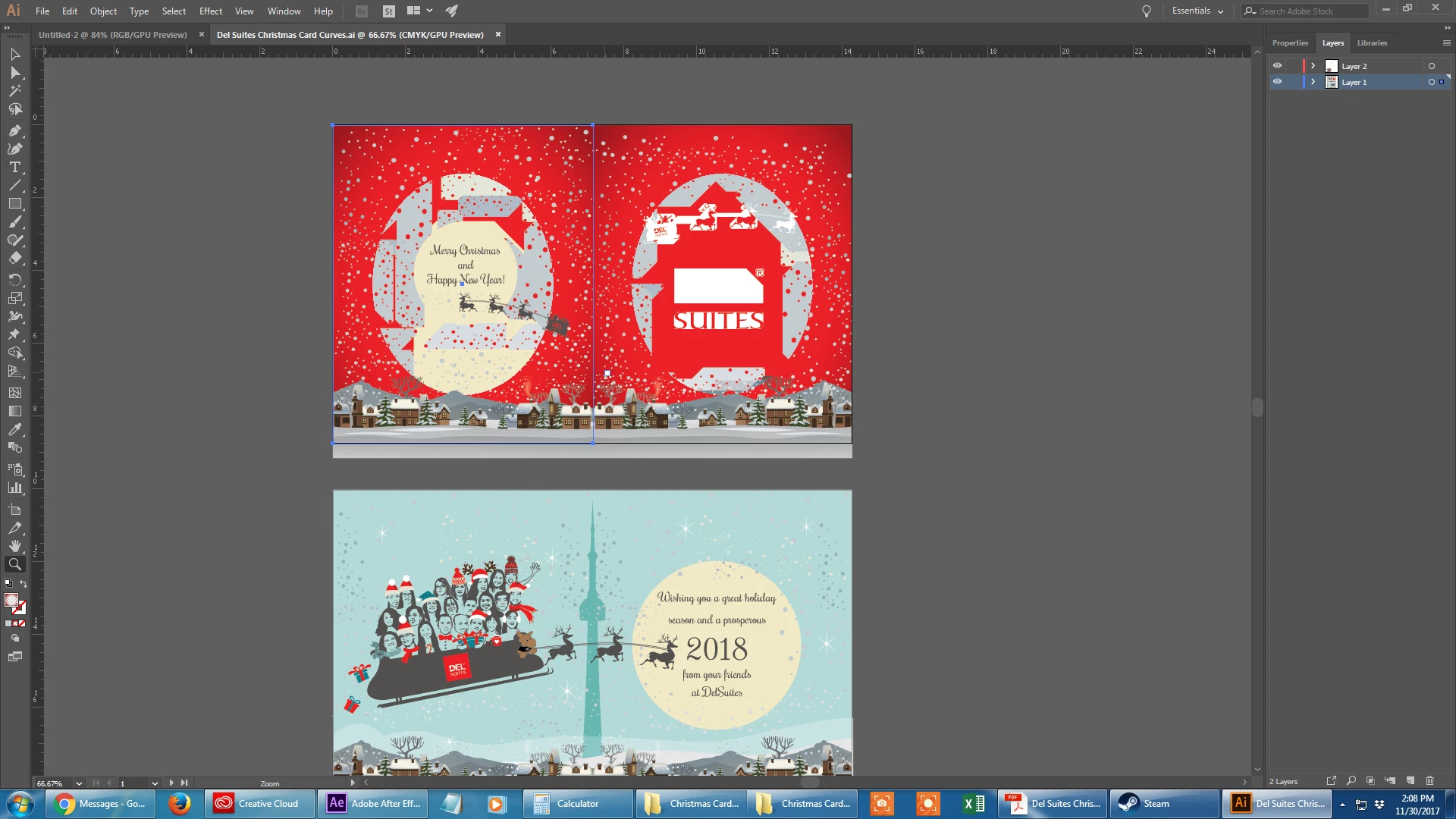
    This topic has been closed for replies.
    Correct answer Mike_Gondek10189183

    If you are saying that both CPU preview and overprint did the trick, that means that your monitor card is not working with Adobe new GPU preview and they also had some probably elements with white set in the attributes panel with an overprint option checked.

    Keep on the look up for updates in the future as Adobe is working on fixing GPU preview.

    2 replies

    Mike_Gondek10189183
    Community Expert
    Community Expert
    December 1, 2017

    Did they send a .pdf along with this to show what this should look like. The is standard practice at most better design agencies, to avoid questionable issues such as this.

    Might just be view >> overprint preview

    Inspiring
    December 1, 2017

    Thanks guys, both options did the trick.  How did this happen?  They did send a preview, here is what it's supposed to look like::

    Mike_Gondek10189183
    Community Expert
    Mike_Gondek10189183Community ExpertCorrect answer
    Community Expert
    December 1, 2017

    If you are saying that both CPU preview and overprint did the trick, that means that your monitor card is not working with Adobe new GPU preview and they also had some probably elements with white set in the attributes panel with an overprint option checked.

    Keep on the look up for updates in the future as Adobe is working on fixing GPU preview.

    Monika Gause
    Community Expert
    Community Expert
    November 30, 2017

    How is this supposed to look like?

    You could try View > Preview on CPU