
Inspiring
December 17, 2017
Answered

Ordinals not working correctly

  • December 17, 2017
  • 3 replies
  • 1424 views

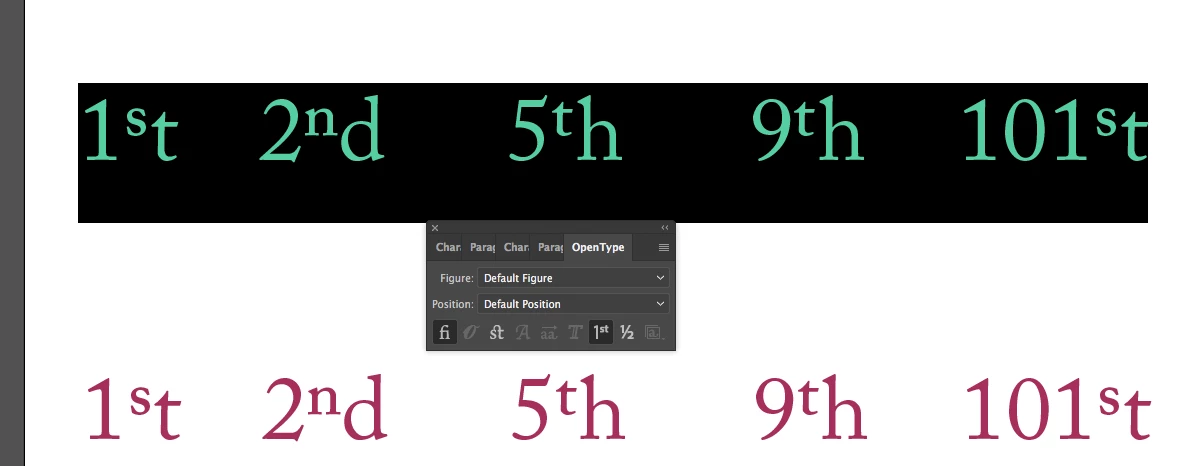
Hello everyone. I am working on a course covering ordinals and have run into a unexpected issue. When I hightlight a number with an ordinal I only the first letter gets scaled. Does any one know why this maybe? I am using adobe Illustrator cc 22.0.1 on a mac. The font I am working with is a adobe caslon pro. Attaches is a screen shot of the situation
    This topic has been closed for replies.
    Correct answer Jmcginn

    It looks like the my font may have been corrupted. I removed it and then added the version from the type kit and it seems to work fine again.

    3 replies

    JmcginnAuthorCorrect answer
    Inspiring
    December 18, 2017

    It looks like the my font may have been corrupted. I removed it and then added the version from the type kit and it seems to work fine again.

    barbara_a7746676
    Community Expert
    Community Expert
    December 17, 2017

    It will work correctly in some fonts and not others. Try using Minion Pro font; it should work with that one. If the font you need to use does not have the ordinals that you want, you'll need to 'fudge' and use things like baseline shift.

    Monika Gause
    Community Expert
    Community Expert
    December 17, 2017

    I tried with Adobe Caslon Pro and it works just fine.

    Monika Gause
    Community Expert
    Community Expert
    December 17, 2017

    I can't reproduce that.