Question
OS X ColorSync - impossible to Disable
Trialling Illustrator I'm finding this problem while trying to print...
Using same printer, same (Custom) Profile and same procedure as used faultlessly in Photoshop, I find that, having set Illustrator to handle Color for printing, and properly assigning profile, when I go then to Printer Settings, ColorSync is not greyed out. No matter what I try It seems impossible to not assign a profile a second time, and so making a print with wholly incorrect color!
How do experienced Illustrator users print successfully using Color Management, please...??
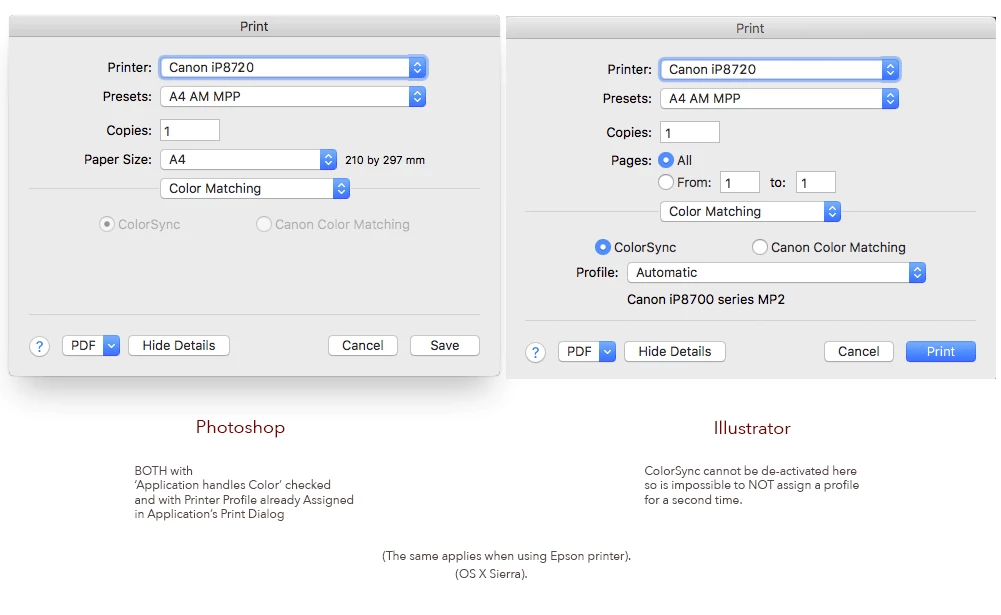
My thanks for any solution...
 AdChoices