
Participant
January 8, 2025
Question

outer line that contain specific number of dots

  • January 8, 2025
  • 3 replies
  • 685 views

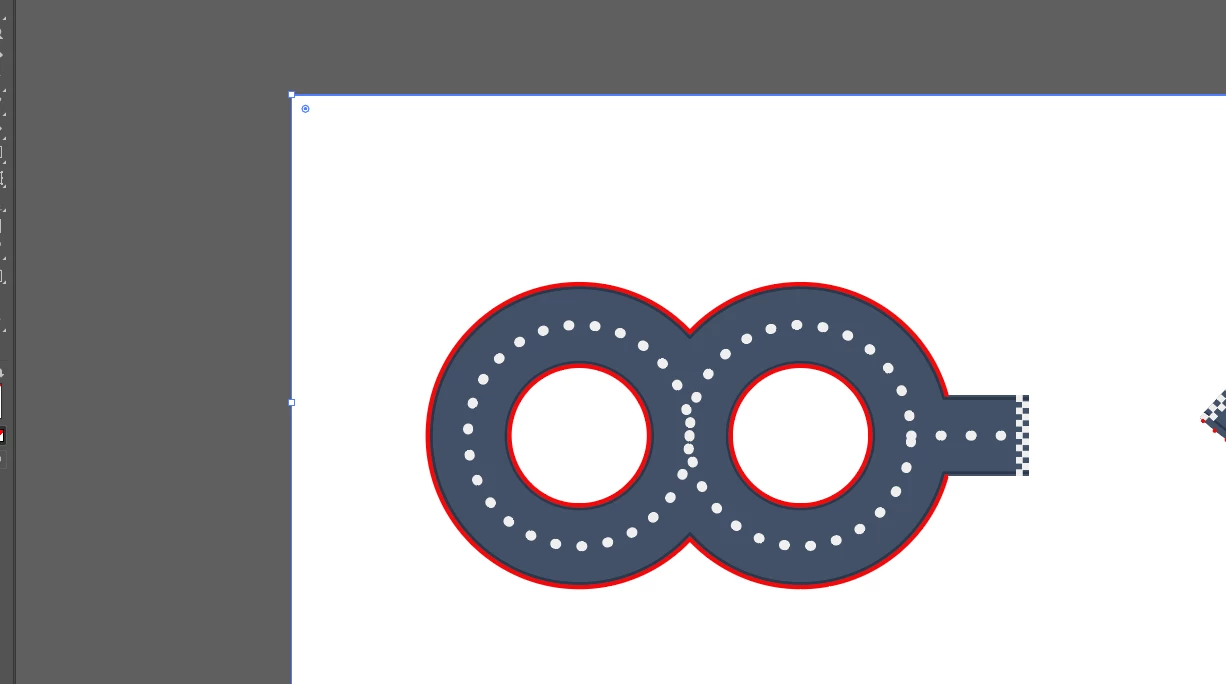
Hello everyone, I'm Trying to create a outer line that contain specific number of dots 240 to be exact. I considered using the dashed line option for proper spacing, but it doesn't seem to give me the level of control I need. Is there a way to do this exactly? also attach reference images were i want dots. red line. 
3 replies

Jacob Bugge
Community Expert
Community Expert
January 9, 2025

Gautam,


What is wrong with a Dotted Dashed Line?


Click to get closer

Participant
January 9, 2025

I need exactly 240 dots placed along the red line. This image is just an example, as I have several other images to work on.

kphotopage
Legend
January 9, 2025

Gautam, Hi.


Here I played with Blend Steps, 4pt circles.

Blend Steps of 238 gives you 240 dots.

Then I replaced Spine with the stroke shape.

Notice there is NO distoration of "Dots". It' still a 4pt circles.


You can expand the Blend Steps and tweak the circles postiton Dots,  if you wish.


K

Community Expert
January 8, 2025

Adobe Illustrator's new Objects on a Path feature could work for you, but then you need to make the 240 circles to start with.

There is a 3rd party plugin software that could help you to do it accurately. It's from Astute Graphics and it's called Make Shape. I'll attach a picture of what it could do and you'd have full control of the size etc. There's a 7 day free trial available: https://astutegraphics.com/freetrial


Monika Gause
Community Expert
Community Expert
January 8, 2025

So there should be a certain number of dots on each of the circles or as a whole?

Take the document info panel to measure the lngth of the path and then calculate the number.

Participant
January 8, 2025

Thank you For Answering.

I want the dots placed along the red line.

Monika Gause
Community Expert
Community Expert
January 8, 2025

THen you have an additional problem: the corners.