
Outline on text acting unexpectedly
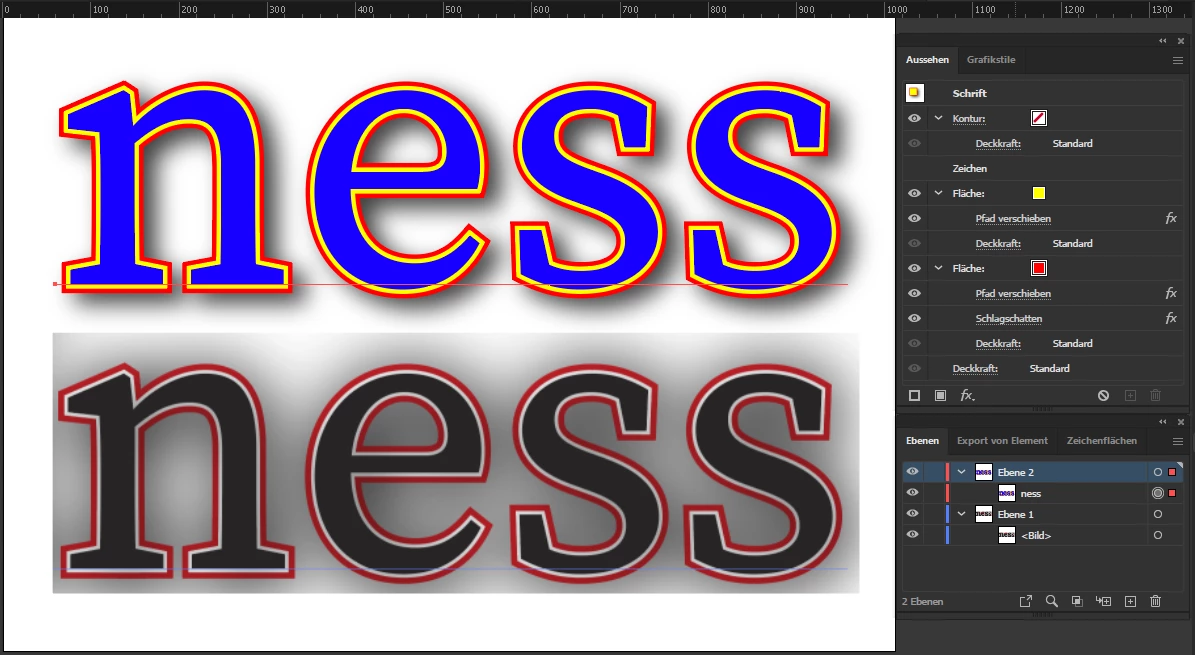
I received a book cover file from which I have pulled the book title to use separately. It has what appears to be a double outline around the text -- white to the inside stroke, black to the outside stroke. (See 1st screenshot). I was not (still am not) quite certain how this was built. It doesn't look too "out of the ordinary," but when I began to work with it, it acted unpredictably (at least, to my mind). Here's what I mean:
Just to experiment, I first changed the outline color to red, via the swatches panel. (See 2nd screenshot). The image retained both red and white outlines. I then removed color from the stroke, via the swatches panel and, as expected, the red outline disappeared (see 3rd screenshot). I assumed the white outline was still in place, though I would have expected it to show up against the drop shadow, and it wasn't. I then chose black once more for the outline color (swatches panel), but the black outline did not reappear. Instead, the white outline reappeared, now clearly showing up against the drop shadow (see 4th screenshot). So, in summary, I started out with a double outline and ended up with a single outline not even in the color I chose. (Text continues below images.)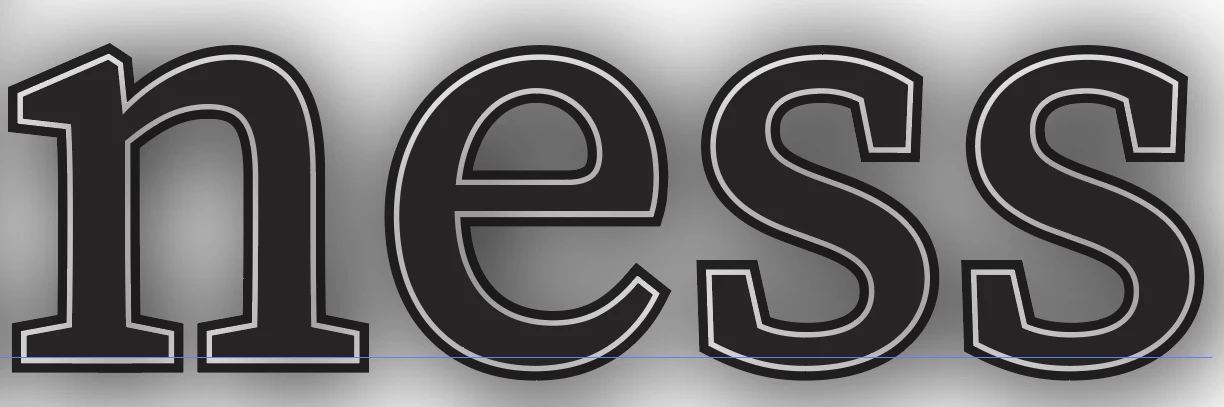



So, four things: 1) How was this built? 2) Why did BOTH black and white outlines disappear when I removed the outline color in the swatches panel. 3) Why did white come back when I reselected black from the swatches panel, and 4) what happened to the black outline I started out with?
I'm pretty sure I'm going to feel stupid when someone gives me the explanation. I've girded my graphic loins, so hit me.
 AdChoices