
Inspiring
April 9, 2010
Answered

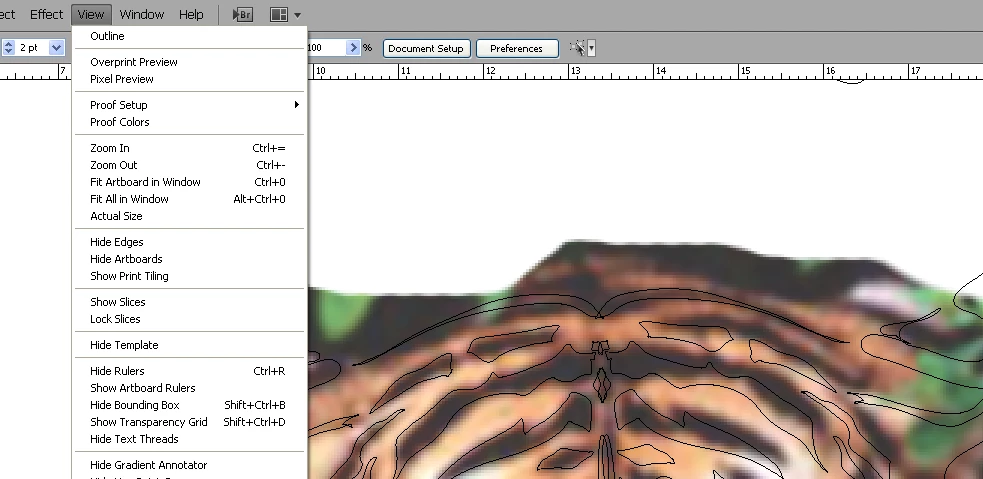
outline view, cannot get out of it...

  • April 9, 2010
  • 3 replies
  • 82634 views

i`m stuck in outline view, the view menu has outline, pixel preview and overprint preview, they are the only options, CS4, did there used to be a "preview" option, I have tried shutting the file and reopening it, but same problem when I open it again. I have no guides in my project and nothing is locked..

** an aside, where can I suggest to the forum builders the adding of another video site for uploading video sample, they have youtube and vimeo as an option among others, I would like to use screencast.com as it works with jing capture very easily and quickly. h.264 mpeg 4 files.
    This topic has been closed for replies.
    Correct answer Jesseham

    Individual layers can be put in and take out of outline (keyline) mode by command clicking on their eyeball in the layers panel.  That may be what you're looking at, since your image isn't showing in outline mode...

    As far as the forum suggestion goes, you can try at the forum forum (http://forums.adobe.com/community/general/forum_comments) but they've been less than responsive to any suggestions lately.

    3 replies

    JessehamCorrect answer
    Inspiring
    April 9, 2010

    Individual layers can be put in and take out of outline (keyline) mode by command clicking on their eyeball in the layers panel.  That may be what you're looking at, since your image isn't showing in outline mode...

    As far as the forum suggestion goes, you can try at the forum forum (http://forums.adobe.com/community/general/forum_comments) but they've been less than responsive to any suggestions lately.

    Inspiring
    April 10, 2010

    THANKYOU!!!!

    that is BRILLIANT.

    I spent hours trying to figure this one out, I saw that the eyeballs were in outlines, I hadnt seen that before, thought it was because they were on sublayers, never knew you could ctrl/cmd click the eyeball to get just those paths in outline, great option very glad for the help thankyou, I was going to screen capture the whole thing and send it to adobe bugs, haha. thank god for this forum and adobe making it so much better.

    Jacob Bugge
    Community Expert
    Community Expert
    April 9, 2010

    paintwizard,

    Is this what you are after?

    http://forums.adobe.com/message/2394145#2394145

    Sorry.

    Larry G. Schneider
    Community Expert
    Community Expert
    April 9, 2010

    The Outline/Preview is a toggle. Click on one to change to the other or use Cmd(Ctrl)-Y to toggle back and forth.

    Participant
    April 17, 2022

    This works 💯 Ctrl + Y 😊