Participant
December 20, 2021
Question

Outlining Non Overlapping Objects

  • December 20, 2021
  • 3 replies
  • 288 views

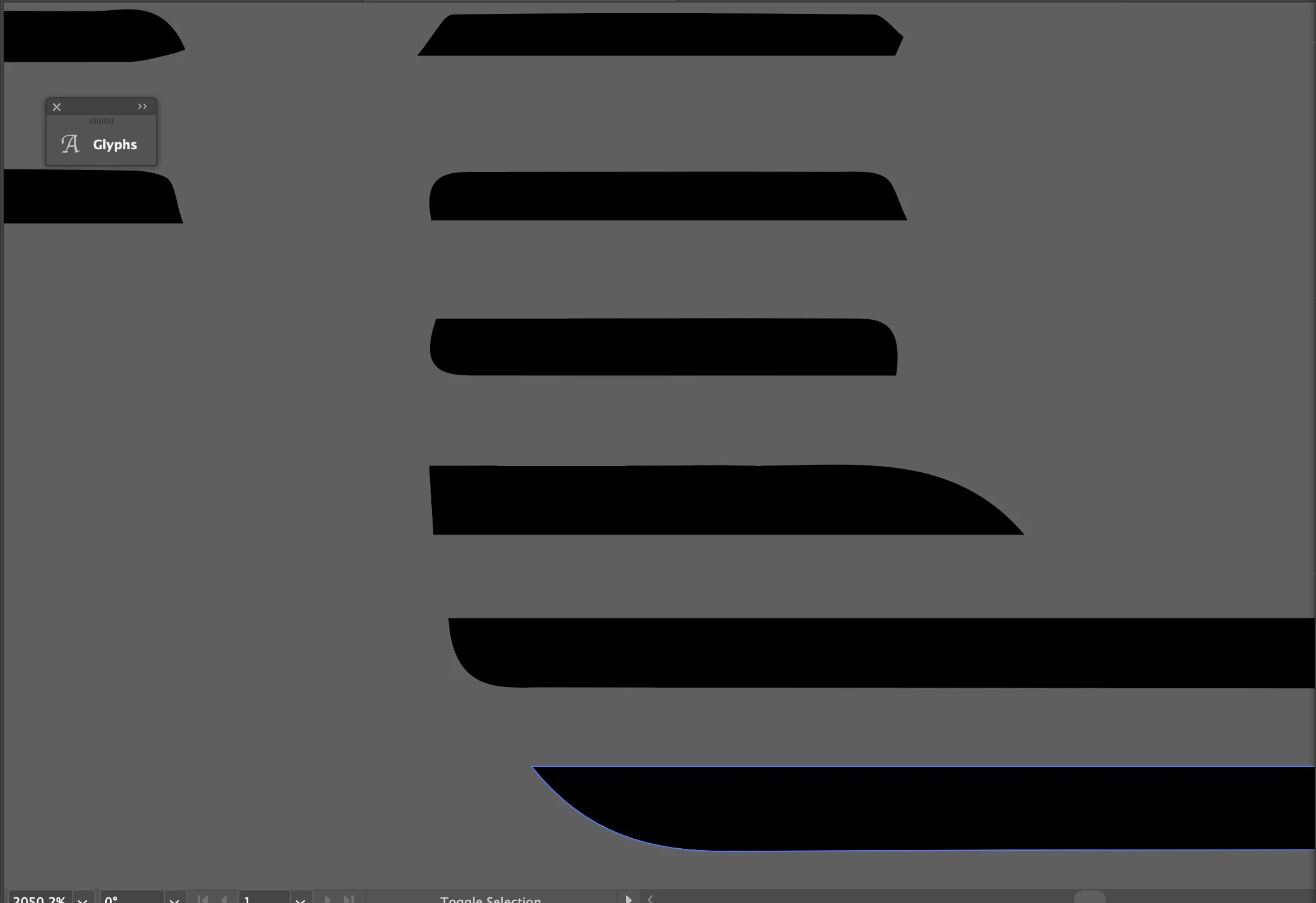
I need to outline a group of non-overlapping objects. Everything I tried just outlines each object, not the overlapping objects. I uploaded a screenshot. Any help would be amazing!
This topic has been closed for replies.

3 replies

Monika Gause
Community Expert
Community Expert
December 20, 2021

It just struck me.


Make a compound path.

Apply a stroke to it

Apply Effect > Path > Offset path to the stroke with a large setting, so they are all united.

Duplicate the effect and apply the same value with negative.


Jacob Bugge
Community Expert
Community Expert
December 20, 2021

Tristan,


As I (mis)understand it, there is no easy meaningful way to create a stroked path that encloses all the paths shown, because of the shapes of their end segments.


To elaborate, where is the leftmost spiky end of the first path from the bottom to be connected to the rounded end of the one above it, and similarly for the top four paths, and similarly for the rightmost ends?

Ton Frederiks
Community Expert
Community Expert
December 20, 2021

It is not clear to me what you mean by outline a group of non-overlapping objects.

Can you give an example (sketch) of what the result should be?