


Known Participant
July 3, 2025
Answered

Overlapping Opacity with Symbols

  • July 3, 2025
  • 1 reply
  • 510 views

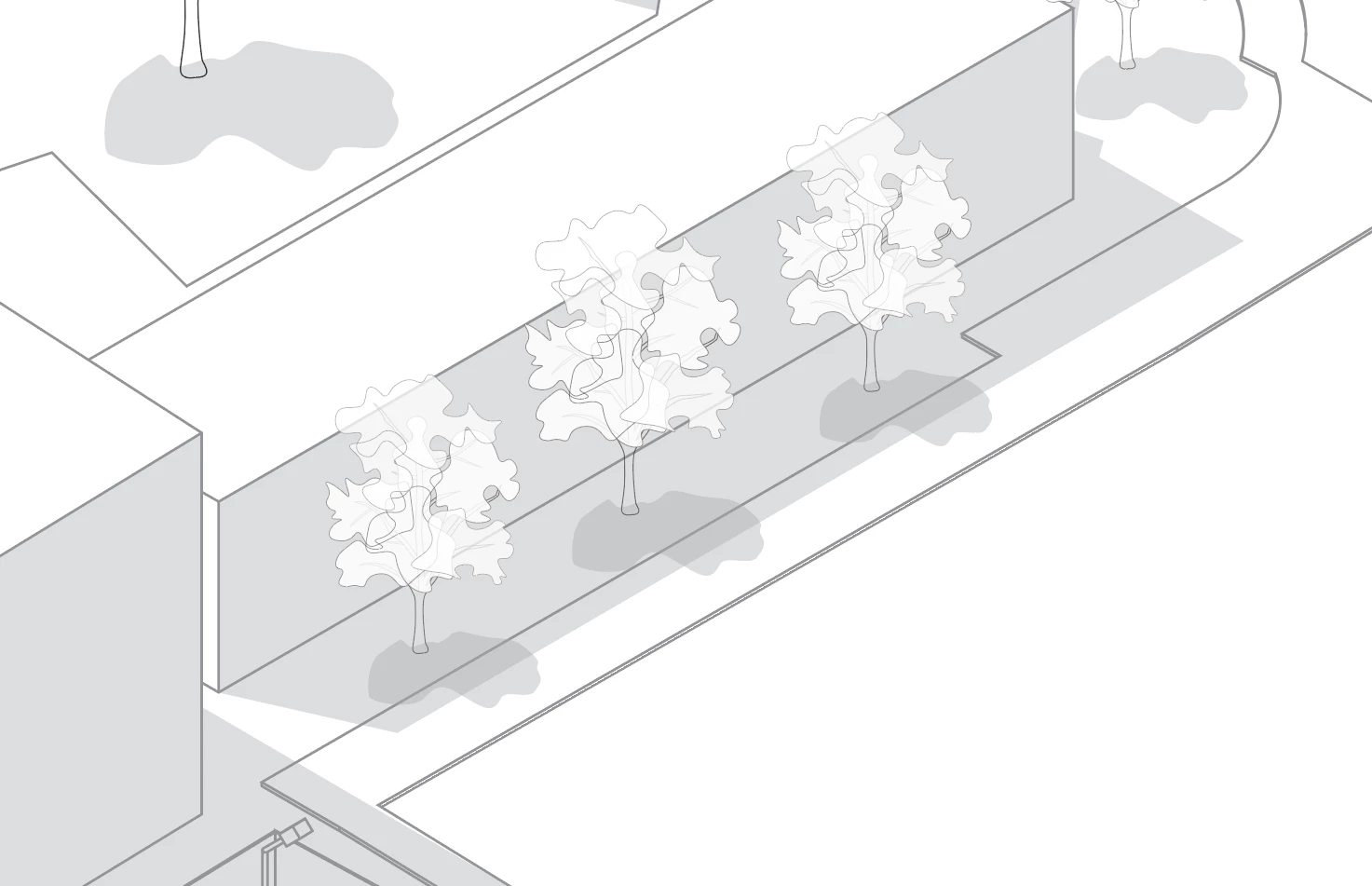
I'm working on a project and I have some buidlings casting shadows with trees also in those shadows. I have made my trees into a Symbol object so that I can easily edit one and adjust all the rest at one. However, in this situation, the shadows that are overlapping from the building and the tree are double darkening. I tried playing around with the blend modes but nothing seemed to even it out. I saw on this post to use the Shape Builder tool, however, It doesn't seem to work with symbols. If I can avoid it, I would prefer to not "Break Link to Symbol " and manually do it. It works fine, and gets me the results I'm looking for, but to keep the file as light as possible and simple to modify, it's not ideal.


Another approach I saw was to just use solid colors with no opacity. This works for most areas except where there are many layers in front of and behind others. The example screenshot I have here has lines in front of and behind shadows, so if I wanted to break it up into layers I would need about  4 or 5 layers to manage these items so that they overlap as intended, which is kinda messy as I'd like to keep my objects like trees all on the same layer, not split the components of the tree onto multiple.


Any help is great!
 

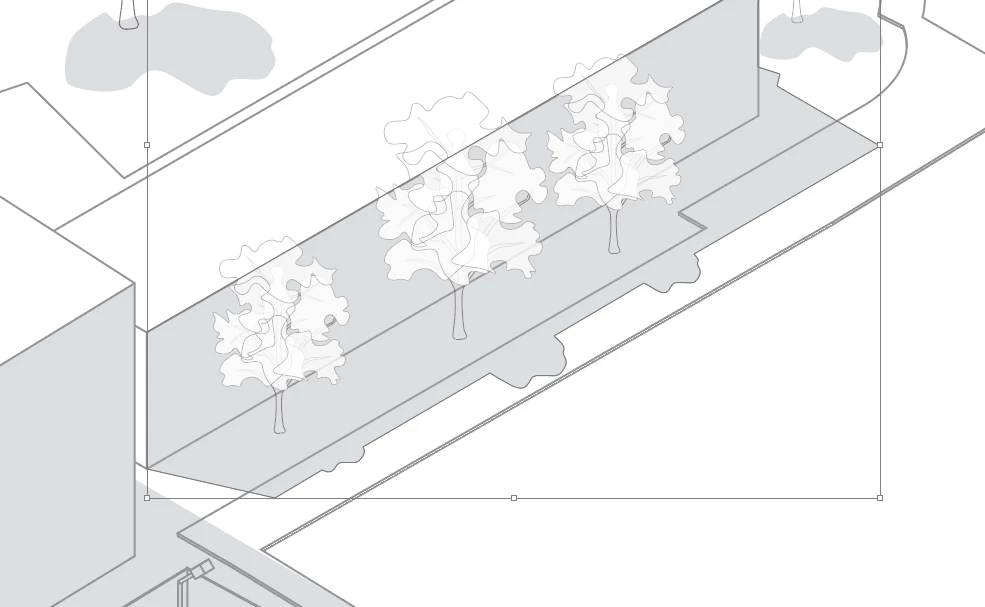
Result after removing the link and pathfinder uniting the shadows:
 

Correct answer Kurt Gold

You may use less nested transparencies to simplify your drawing.


See this sample Illustrator file (based on your example):


Tree Symbols simplified


Also, as already mentioned in one of your other threads, you may reconsider and rebuild your layer structures and don't use transparencies if it is not necessary to get the right colour interactions.

1 reply

Kurt Gold
Community Expert
Community Expert
July 4, 2025

Can you share a sample Illustrator file that contains the situation in screenshot 1 and 2?

dane_7051Author
Known Participant
July 7, 2025

Here is an example file with both versions. One being the manually united shadows and one with the symbols. Any help is great!


I was getting an eror uploading the file to this post and it said that, "The attachment's tree overlapping opacity example.ai content type (application/postscript) does not match its file extension and has been removed," so I've made a mediafire share link.  Don't know why this happened as it's just an illustrator file.


https://www.mediafire.com/file/u2iwcxl8n4gsn0f/Tree_Overlapping_Opacity_Example.ai/file

Kurt Gold
Community Expert
Kurt GoldCommunity ExpertCorrect answer
Community Expert
July 7, 2025

You may use less nested transparencies to simplify your drawing.


See this sample Illustrator file (based on your example):


Tree Symbols simplified


Also, as already mentioned in one of your other threads, you may reconsider and rebuild your layer structures and don't use transparencies if it is not necessary to get the right colour interactions.